
AgencyPro
Decide who can change your SEO
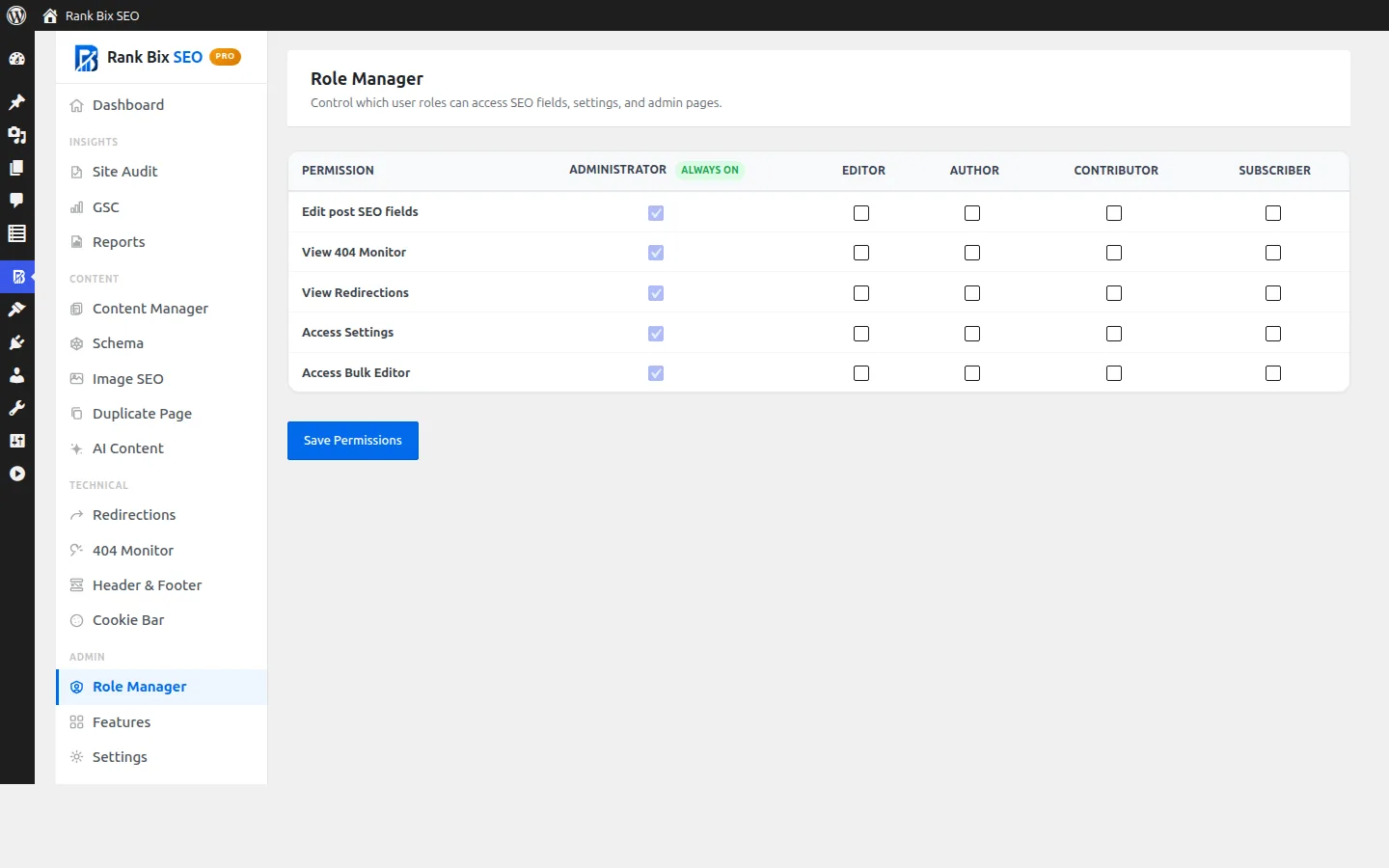
Choose which user roles can edit SEO fields, see redirects, open settings and use the bulk editor.
Why it helps
On a site with writers, editors and clients, not everyone should be able to change SEO settings. Role Manager lets you give each role exactly what it needs.
How to set it up
- Activate Pro and open Rank Bix SEO > Role Manager.
- Tick the capabilities for each role and save.
Where to find it:
Rank Bix SEO > Role Manager
What it does
Edit SEO fields
ProControl who sees the Rank Bix box in the editor.
Redirects
ProControl who can view and manage redirects.
Settings
ProControl who can open Rank Bix settings.
Bulk editor
ProControl who can make bulk changes.
Questions people ask
Are administrators affected?
Administrators always keep full access.