
Every feature, big and small.
This is the whole list, including the small things you only notice when you need them. Most of it is free. Pro adds Search Console data, the site audit, client reports and the full AI writing workflow.
On-Page SEO
What you need to get a single post right: title, description, focus keyword and a live Google preview.
Set custom titles and descriptions per post/page with a live Google SERP preview (desktop & mobile).
Give each category, tag and author archive its own SEO title, description and noindex. Noindexed archives leave the sitemaps. The importer brings these over from Yoast and Rank Math, and category and tag SEO from SEOPress.
Live placement checks across title, URL, headings, content, and description with a real-time pass/fail list.
Control how pages look when shared on Facebook, LinkedIn, and X. Set a custom image, title, and description per post.
Auto-set canonical tags to prevent duplicate content. Override per post or archive for edge cases.
Generate SEO titles and descriptions in one click with your own key from OpenAI, Claude, Gemini, Groq, Cohere or any OpenAI-compatible service. No extra accounts needed.
Flag posts as cornerstone/pillar content to signal authority to search engines.
A sidebar score box with every one of the 14 checks, what to fix, a score for each extra keyword, and one-click rescoring of all your content.
Track up to 4 secondary keywords per post alongside your primary focus keyword.
Recalculate SEO scores across all published content in one click from the Bulk Editor.
Title and description templates per post type fill every post you leave empty, and stay up to date when you rename a post.
When a post has no description, Rank Bix writes a summary of up to 155 characters that ends on a full sentence.
Warns you in the editor when another published post already uses the same SEO title or description.
A reading-ease score in the editor: Flesch for English, LIX for languages written in other alphabets. Long sentences are listed, and in English so is passive voice.
Set noindex, nofollow, noarchive, nosnippet and snippet length on any single post.
Besides OpenAI, Claude, Gemini, Groq and Cohere, connect OpenRouter, DeepSeek, Mistral, local Ollama and more. Keys can also live in wp-config.php.
Counts the internal, external and nofollow links in a post, in the Advanced tab of the editor, and tells you when it needs more internal links.
AI Content
Write draft posts with your own AI key, one at a time or on a schedule. You review everything before it goes live.
Type a focus keyword and get a full draft: outline, intro, sections, conclusion and FAQs, saved with its SEO title, description and score filled in.
Creates a featured image and images inside the post with OpenAI or Gemini, in the style you set.
Add up to 50 keywords and get one draft every 15 minutes up to once a week, written in the background.
Every post has a step-by-step log with timings. Stopped posts can be retried from the step where they stopped.
Set your brand, audience, tone, language, words to avoid, article length, sections, FAQs and category once.
Optionally cites one outside source per post, and checks the link works before adding it.
If one AI provider is rate limited or out of credit, the step moves to another connected provider instead of failing.
A daily post limit protects your API bill, and the queue shows how many requests it will make before you add it.
Check each AI key with one click and see which model it will use.
Enter a broad topic and get 10 or 20 post ideas with keywords and search intent. Topics you already cover are marked.
Adds up to 5 links to your related posts, using phrases that already exist in the text.
Send drafts for review with an email to the reviewer, then approve and schedule them, or publish on a set rhythm.
Rewrites posts not updated for 6 months into a separate draft. Your live post only changes when you click Apply.
Change the instructions the AI gets, with tokens for title, keyword, tone and more.
Technical SEO
The behind-the-scenes setup search engines rely on. You set it once and it keeps working.
Auto-generated sitemap index with per-post-type sub-sitemaps, image entries, and Google News sitemap support.
Tells Bing, Yandex and the other IndexNow search engines when you publish or update a post. Submit many posts at once from the Bulk actions menu.
Add your own rules to the robots.txt WordPress serves, with no file to edit. Your sitemap is listed in it for you.
Type a path, pick a crawler such as Googlebot, and see whether your robots.txt rules allow or block it.
An llms.txt file at your site root that describes your site to AI tools, plus one switch that blocks common AI crawlers such as GPTBot, CCBot and Bytespider in robots.txt.
Separate switches keep search results, author archives, date archives and media attachment pages out of Google.
Schema-ready breadcrumbs as a block, the [rankbix_seo_breadcrumbs] shortcode or a PHP template function. The block works in block theme templates. Set the separator, home label and prefix text.
Auto-generate a TOC from post headings (H2-H4) with smooth scroll. Insert it with the block or shortcode, or add it automatically per post. Pro adds styling controls.
Send the empty page WordPress makes for every upload to the post it belongs to, or to the file, with a 301 redirect.
Adds "The post ... appeared first on ..." to your feed, so sites that copy it link back to you.
Verify your site with Google, Bing, Pinterest, and Yandex in one place. No manual theme edits required.
Build reusable JSON-LD templates (FAQ, Review, Product, HowTo, Event, or your own custom JSON-LD) and assign them per post type.
Auto-assign schema types via conditional rules based on post type or taxonomy. First-match wins, with per-post override supported.
Auto-detect YouTube/Vimeo embeds and generate a Google-compliant video-sitemap.xml with thumbnails.
Edit your server .htaccess directly from WP-admin with no FTP or SSH required. Auto-backups before every save.
A human-readable sitemap page, as a block or a shortcode, with your choice of sections, columns and order.
A separate news sitemap for recent posts.
Optionally noindex blog posts under a word count you choose.
Schema & Structured Data
Structured data is added for you, so your posts, products and business details can show richer results in Google.
Auto-outputs Article JSON-LD for all posts, including author, date, image, and headline.
WebSite structured data with SearchAction for sitelinks search box in Google results.
Add business name, address, phone, opening hours, geo-coordinates, and social profiles.
Say whether the site is a business or a person, with a name, logo and links to your social profiles, for the Google Knowledge Graph.
Show your address, tap-to-call phone, opening hours and a directions link on any page, with LocalBusiness schema on that page too.
Manage multiple physical locations as a custom post type, each with its own full LocalBusiness schema.
Enhanced Product schema with price, availability, SKU, sale price, brand, and customer review ratings.
Product pages share with their price, currency, availability, brand and SKU as Open Graph product tags.
Native editor blocks that output valid FAQ and HowTo schema.
Google Search Console
All ProYour Search Console numbers inside WordPress, next to the posts they belong to.
Clicks, impressions, CTR and average position inside WordPress, for the last 7, 28, 90 or 365 days.
See the top queries, clicks, and impressions for each individual post inside the editor meta box.
Surface keywords ranked positions 4 to 20. These are the pages closest to the top 3 and the best place to focus first.
Find pages with high impressions but low click-through rates. Improve titles and descriptions to win more clicks without changing your ranking.
Lists pages that lost 20% or more of their clicks compared with the previous period, so you can check them early.
Lists pages that got 20% or more clicks than in the previous period.
A tab of search queries with at least 50 impressions and a click-through rate below your site average.
A tab of search queries where two or more of your pages compete, with the page Google prefers marked.
See search traffic split across mobile, desktop, and tablet to guide your optimisation priority.
View which countries are sending the most search traffic to understand your real audience.
Keeps a daily history of your keyword positions from Search Console, so you can see movement over time.
Site Audit & Health
See what needs fixing across the whole site, sorted so you know where to start.
Admin bar warnings for blocked search engines, broken sitemaps, conflicting plugins, and missing homepage title.
Colour-coded score badge in the admin bar shows each page's SEO health at a glance while browsing the front end or editing.
Quick-toggle submenu to mark any post as Cornerstone Content, NoIndex, or NoFollow without leaving the page.
Open the page you are viewing in PageSpeed Insights, the Rich Results Test, the Facebook Sharing Debugger or the Schema Markup Validator, or open Search Console, from the admin bar.
One-click duplicate shortcut in the admin bar, creating a draft copy with all SEO metadata preserved.
Log all 404 errors with hit counts, referrers, and one-click redirect creation.
Background cron scan checks all external links in your content and flags any that are broken, with per-post details.
Batch-scan every published post for missing meta, thin content, stale content, and low SEO scores.
Step-by-step AI-powered fixes for each audit issue. Works with Claude, OpenAI, Gemini, Groq, and Cohere.
Show only Critical, Warning or Opportunity issues, or one post type, so you know where to start.
See your highest-scoring posts and those closest to a 70 SEO score threshold.
Shows the percentage of posts with a title, description, and focus keyword set across your whole site.
Lists published pages that no other page links to.
Finds places where you mention another post's focus keyword without linking to it.
Choose how many log rows to keep (500 by default), ignore query strings so one missing page is one entry, and skip paths that start with, end with, contain, exactly match or match a regex.
Image SEO
Alt text and image titles are filled in for new uploads, and you can fix the images you already have in bulk.
Template-based alt text and title generation for all uploaded images using %post_title%, %filename%, and more.
Automatically inject alt text from the template into images that have none when inserted into content.
Full-library alt text audit screen. See every image with its status, fix missing alt attributes inline, and track coverage with a live progress bar.
Set a different alt text template per post type for finer control over how images are described across different content.
Process your entire media library and generate AI-written alt text in bulk using your own API key.
Bulk-update captions and descriptions across the media library using template variables.
Free SEO Tools
Free tools on rankbix.com. No account and nothing to install.
Enter any URL and get an instant 19-point SEO report covering title, meta description, headings, canonical, schema, HTTPS, Open Graph, page speed, and more. Shows a live Google SERP preview, a score out of 100, and the actual tag values found. Shareable via link. Printable as PDF. No login required.
Bulk & Content Tools
Update many posts at once, and bring your SEO data over from another plugin.
Edit titles, descriptions, focus keywords and noindex for many posts on one screen, then save all your changes together.
Tick posts in the Bulk SEO Editor and fill their empty SEO title, description and focus keyword with your AI provider, or from the page content if you have no AI key. Review them before you save.
One-click migration from Yoast, Rank Math, All in One SEO, and SEOPress. Preview your data before committing.
Clone any post or page with full control over SEO metadata, taxonomy copying, and redirect after duplicate.
Trigger a full rescore of all published content in the background and watch scores update live without reloading.
Redirects & Robots
Send old URLs to the right place and decide what crawlers are allowed to see.
Create 301, 302, 307 and 308 redirects, or a 410 for pages that are gone, with a hit count for each and CSV export.
Import redirects from a CSV file. New source URLs are added, and a rule that already has the same source URL is updated.
Match URL patterns using a * wildcard, e.g. /blog/* to /news/*, so one rule handles an entire URL segment.
Full PHP regex patterns with capture groups. Example: #^/products/([0-9]+)$#i → /shop/item/$1 for dynamic URL rewriting.
Automatically finds A→B→C chains where two redirects fire in sequence. One click flattens any chain to a direct A→C redirect.
Change the slug of a published post and a 301 redirect from the old address is created for you.
Client Reports
All ProShow clients what you worked on and what changed, without exporting anything. Pro only.
Generate an HTML report with your agency logo and header colour, then print it or save it as a PDF.
Email the report to one or more addresses from WordPress, with the subject line and intro text you set in White Label.
Put your agency name, logo, website link and header colour on client reports in place of Rank Bix. The plugin itself keeps its own name.
Choose which sections every report includes: overview, coverage, scores and Search Console data.
Site Tools
The extra pieces most sites end up needing, built in so you need fewer plugins.
Cookie consent with Google Consent Mode v2 and Matomo support. Scripts added in Header & Footer wait until a visitor agrees, and visitors can change or withdraw consent later.
Visitors allow or reject Preferences, Statistics and Marketing one by one. Full Consent Mode v2, common trackers held until their category is allowed, a cookie list, a declaration page and a consent log that stores no IP addresses.
Add tracking codes and scripts to the head, body or footer, on all pages or only on the page types you choose.
A short setup checklist on the dashboard. Each step has a Show me button that opens the right screen and highlights the field.
A four-step tour for new users, which you can replay any time.
SEO health and key numbers on the main WordPress dashboard.
Adds hreflang to sitemaps and keeps SEO fields translatable when WPML or Polylang is active.
Edit SEO fields from inside the Elementor editor.
Switch off anything you do not use. Disabled modules do not load at all.
Copy all your settings to another site with one file, or keep a backup. API and licence keys are never included.
Your settings stay if you uninstall, unless you choose to delete everything.
Presets and colour, size, list style and width controls for the Table of Contents.
A Cookie Settings Link block and the [rankbix_cookie_settings] shortcode reopen the cookie banner, so visitors can change or withdraw consent from your footer or menu.
Jump to any Rank Bix screen or setting by typing its name. Open it from the search box in the plugin header or the / key. On WordPress 6.9 and later the Rank Bix items are also in the WordPress Ctrl K command palette.
Put every Rank Bix setting back to its default from Settings > Tools. Your post SEO data and redirects are kept.
Agency & Access Control
For agencies: decide who can change what, and put your own brand on client reports.
Activate your licence key and updates arrive in WordPress like any other plugin while the licence is active. If it expires, Pro keeps working but updates stop.
Tick which user roles can edit SEO fields, manage redirects and the 404 Monitor, change settings and use the Bulk SEO Editor.
One White Label tab under Client Reports holds your agency name, logo, website, header colour, email subject, report intro and the sections each report shows.
See it inside WordPress.
These are screenshots of the plugin itself, not mock-ups.
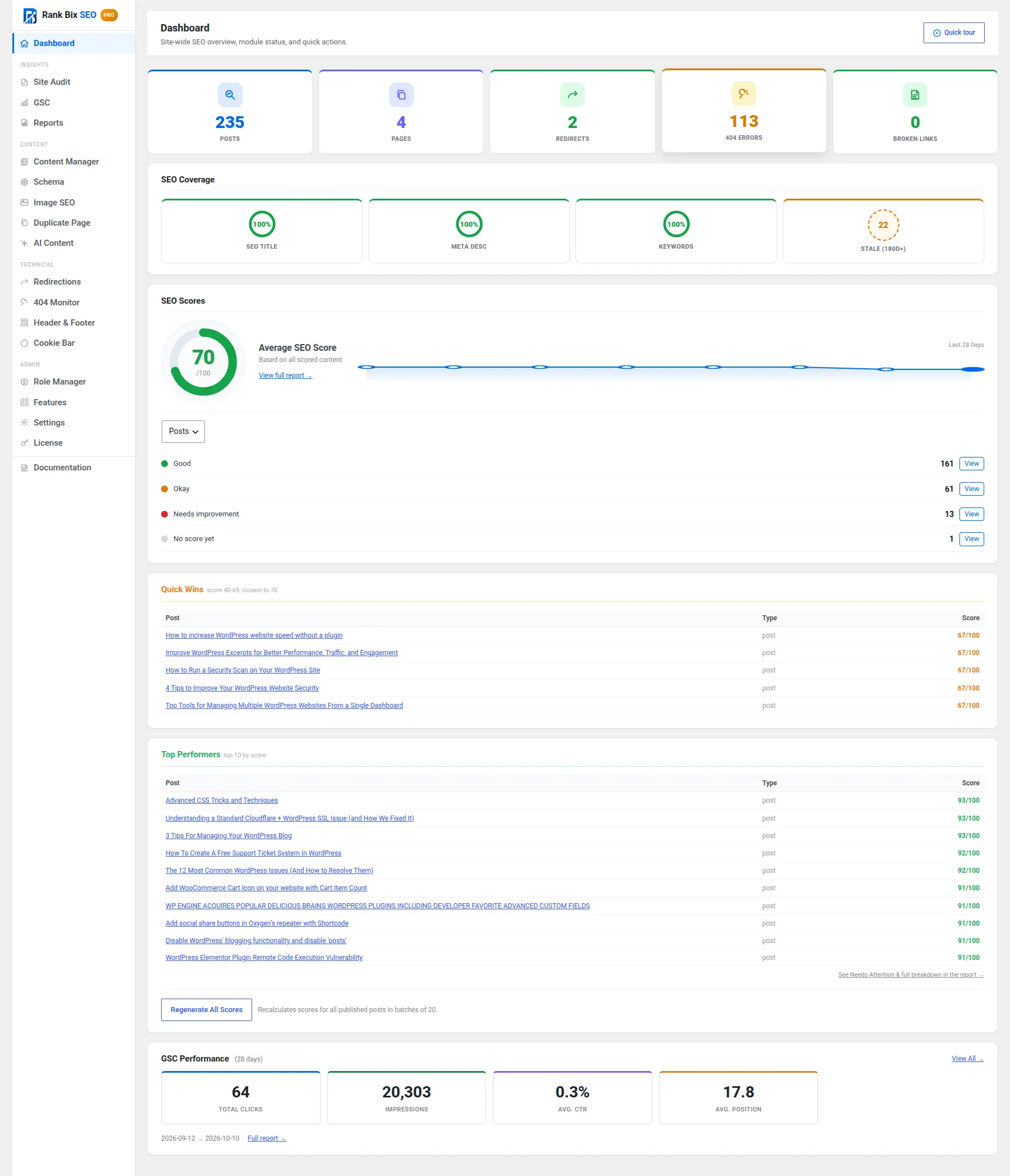
How your site is doing. Post and page counts, 404s, redirects, SEO coverage and your average score, all on one screen.
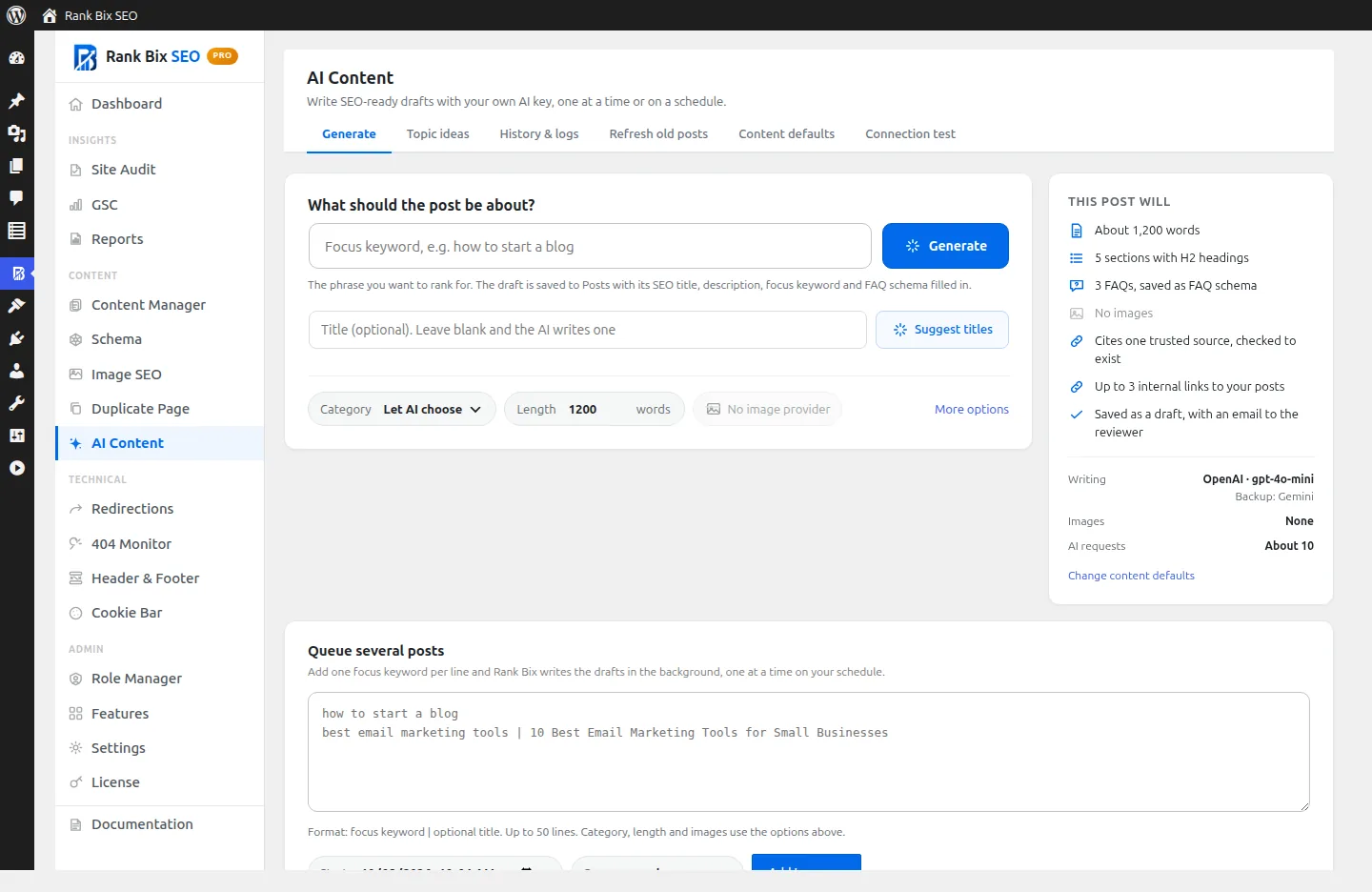
Draft posts from one keyword. Type a keyword, check what the post will include, and click Generate. Or queue a list of keywords for later.
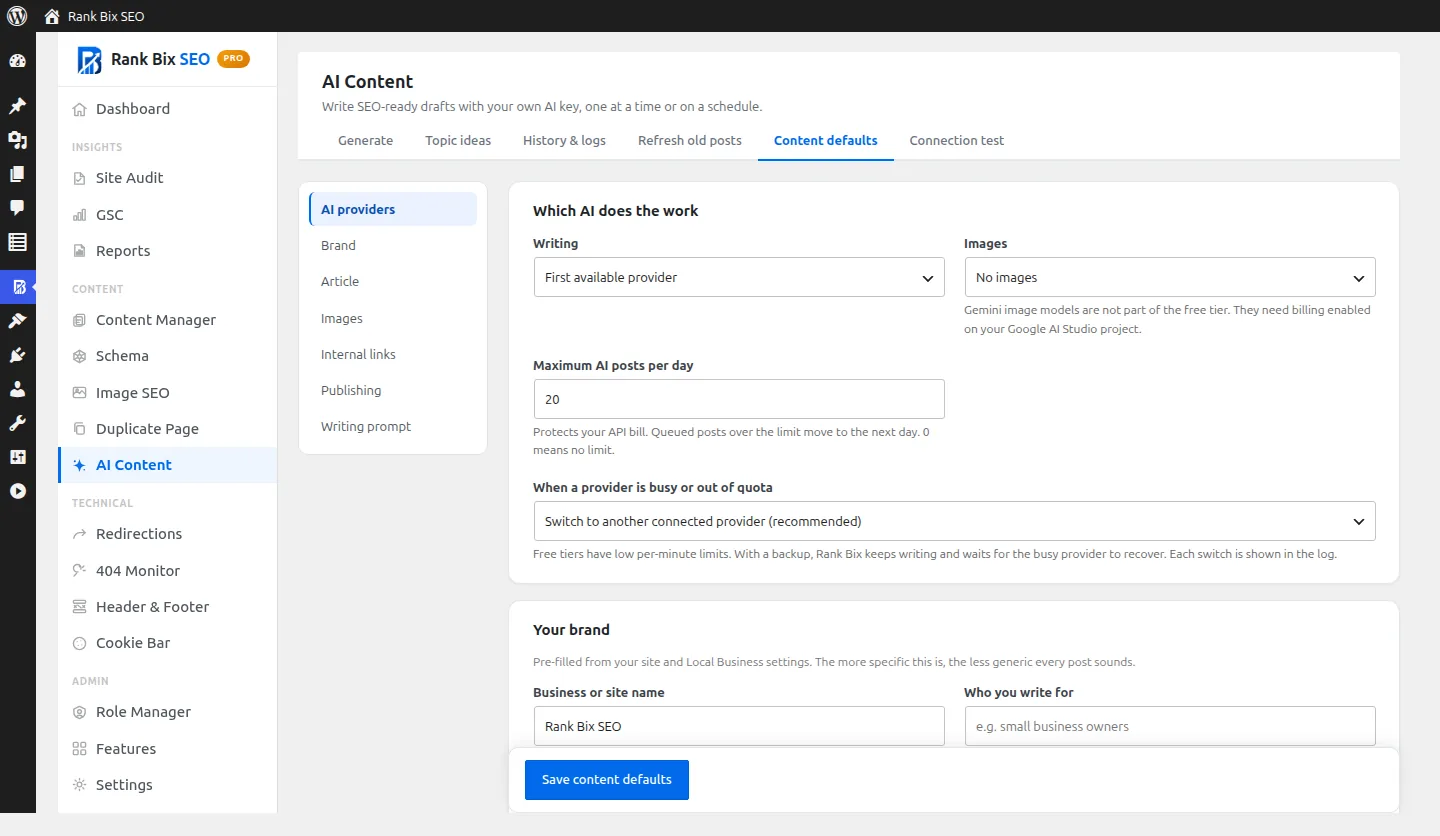
Set it up once. Choose the AI that writes and makes images, a daily limit, your brand, tone and article length. Every post follows them.
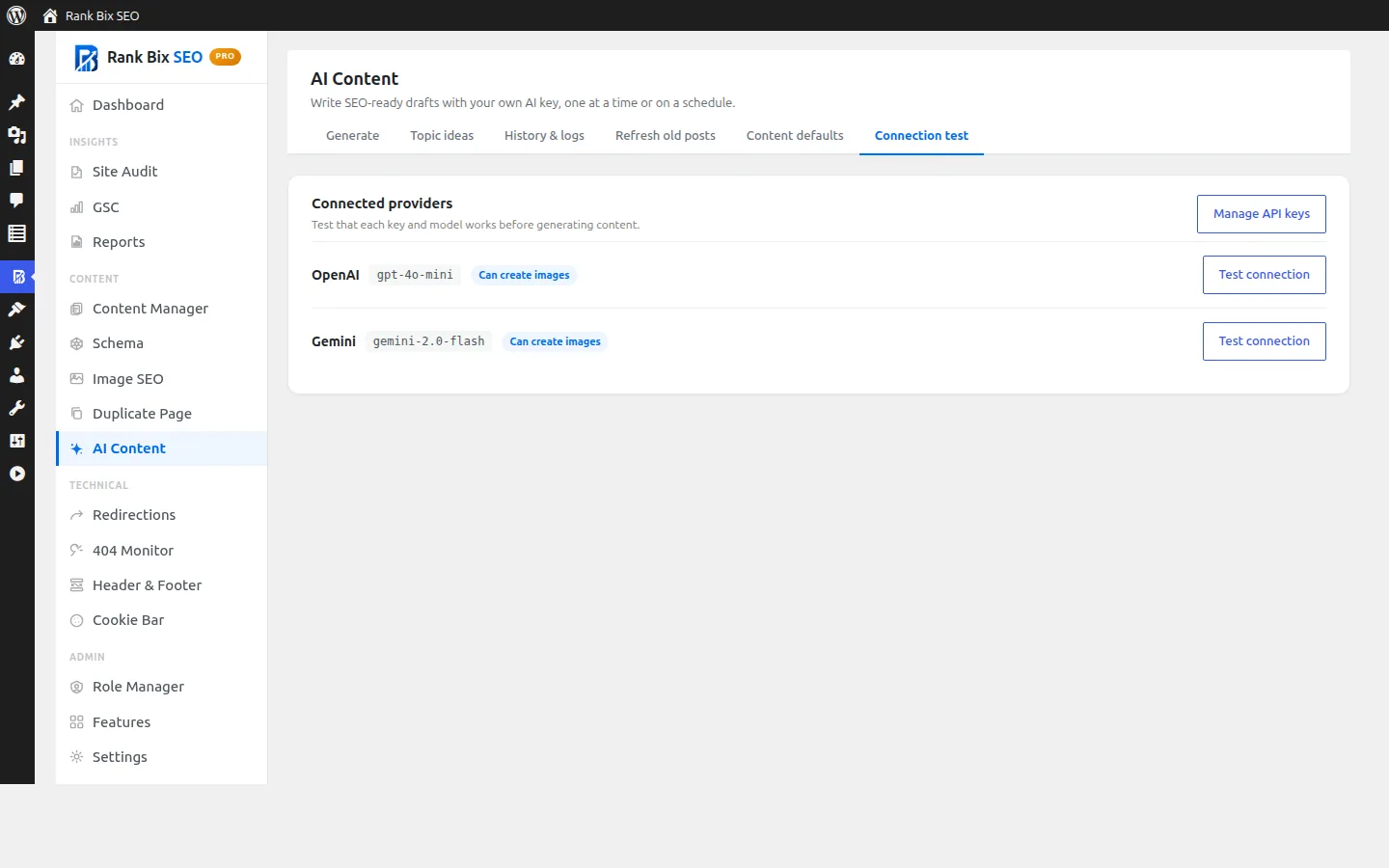
Check your AI keys. See which providers are connected, which model each uses, and test them with one click.
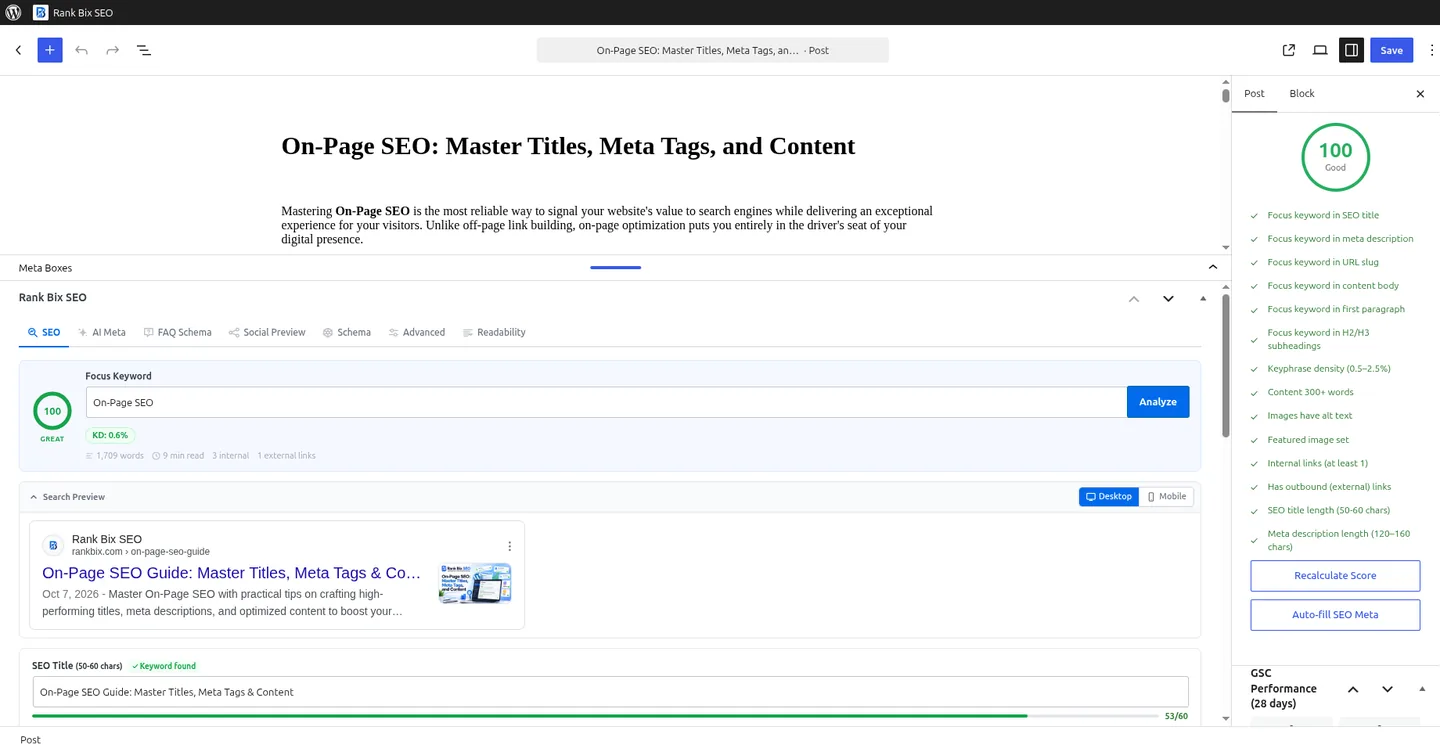
SEO while you write. Focus keyword, title, description, a live Google preview and your score, right under the editor.
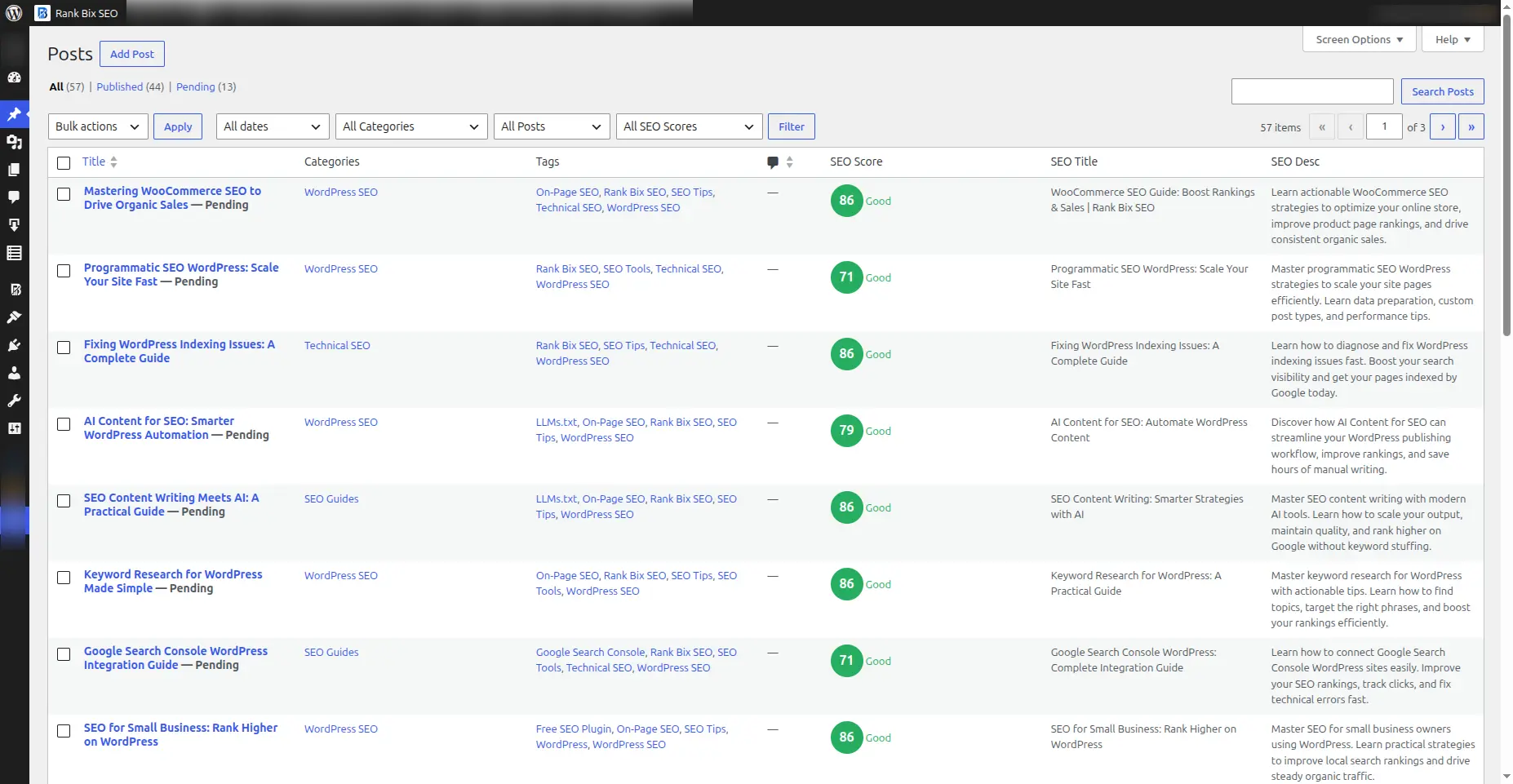
Scores in your posts list. See which posts need work without opening each one.
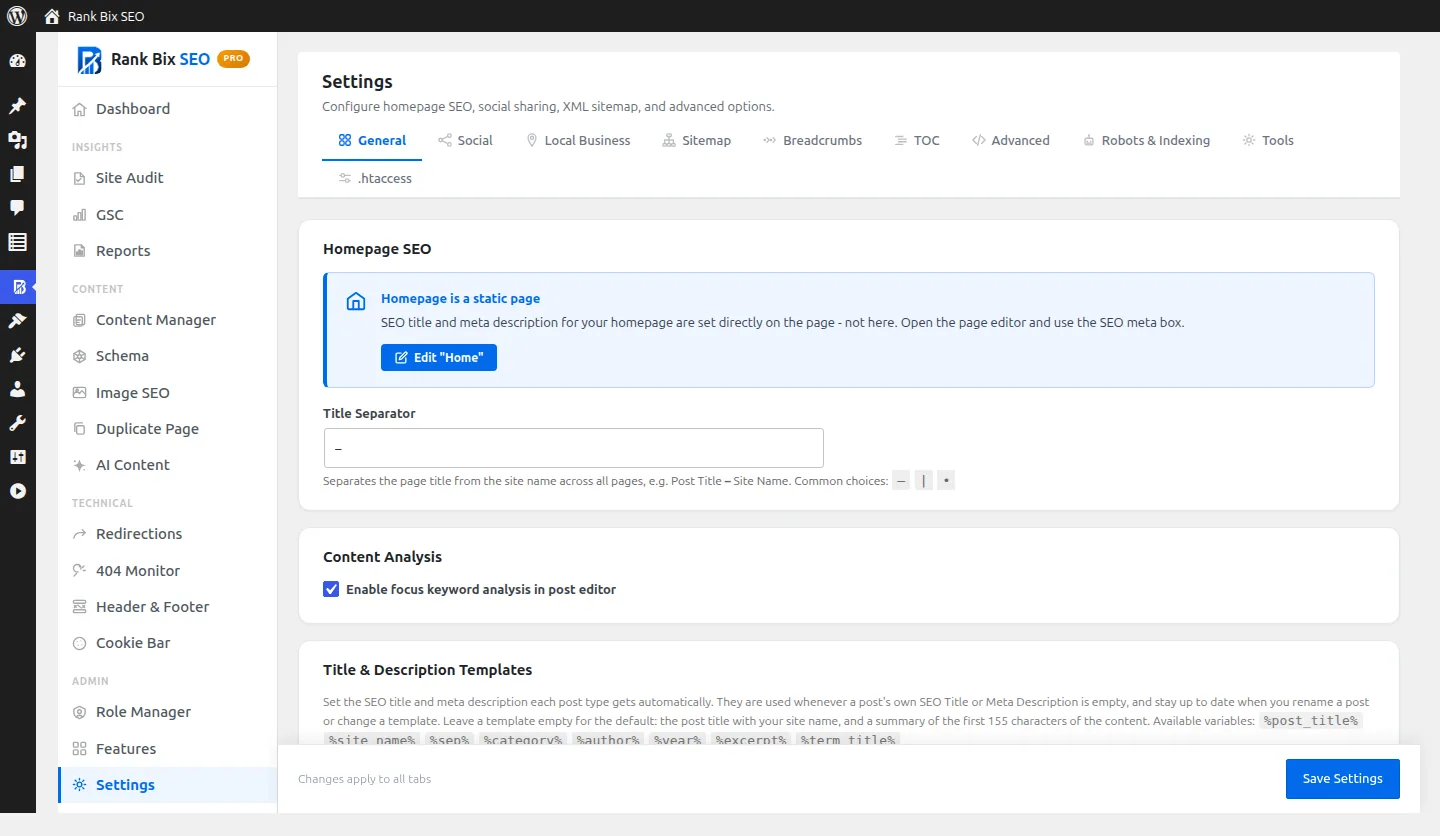
Set it once. Homepage SEO, title separator and the templates every post type uses for its title and description.
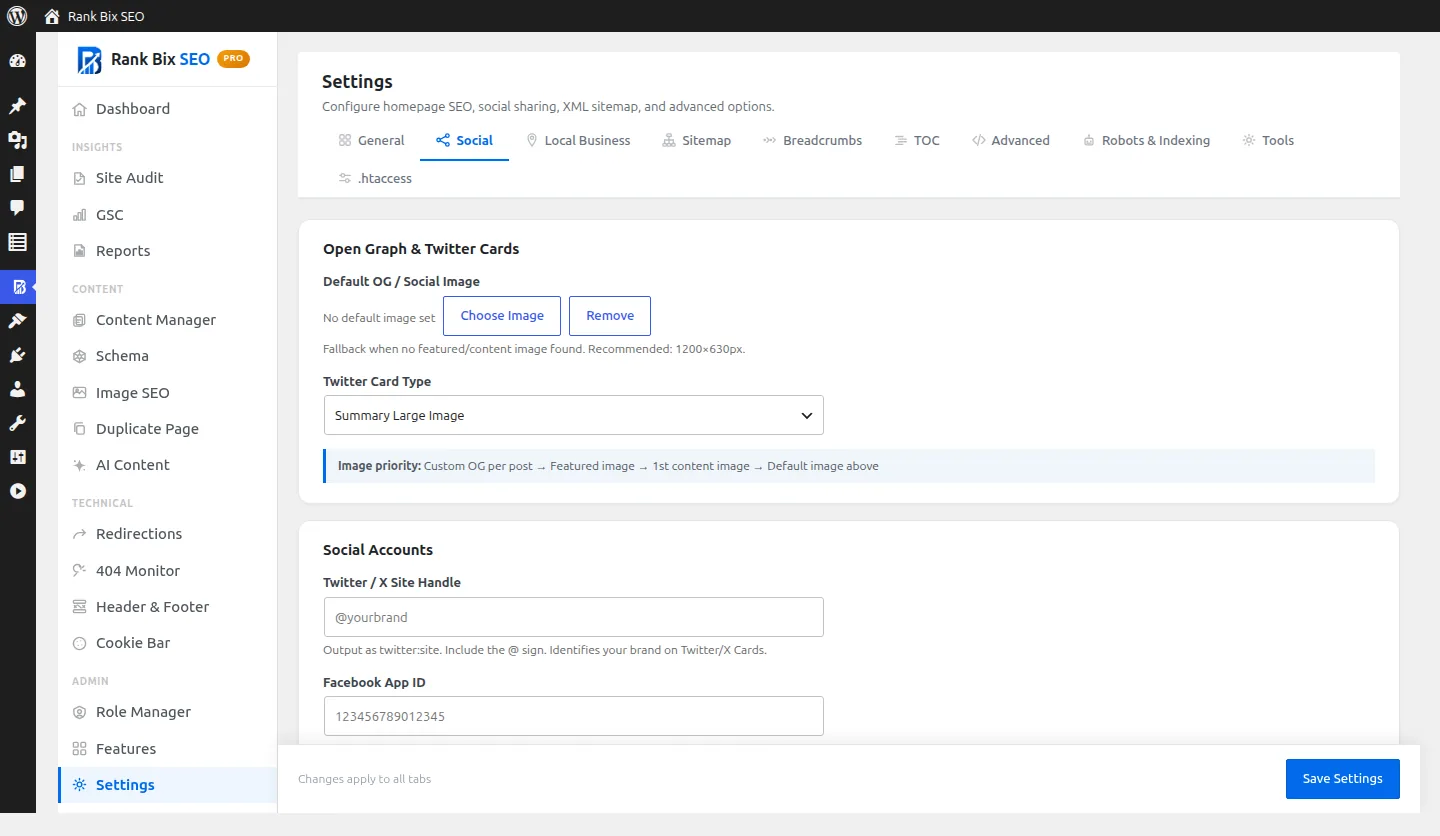
How your links look when shared. A default share image, the card type for X, and your social accounts for Open Graph tags.
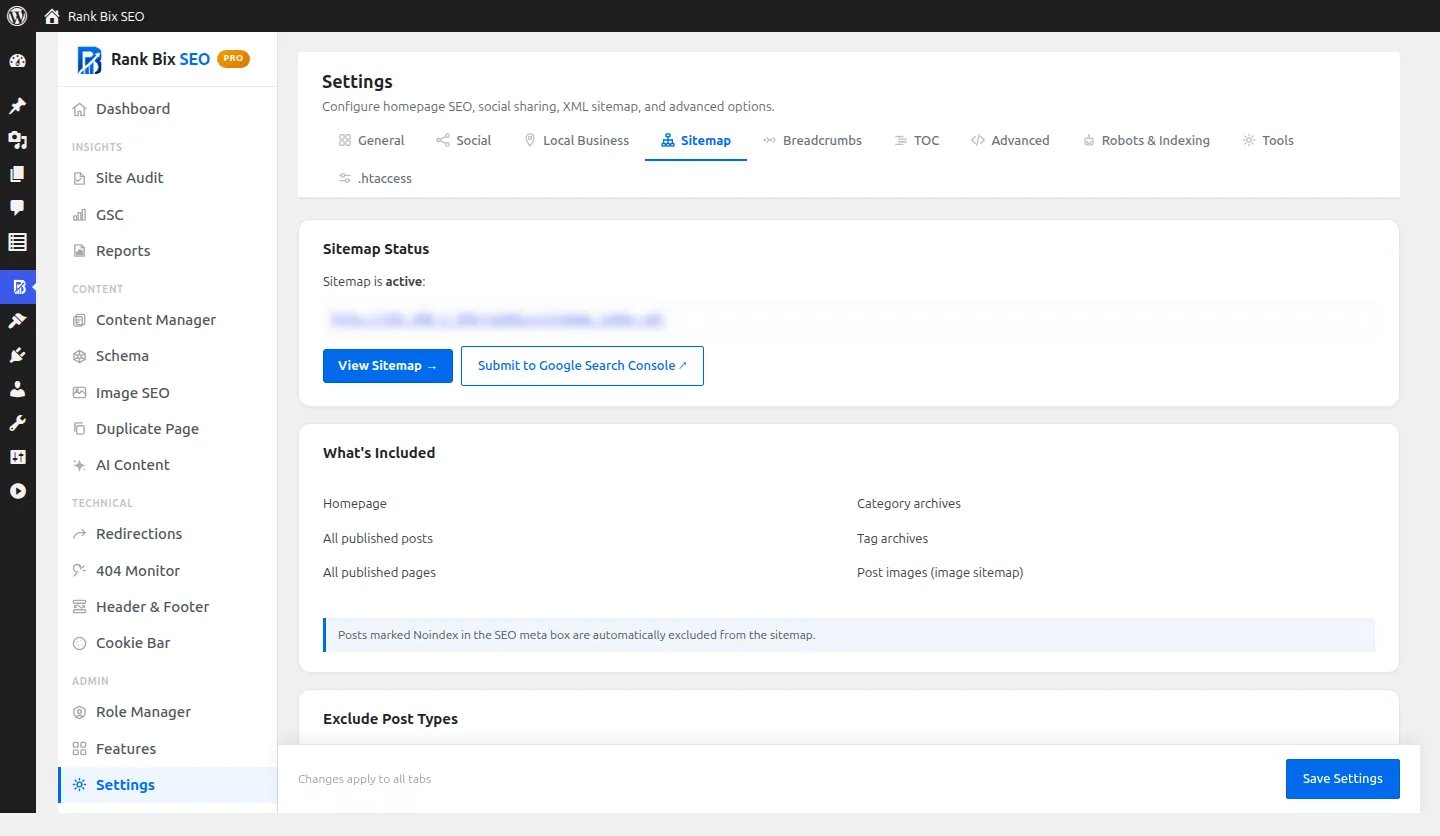
Sitemaps that look after themselves. See that your sitemap is live, what it includes, and submit it to Search Console.
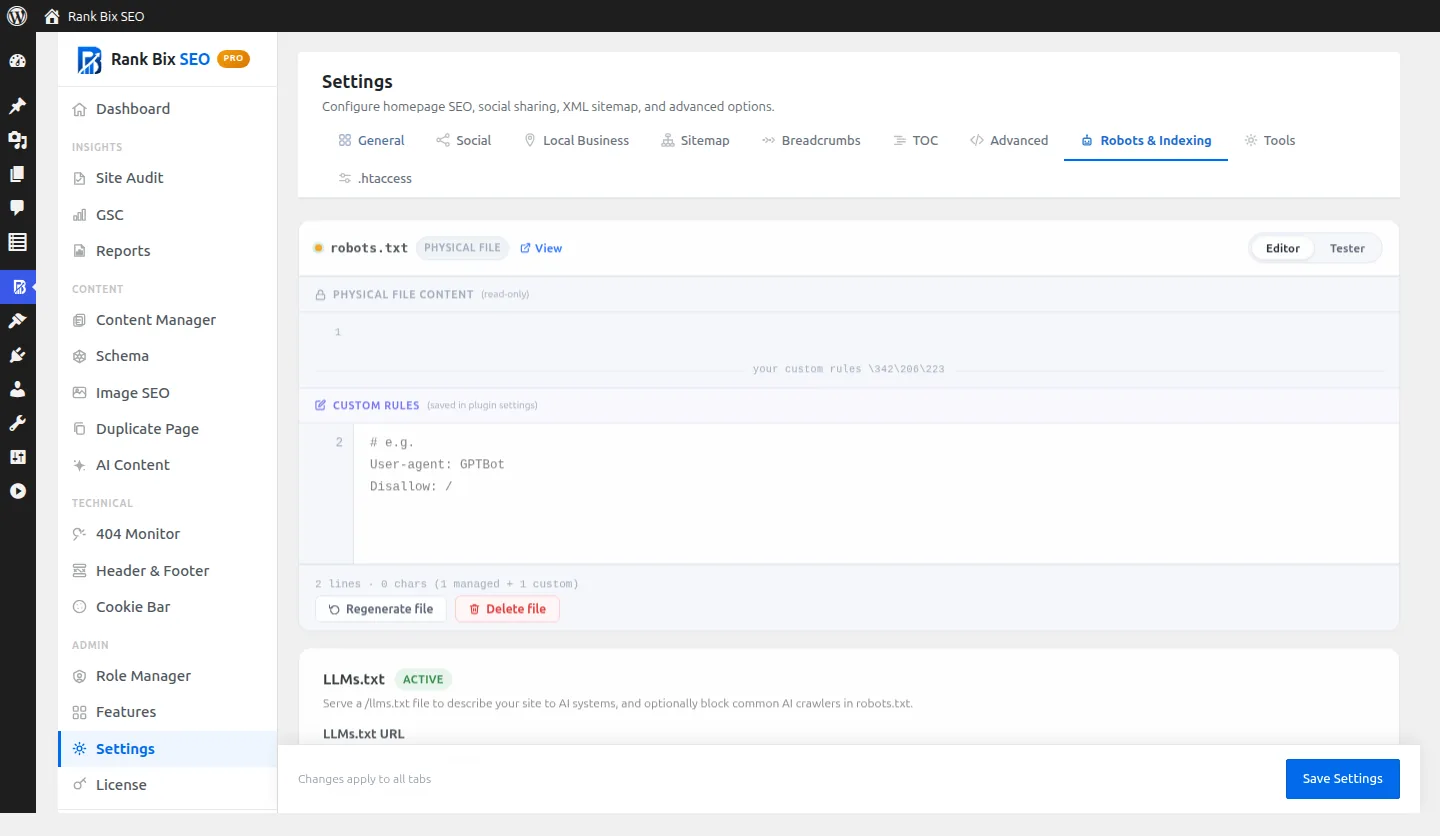
Decide what crawlers see. Add robots.txt rules, test URLs, and serve an llms.txt file for AI systems.
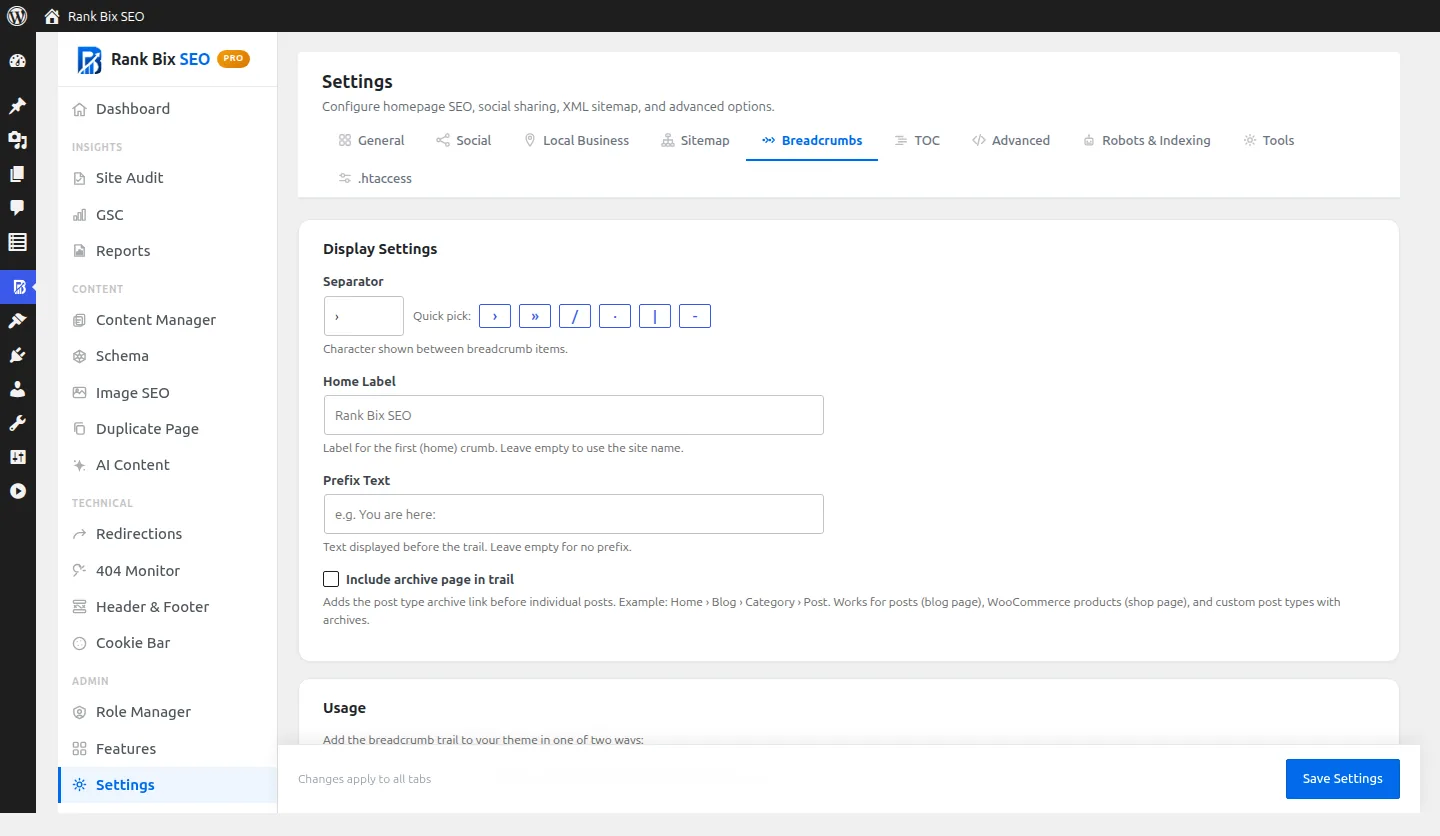
Breadcrumbs your way. Separator, home label and prefix, with BreadcrumbList schema added for you.
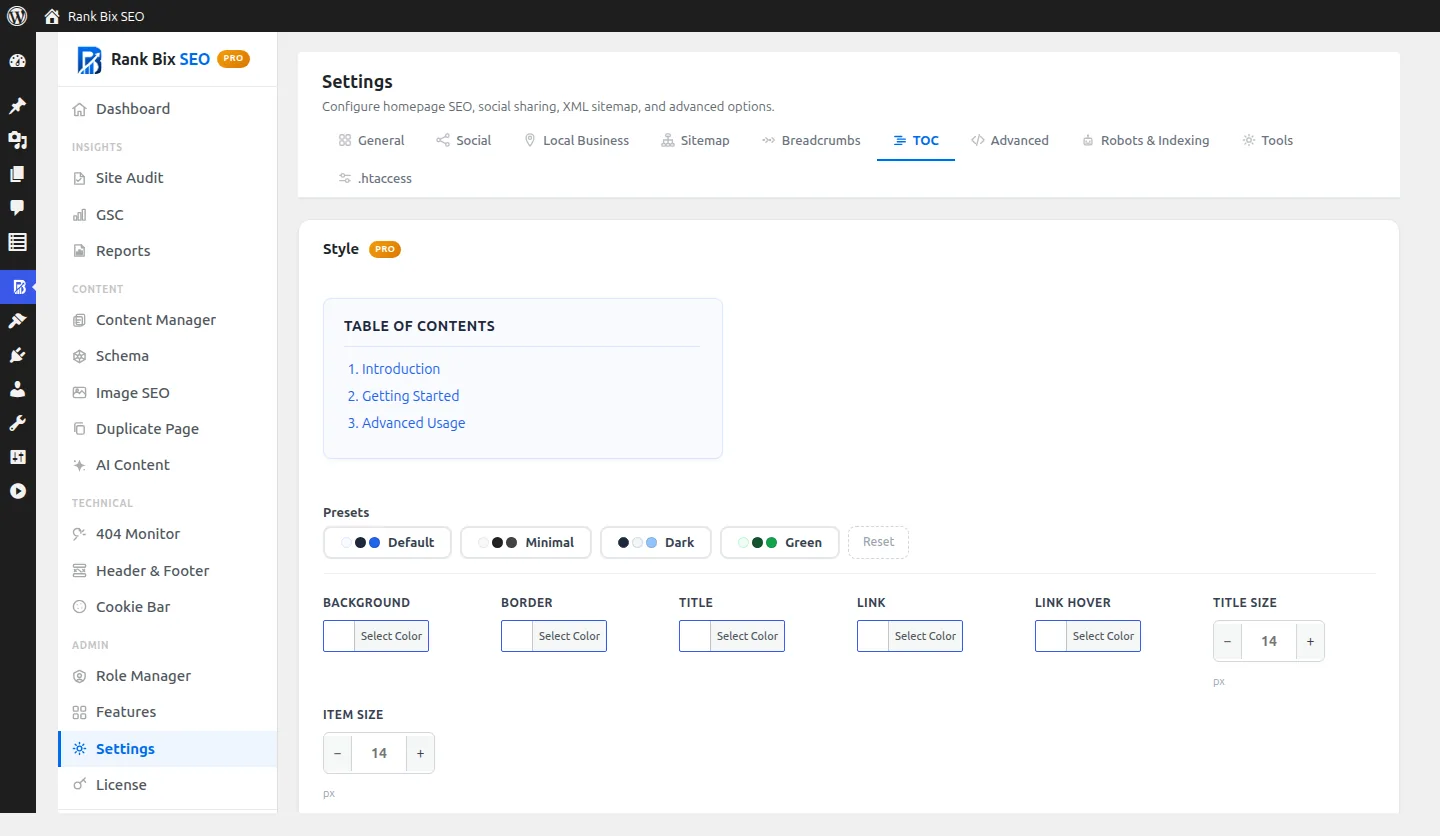
A table of contents that fits your design. Pick a preset or set your own colours, sizes and list style. Styling options are Pro.
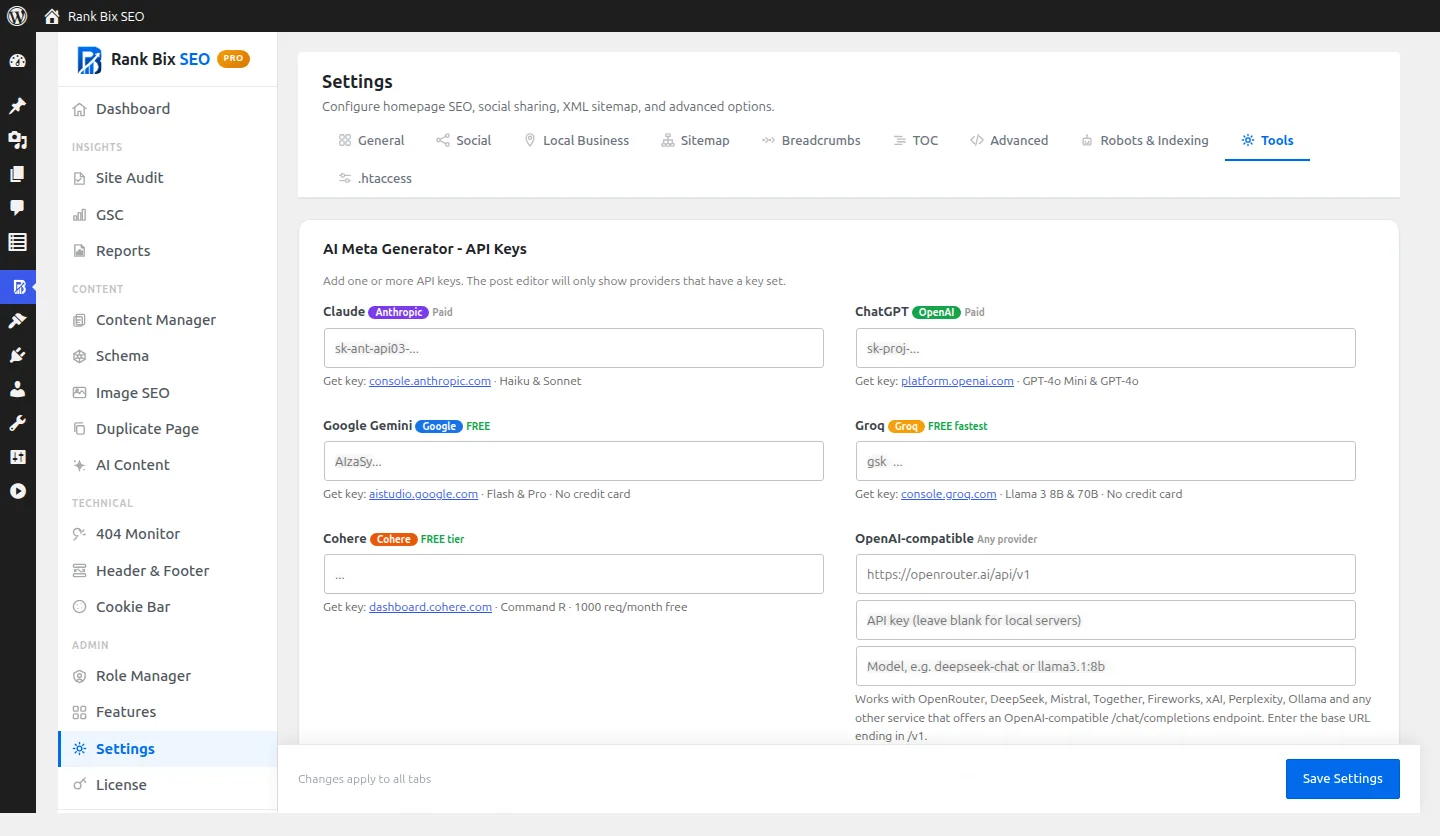
Bring your own AI key. Claude, ChatGPT, Gemini, Groq, Cohere or any OpenAI-compatible service. You pay your provider directly.
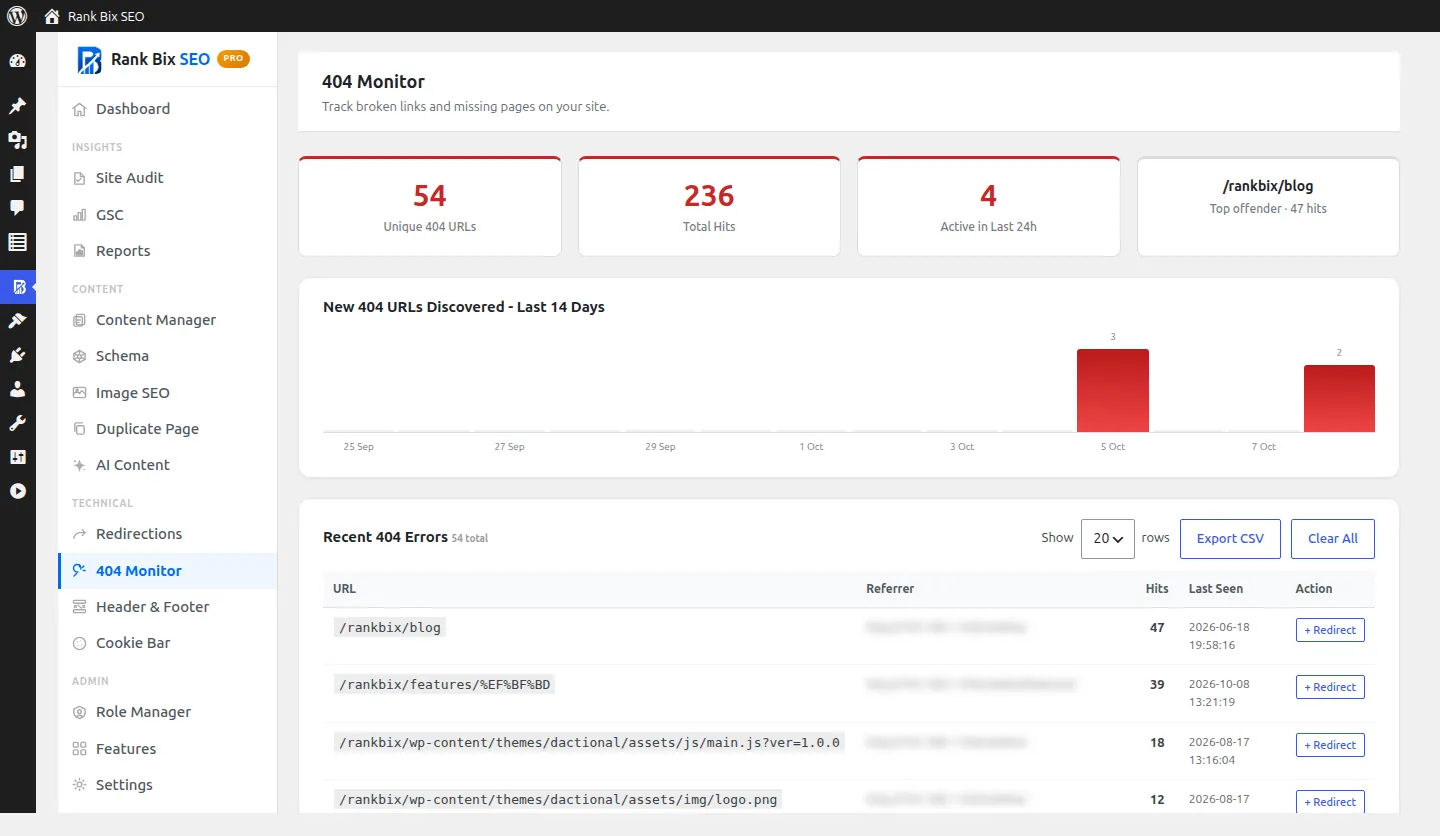
Find the pages people cannot reach. Missing URLs with hit counts and a chart of new ones. Turn any of them into a redirect in one click.
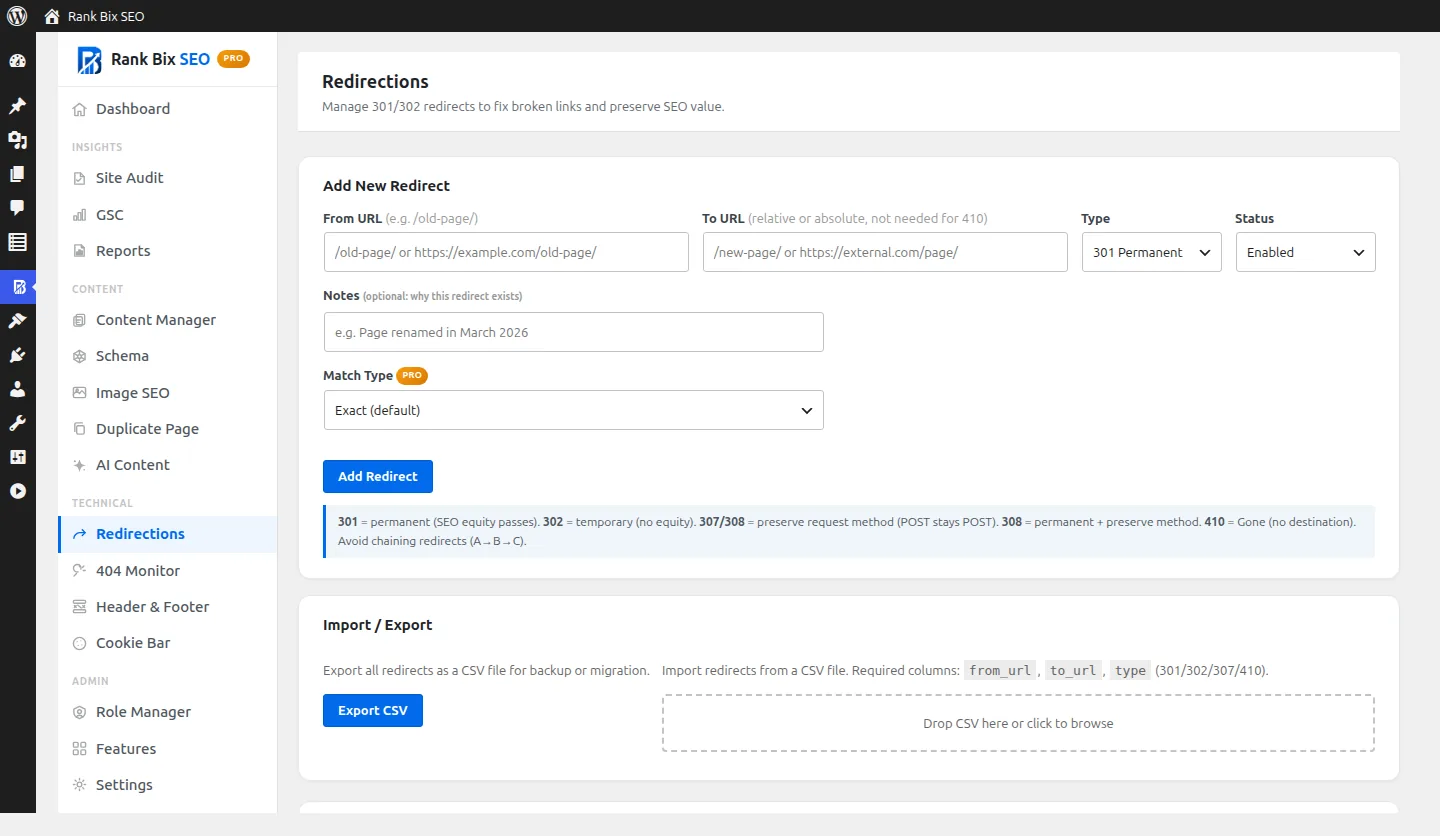
Send old links to the right place. Add 301, 302, 307 or 308 redirects, or a 410 for removed pages, and import or export them as CSV.
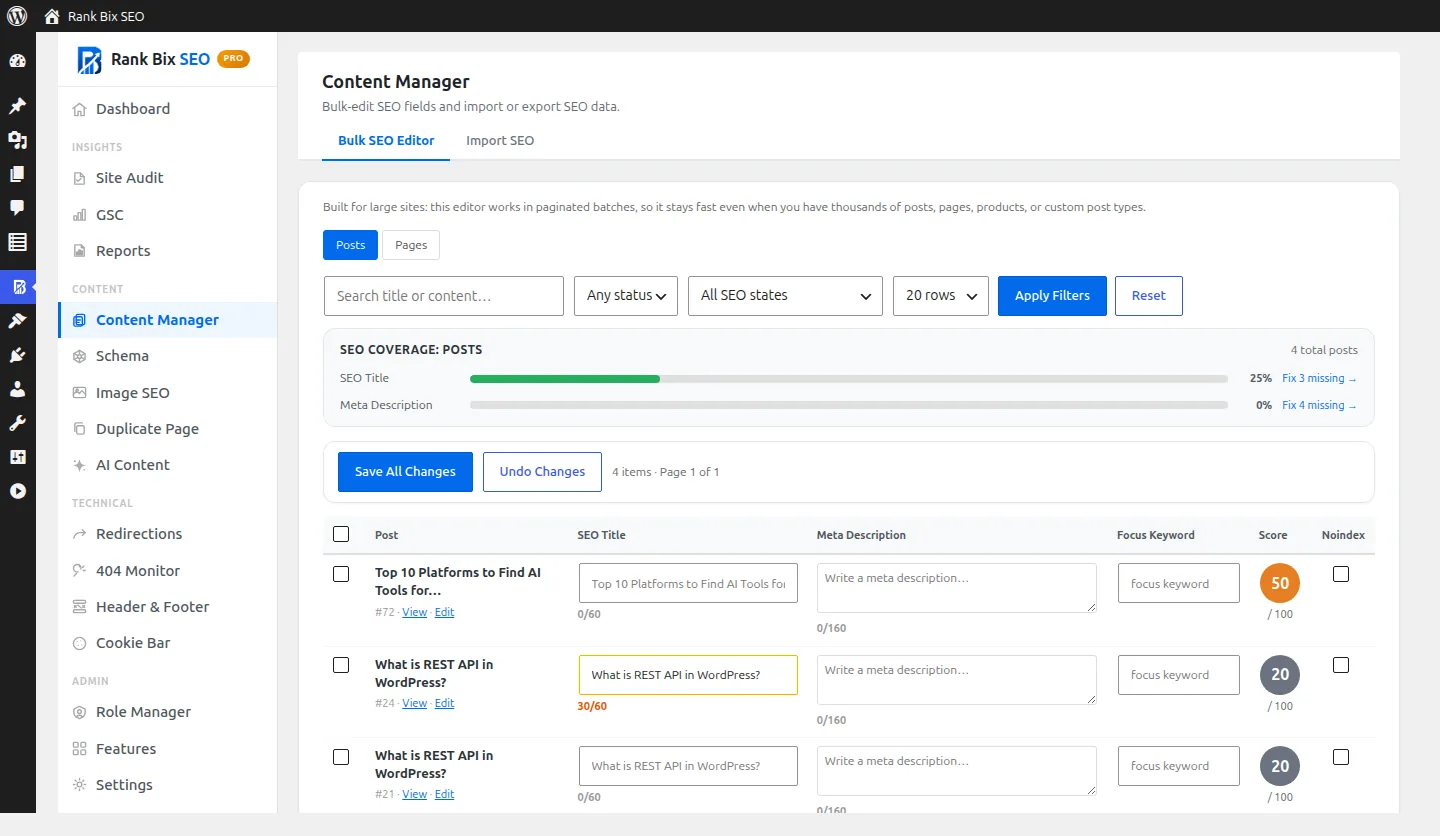
Fix many posts at once. Filter to what is missing, edit titles, descriptions and keywords inline, then save them all together.
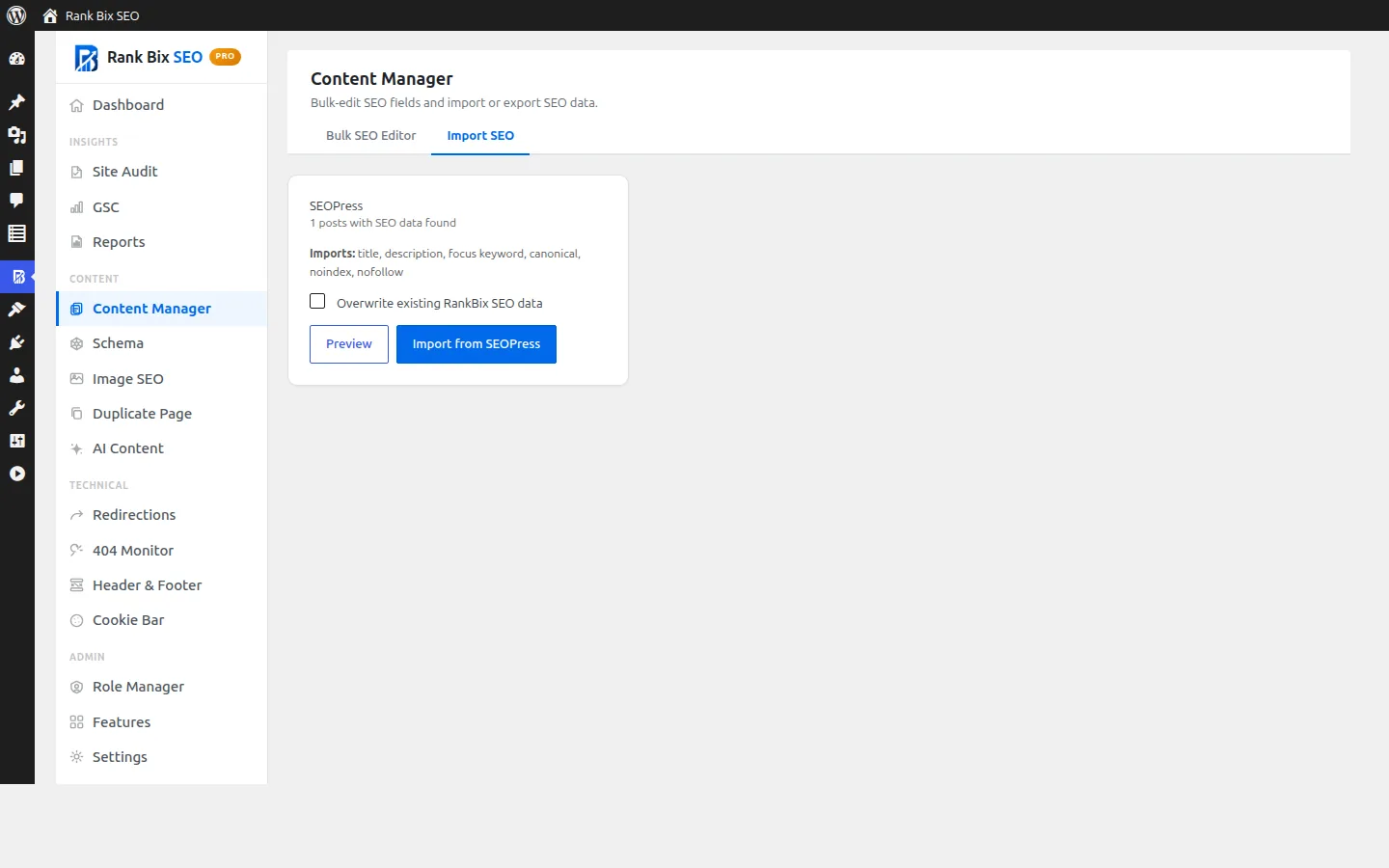
Switch without starting over. Rank Bix finds data from Yoast, Rank Math, AIOSEO or SEOPress. Preview it, then import.
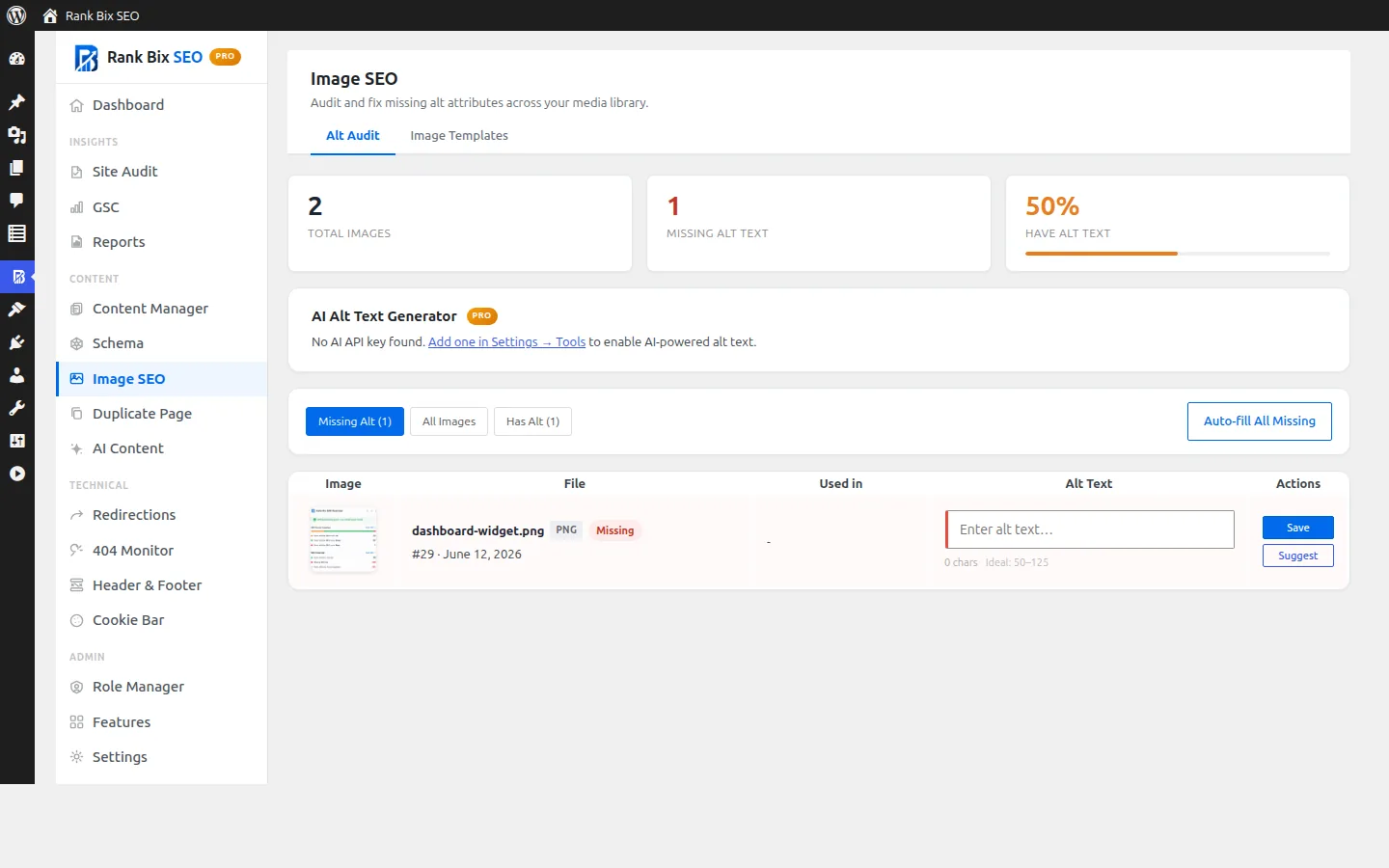
Alt text, sorted. See which images are missing alt text and fix them in place, or fill them all from a template.
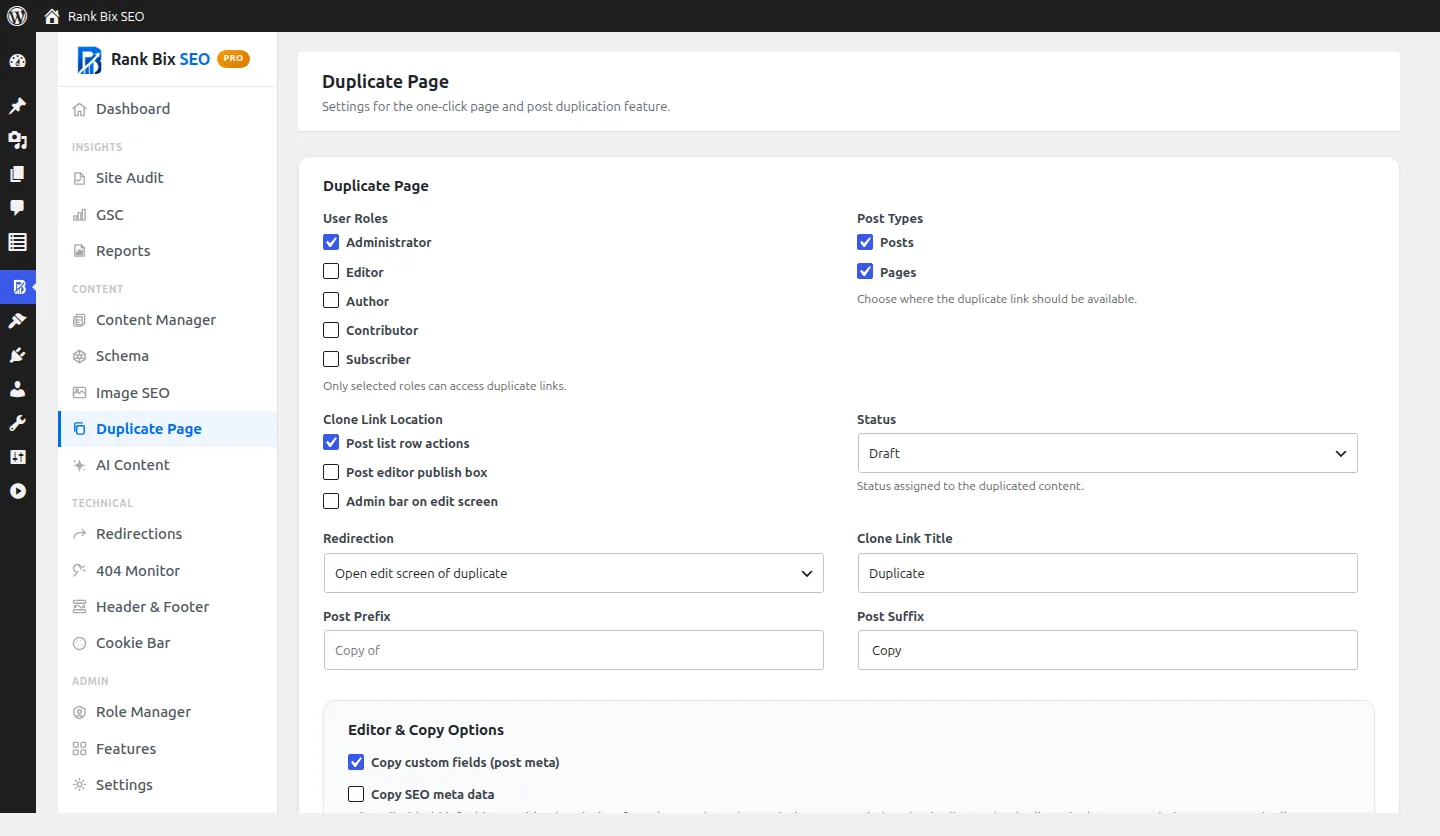
Copy any post or page. Choose who can duplicate, which post types, and what gets copied with it.
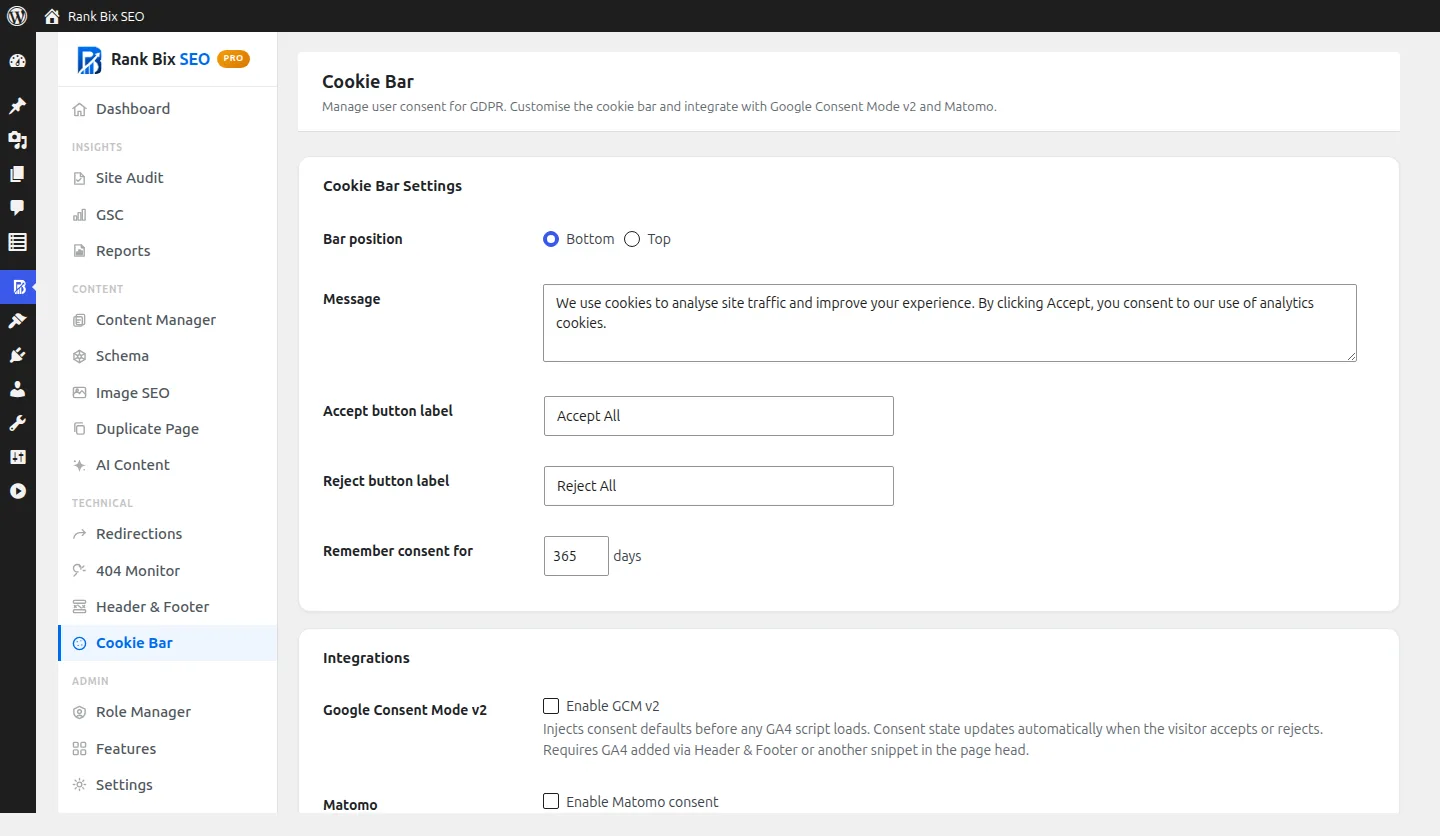
Cookie consent built in. Your message and buttons, Google Consent Mode v2 and Matomo, with scripts held back until a visitor agrees.
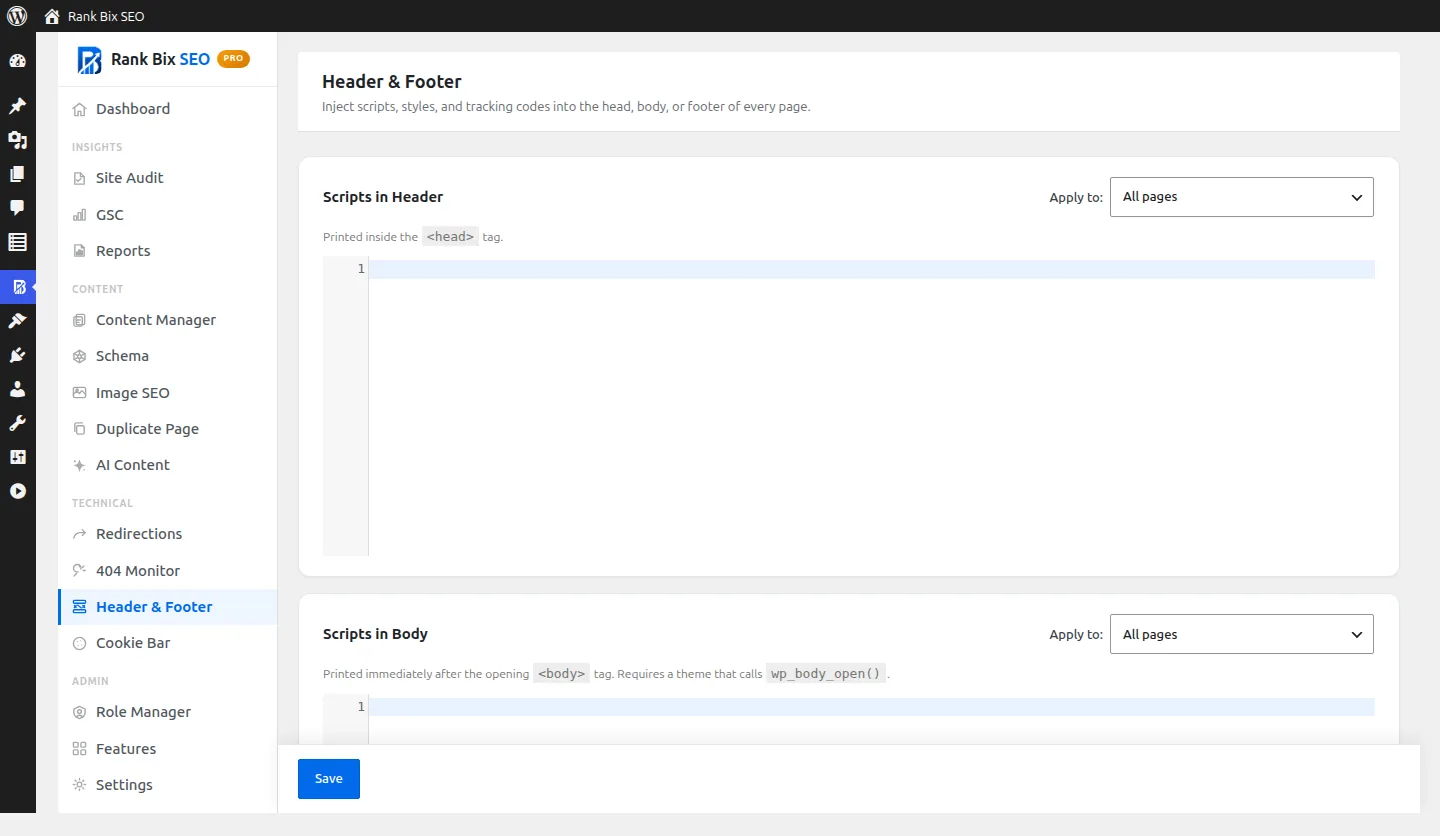
Tracking codes in one safe place. Add scripts to the head, body or footer, on every page or only where you choose.
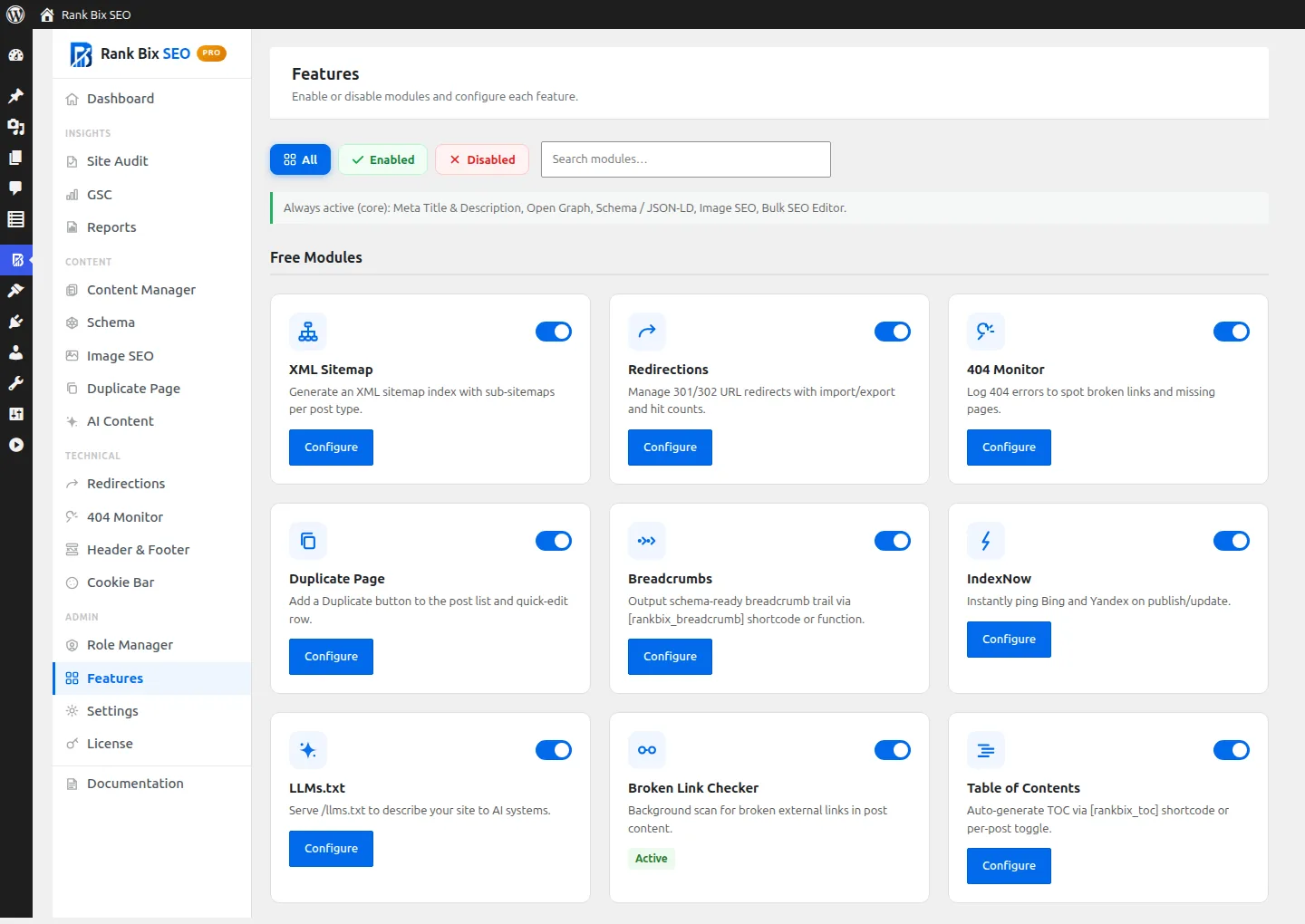
Only load what you use. Switch modules on or off. Anything you turn off does not load at all.
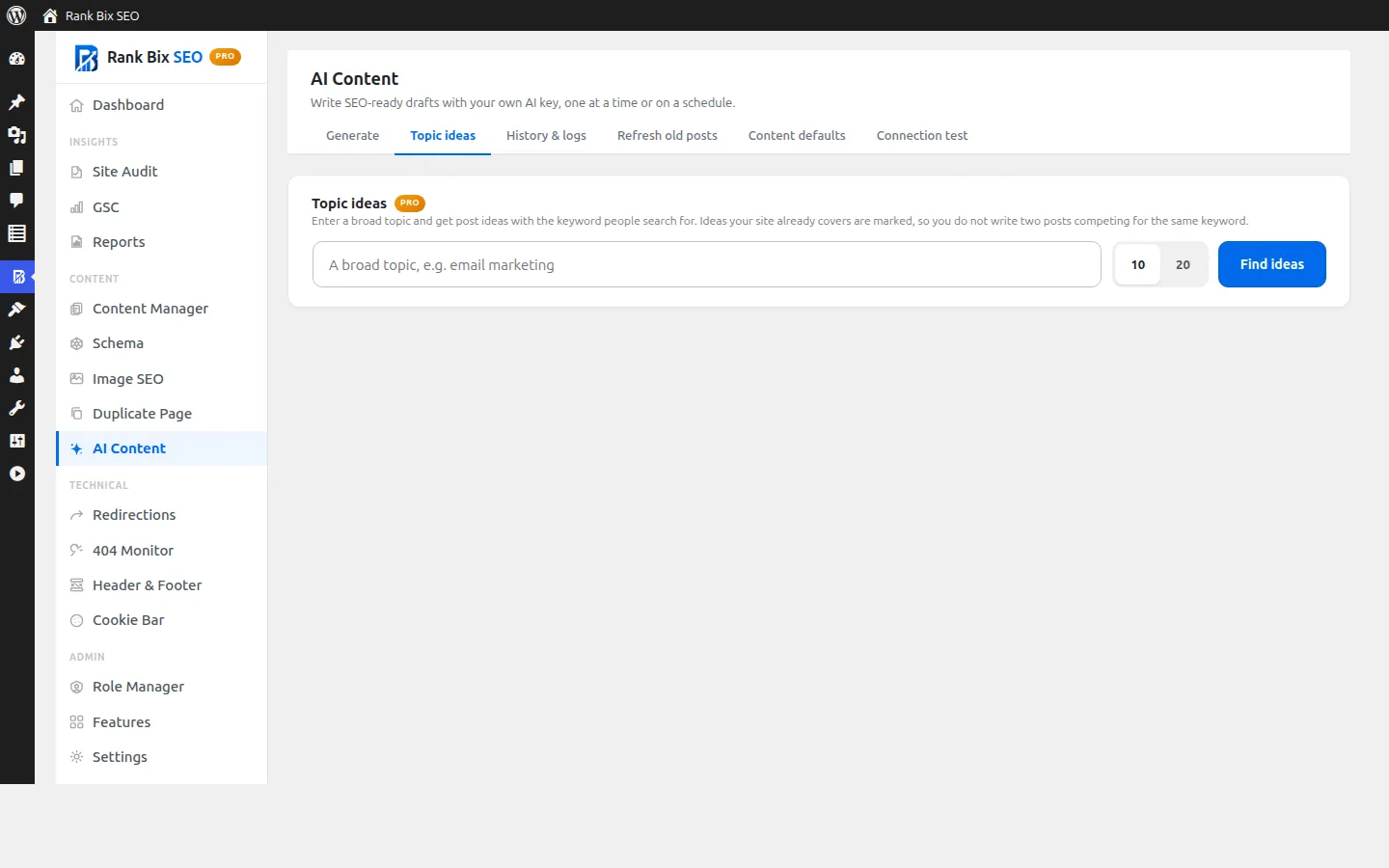
Post ideas from a topic. Enter a broad topic and get post ideas with keywords and intent. Topics you already cover are marked. (Pro)
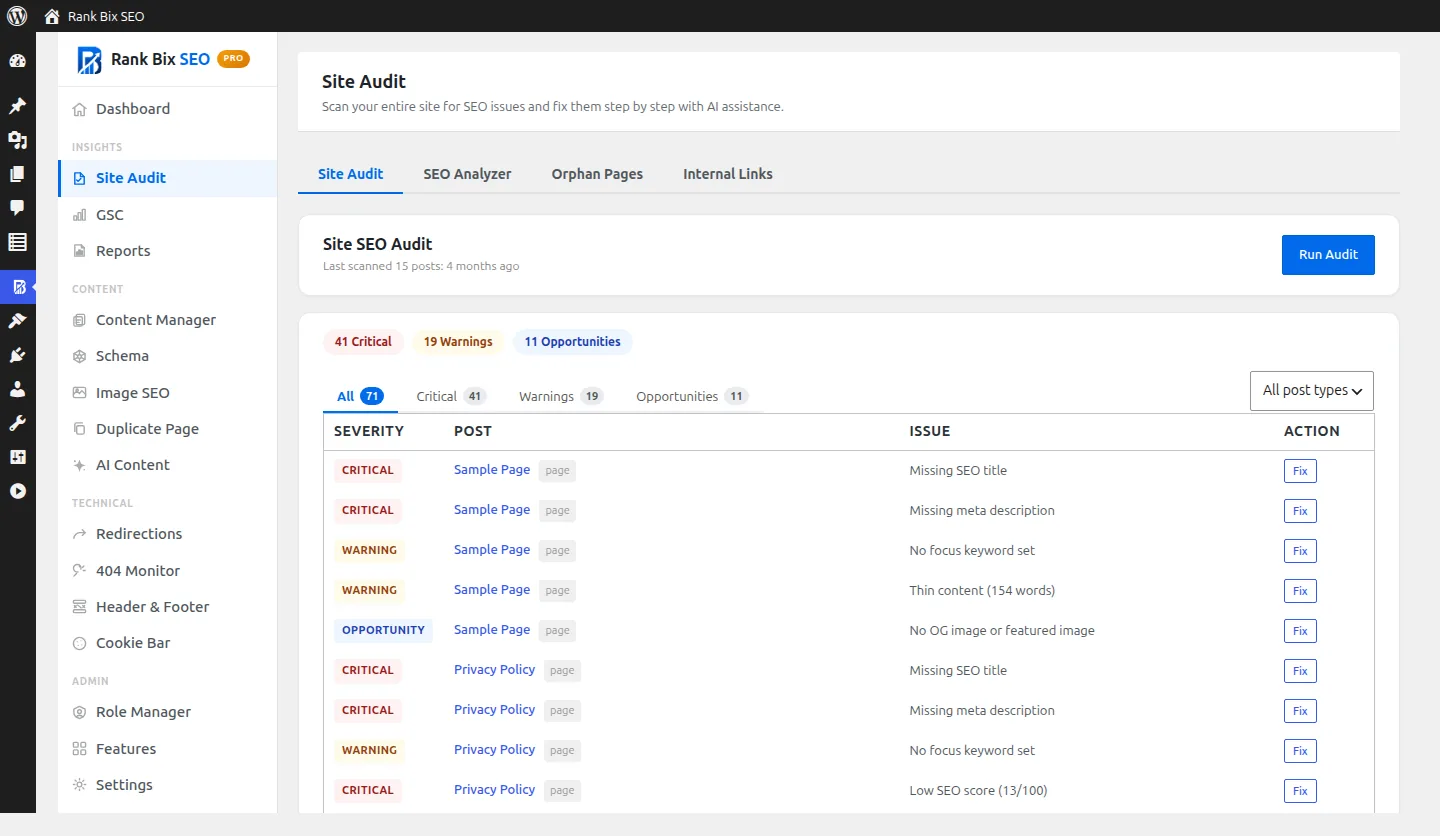
A to-do list for your whole site. Every post checked and sorted into critical issues, warnings and quick wins, with a Fix button on each. (Pro)
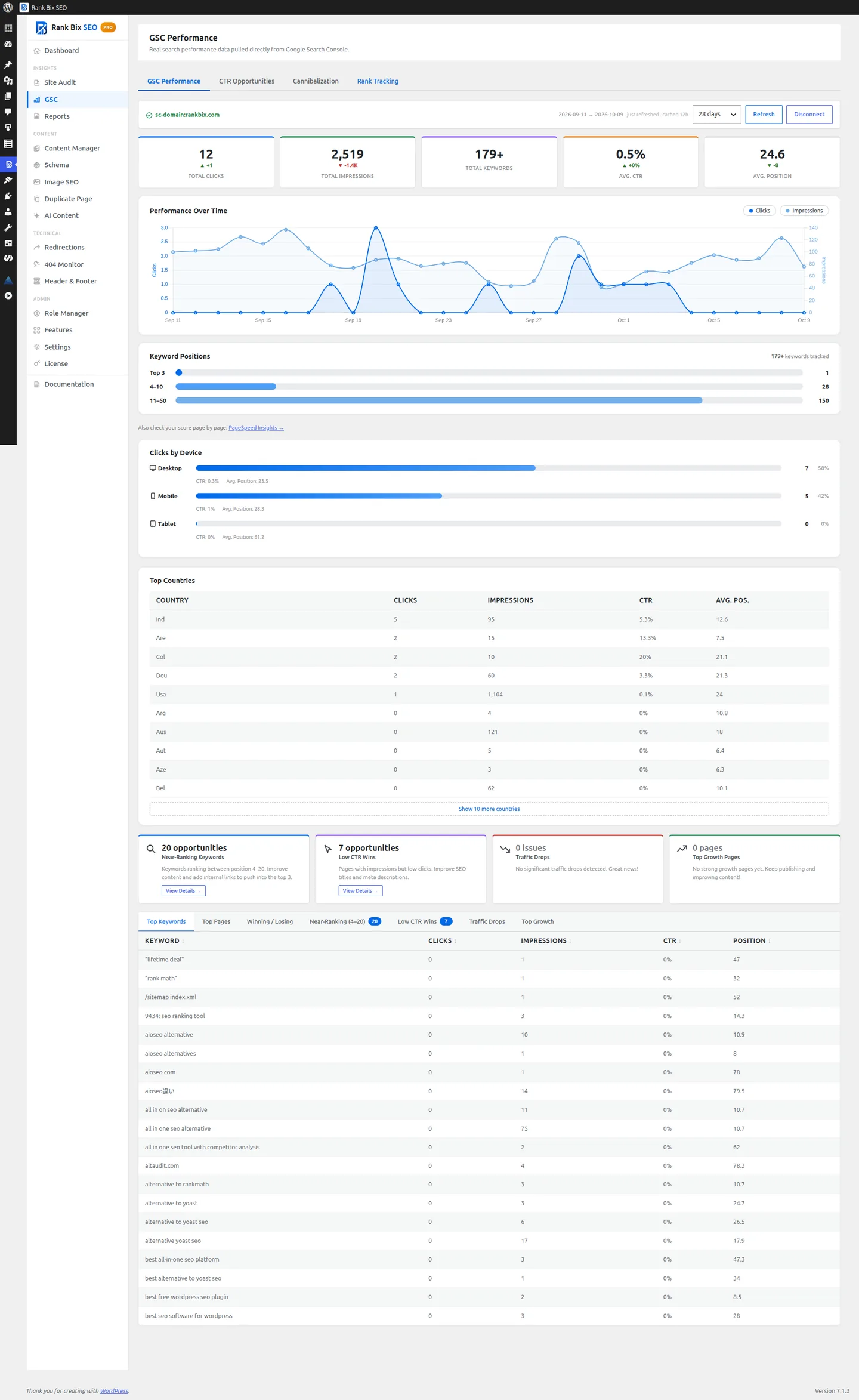
Search Console inside WordPress. Clicks, impressions, CTR and positions, plus near-ranking keywords, low CTR pages and traffic drops. (Pro)
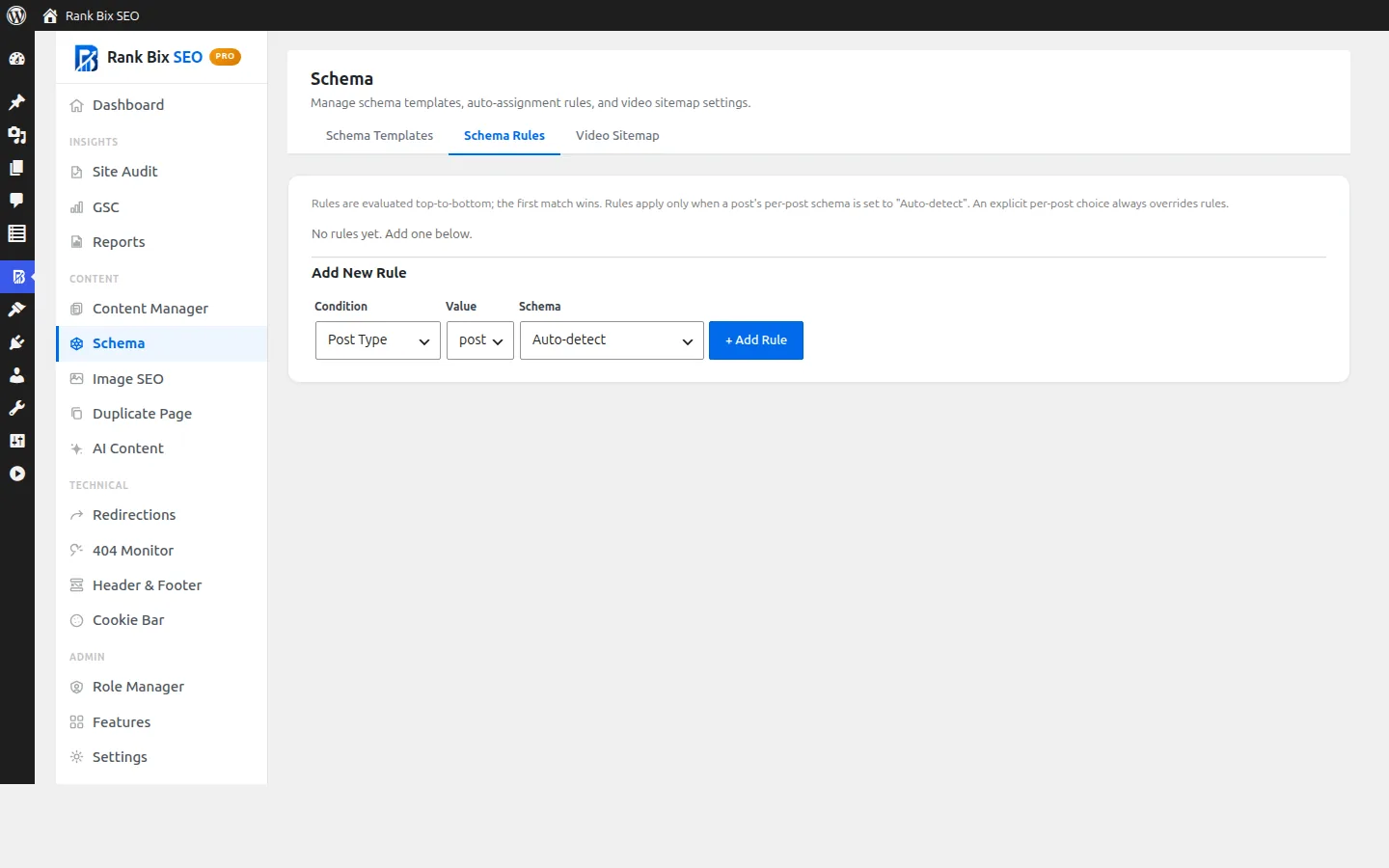
Schema without editing every post. Add rules that pick a schema type by post type or category, and build reusable templates. (Pro)
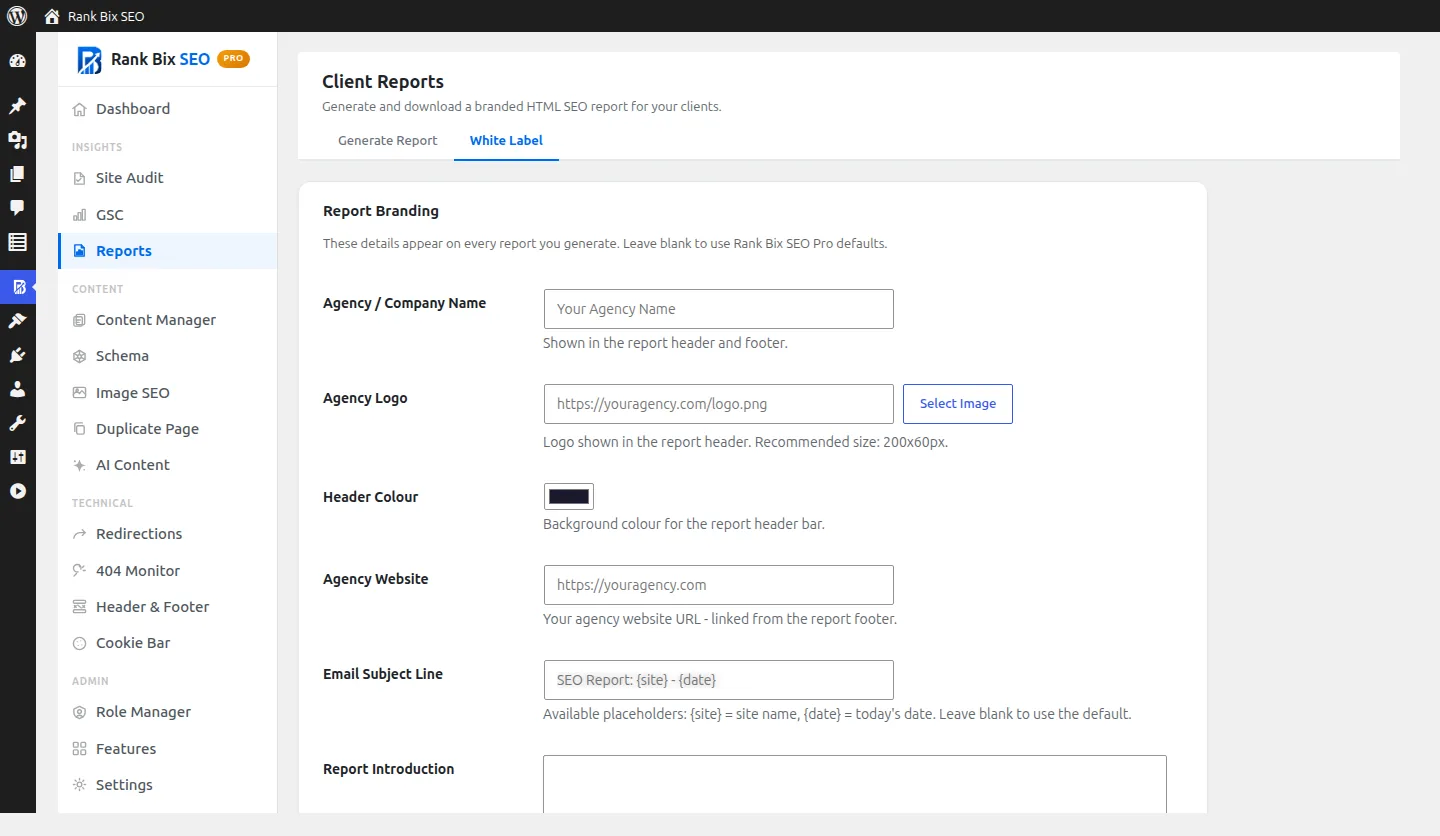
Your brand on every report. Agency name, logo, colour and the email subject and intro your clients see. (Pro)
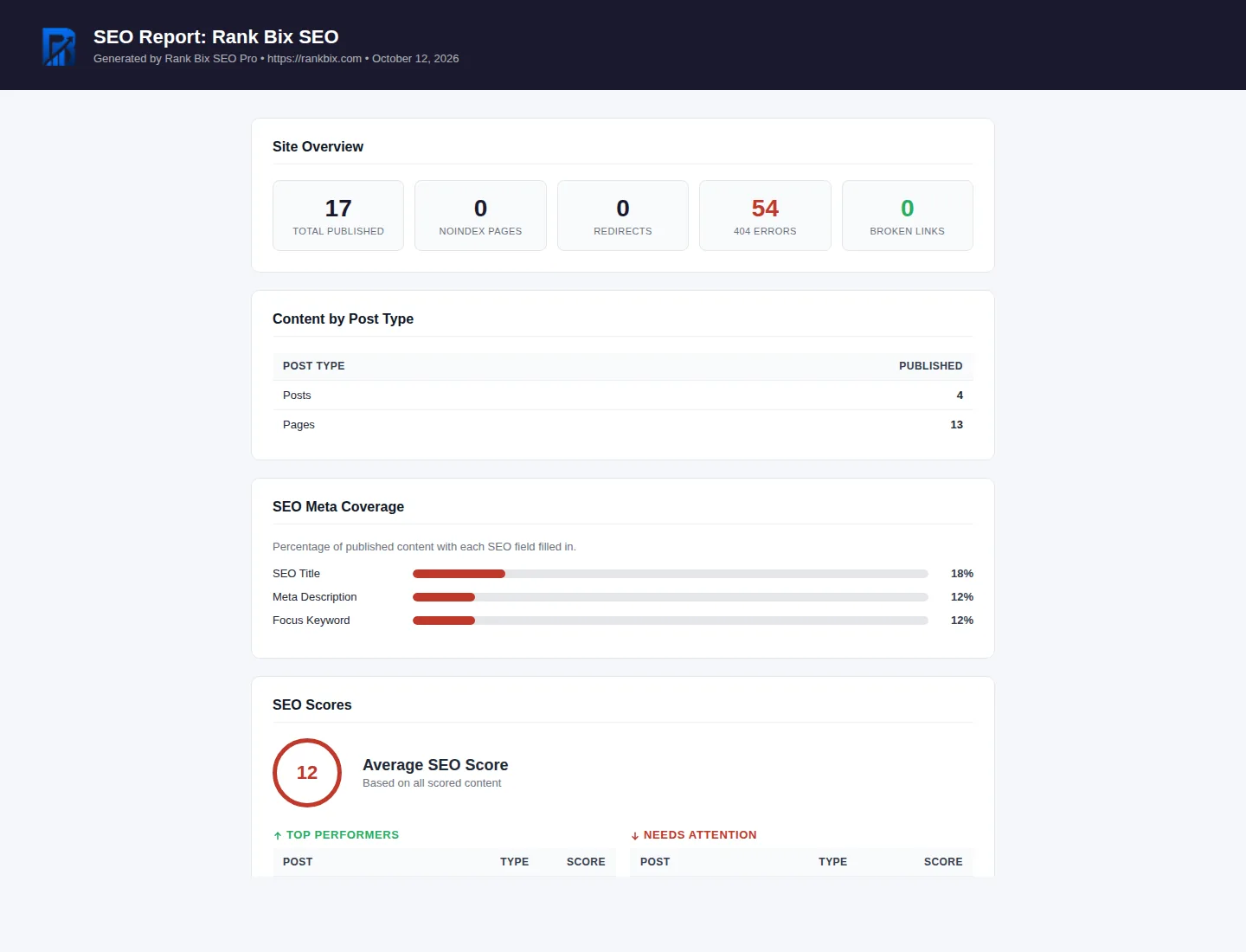
Reports you can send. Scores, coverage and Search Console data in a branded report you can print or email. (Pro)
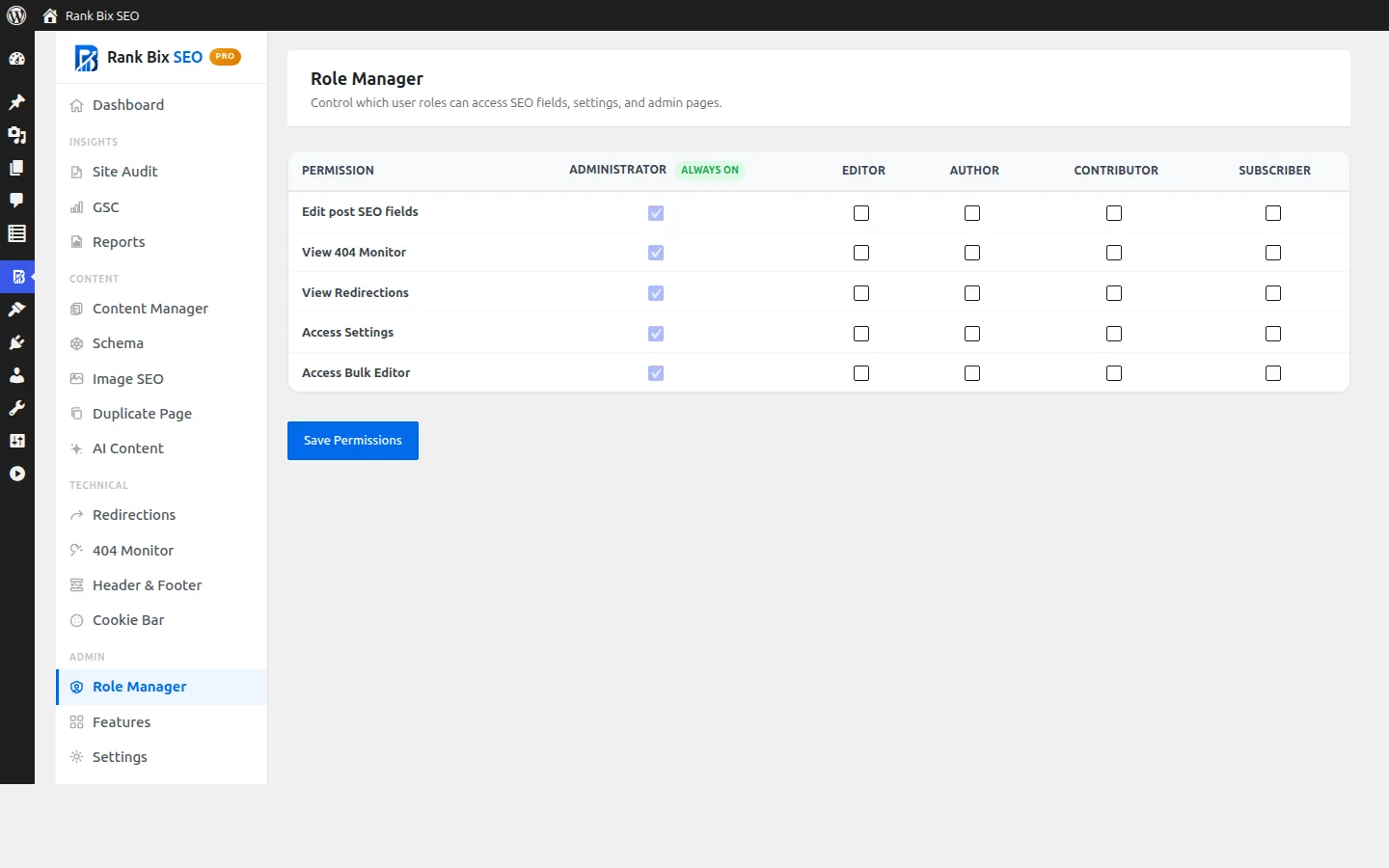
Decide who can change your SEO. Tick which roles can edit SEO fields, view redirects and 404s, open settings and use the bulk editor. (Pro)
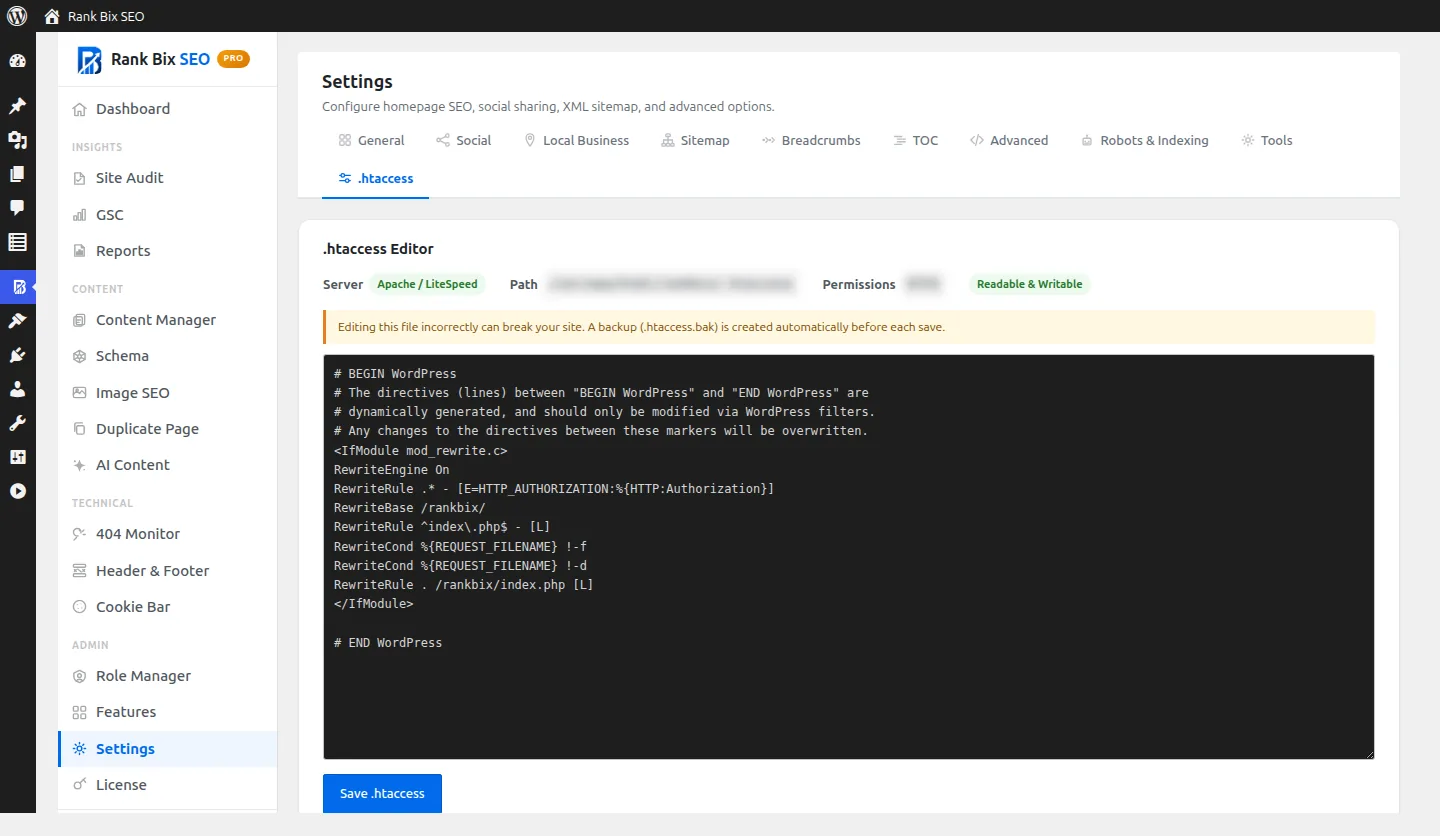
Edit .htaccess without FTP. Change server rules from WordPress, with a backup saved before every change. (Pro)
Free vs Pro at a glance
Pro includes every Free feature, and adds the ones listed under Pro-only.
The standalone rankbix.com/seo-analyzer/ web tool is free with no account needed. The in-plugin SEO Analyzer (runs inside WP-admin) is a Pro feature.