
SEO titles and descriptions that look after themselves
Write your own title and meta description for any post, or let a template per post type fill them in for you.
Why it helps
Most sites have hundreds of posts with no SEO title or description, so Google makes one up. Rank Bix fills every gap with a sensible default, shows you exactly how each page will look in search, and still lets you write your own where it matters.
How to set it up
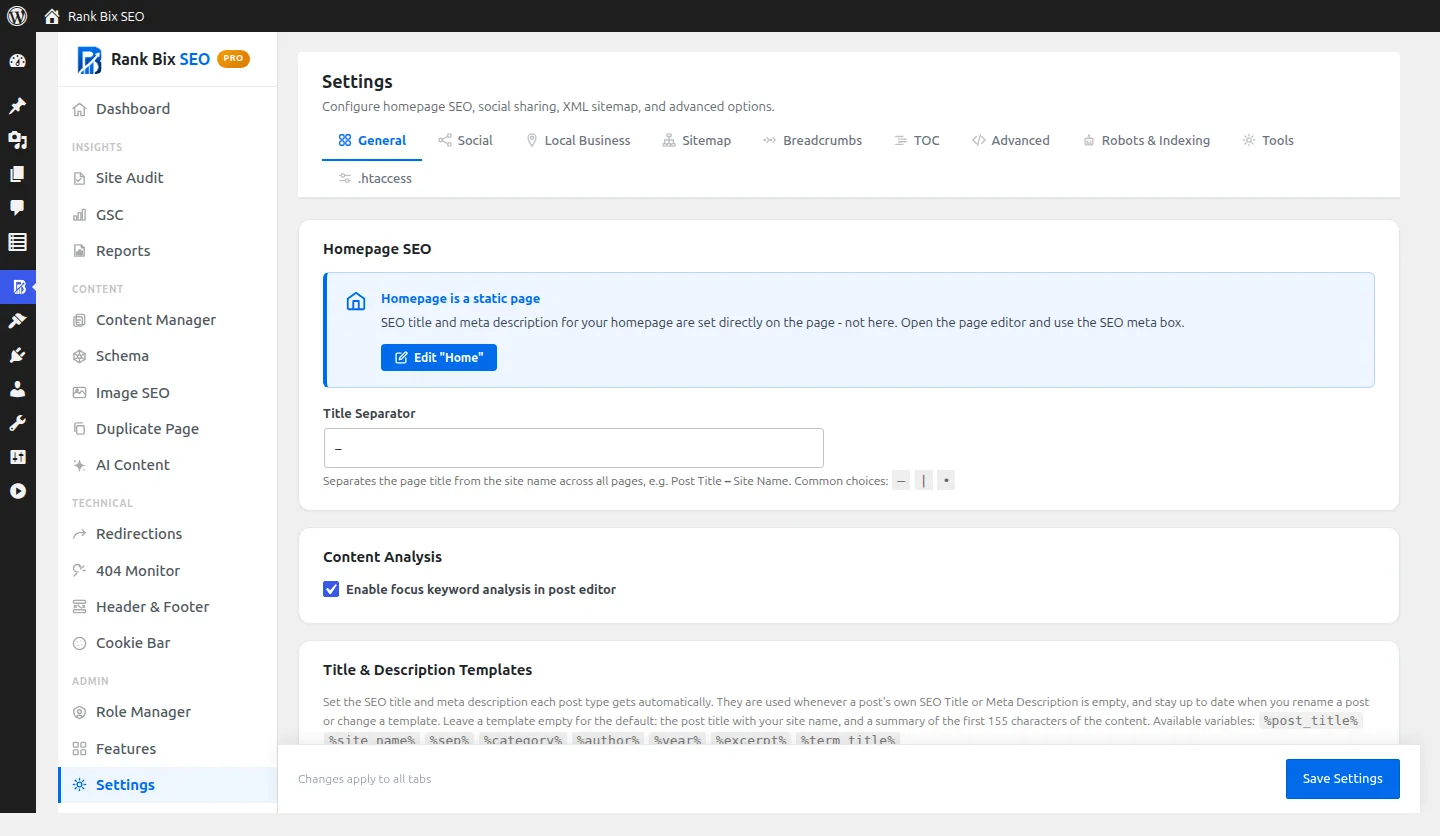
- Open Settings > General and set your separator and the templates for each post type.
- Leave posts alone to use the templates, or write a custom title and description in the Rank Bix box under the editor.
What it does
Templates per post type
FreeSet a title and description template for posts, pages and each custom post type using variables like %post_title% and %site_name%.
Always up to date
FreeNothing is stored for posts you leave empty, so renaming a post or changing a template updates it automatically.
Clean automatic descriptions
FreeAn empty description becomes a summary of up to 155 characters that ends on a full sentence.
Live Google preview
FreeSee the desktop and mobile search result as you type, with the featured image.
Duplicate warnings
FreeThe editor warns you when another published post already uses the same title or description.
Per-post control
FreeSet a canonical URL and noindex, nofollow, noarchive or nosnippet on any single post.
Questions people ask
What happens if I leave the fields empty?
Can I use variables in my own title?
Works well with
Set a focus keyword and get a score with a clear list of what passes and what to fix, right in the editor.
Read more →Generate an SEO title and meta description for any post with the AI provider you already use.
Read more →Open Graph and X (Twitter) Card tags, so links to your site show the right title, description and image.
Read more →