
On-page SEOFree
Control how your posts look when shared
Open Graph and X (Twitter) Card tags, so links to your site show the right title, description and image.
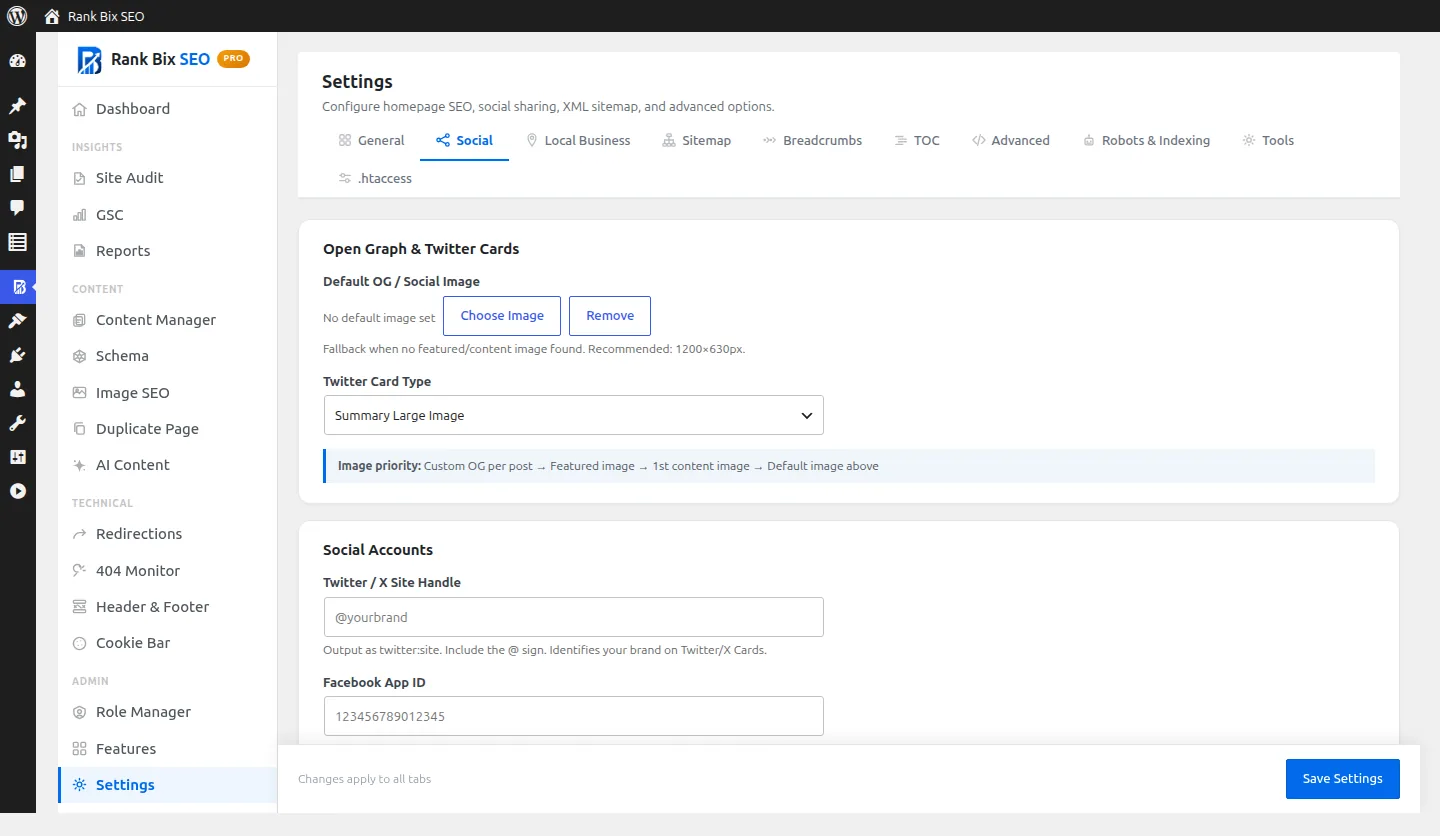
Why it helps
When a link is shared without social tags, Facebook, LinkedIn and X guess the image and text, often badly. Rank Bix adds the tags for you and lets you set a custom image per post.
How to set it up
- Set a default share image in Settings > Social.
- Optionally pick a custom image in the Social tab of any post.
Where to find it:
Settings > Social, and the Social Preview tab in the post editor
What it does
Open Graph tags
FreeTitle, description, image, type and URL for Facebook and LinkedIn.
X / Twitter Cards
FreeSummary and large image cards with their own title, description and image.
Per-post image
FreeChoose a different share image for any post.
Default image
FreeA site-wide fallback image for posts that have none.
Previews
FreeSee how the post will look on Facebook, X and LinkedIn before you publish.
Questions people ask
Which image is used if I set none?
The featured image, then the first image in the content, then your default image.