
InsightsPro
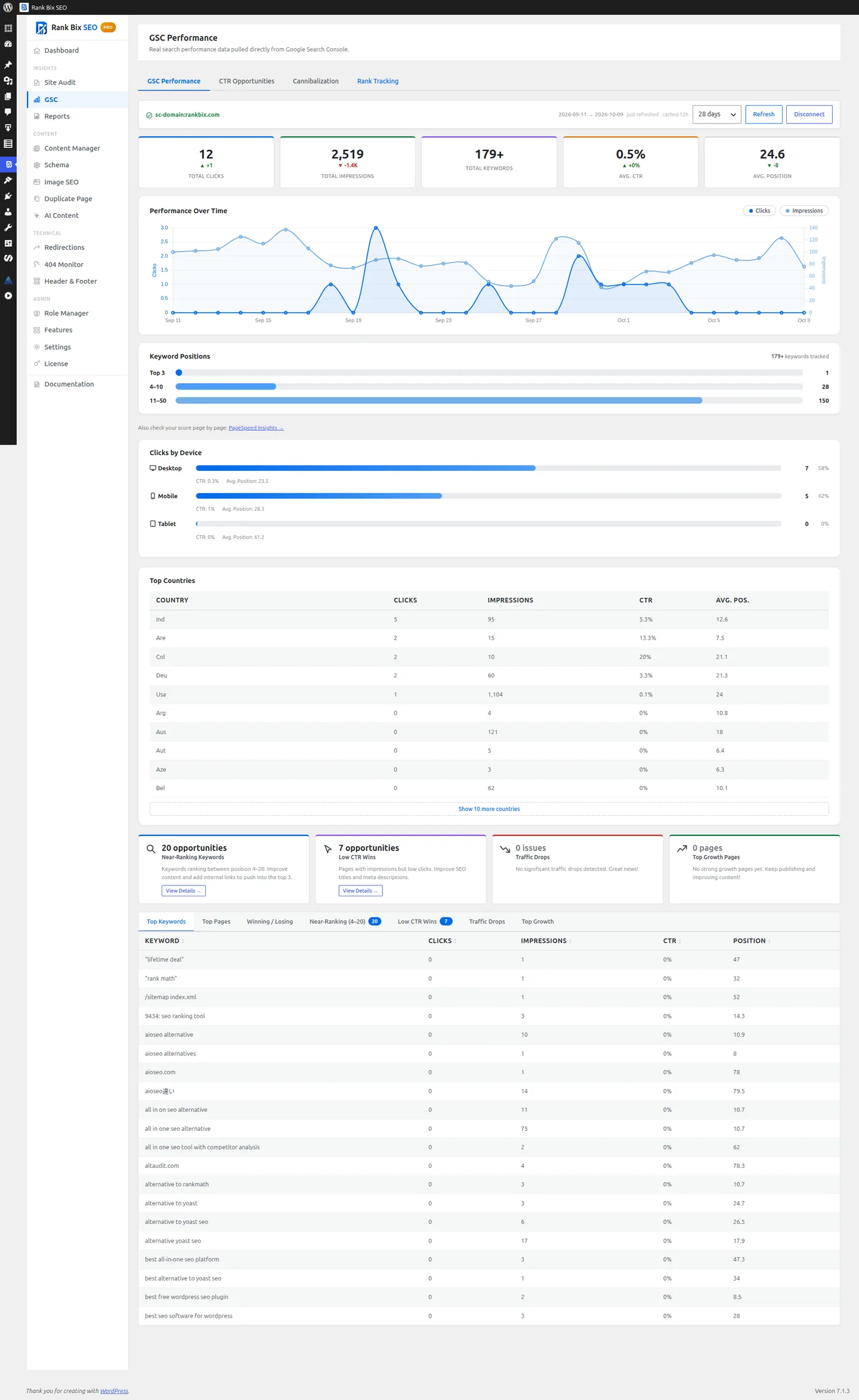
Your Google Search Console data, inside WordPress
Clicks, impressions, CTR and positions for your site and each post, with a daily rank history.
Why it helps
Search Console has the numbers that matter, but switching back and forth to it is tedious. Rank Bix Pro brings them into WordPress, next to the posts they belong to, and points out where the quick wins are.
How to set it up
- Activate Pro and open Rank Bix SEO > GSC.
- Connect your Google account and choose your property.
Where to find it:
Rank Bix SEO > GSC Performance
What it does
28-day overview
ProClicks, impressions, CTR and average position.
Per-post data
ProTop queries, clicks and impressions in the post editor.
Near-ranking keywords
ProKeywords in positions 4 to 20, the closest to page one.
Low CTR pages
ProHigh impressions but few clicks: improve the title and description.
Traffic drops
ProPages that lost 20% or more traffic compared with the previous period.
Rank tracker
ProA daily history of keyword positions.
Devices and countries
ProWhere your search traffic comes from.
Questions people ask
Is my data sent to Rank Bix?
No. Data goes directly between your site and Google.