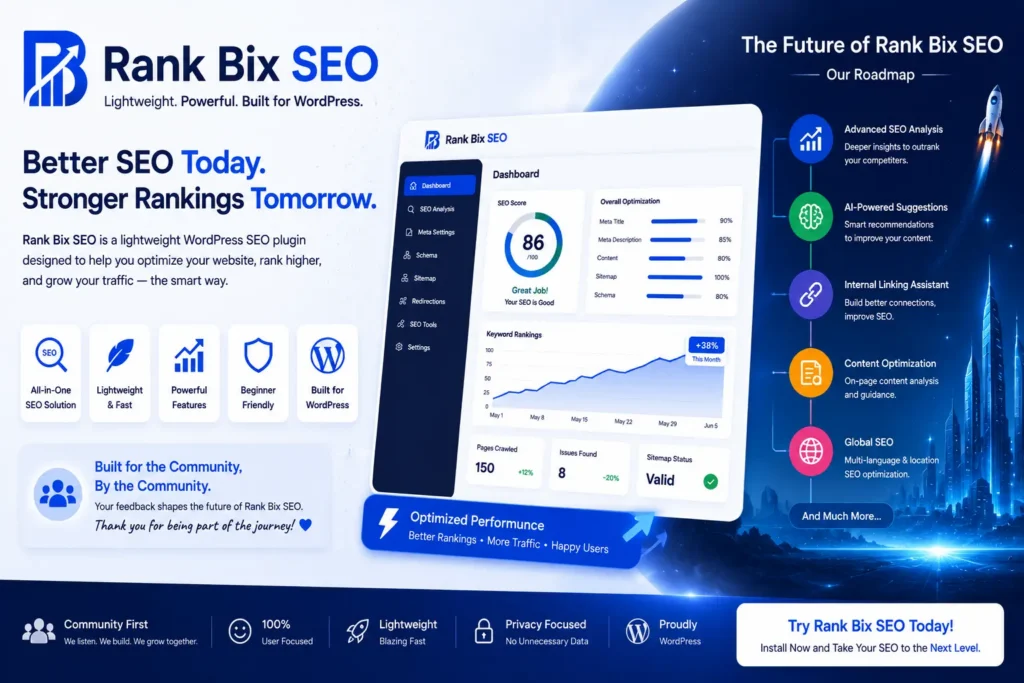
At Rank Bix SEO, we’re constantly looking for ways to make WordPress SEO easier not by adding unnecessary complexity, but by creating a faster and more intuitive experience.
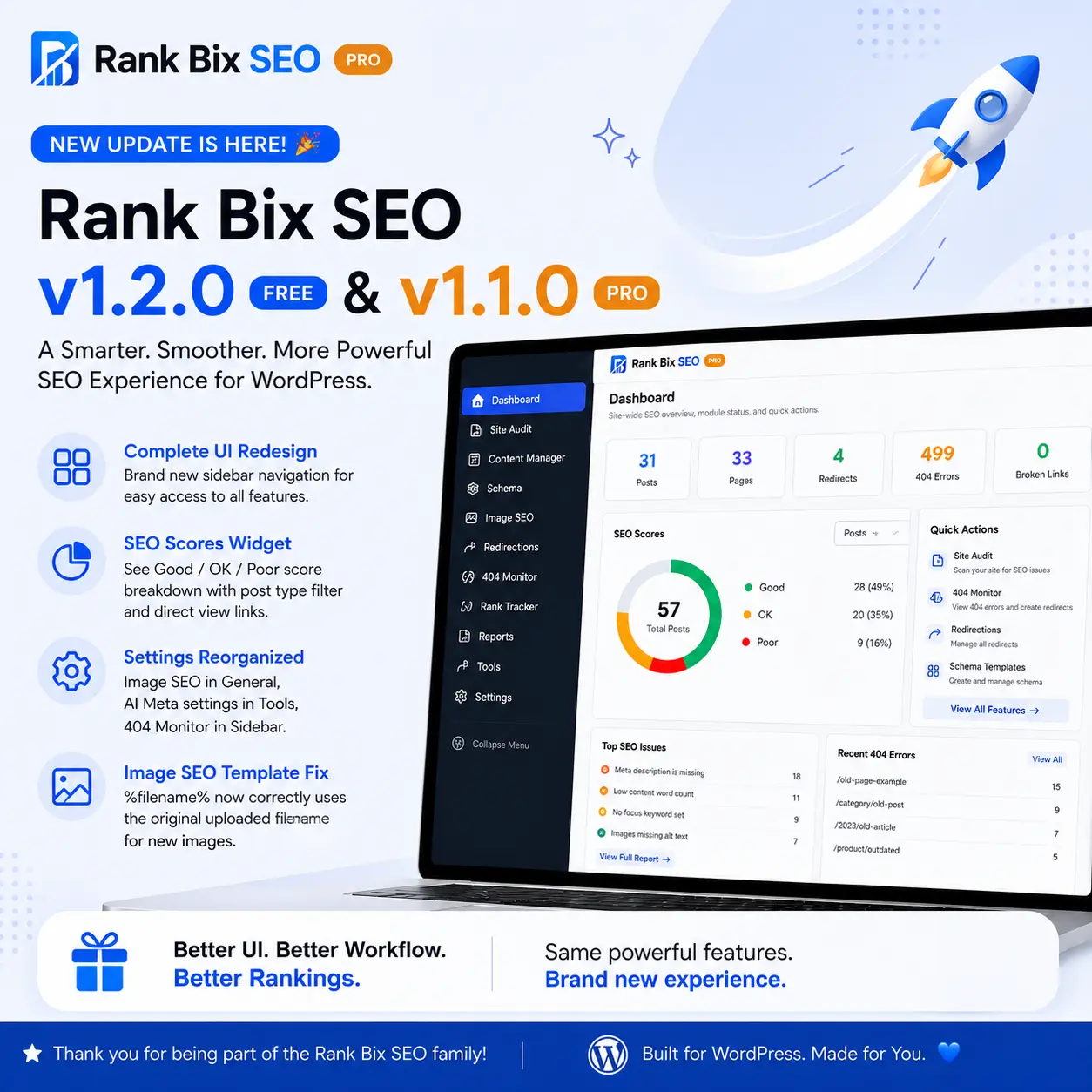
With Rank Bix SEO PRO, we’ve completely redesigned the plugin interface to help you spend less time navigating settings and more time improving your website.
This release isn’t just about a new look it’s about making every SEO task feel smoother.
🚀 What’s New in Rank Bix SEO?
A Completely Redesigned Interface
One of the biggest changes in this release is the brand-new interface.
Instead of moving between disconnected pages, everything is now organized into a clean sidebar layout that keeps every SEO tool just one click away.
Dashboard
Site Audit
Google Search Console
Reports
Content Manager
Schema
Image SEO
Redirections
404 Monitor
Features
Settings
Documentation
The result is a much cleaner workflow, especially for agencies and websites managing multiple SEO tasks.
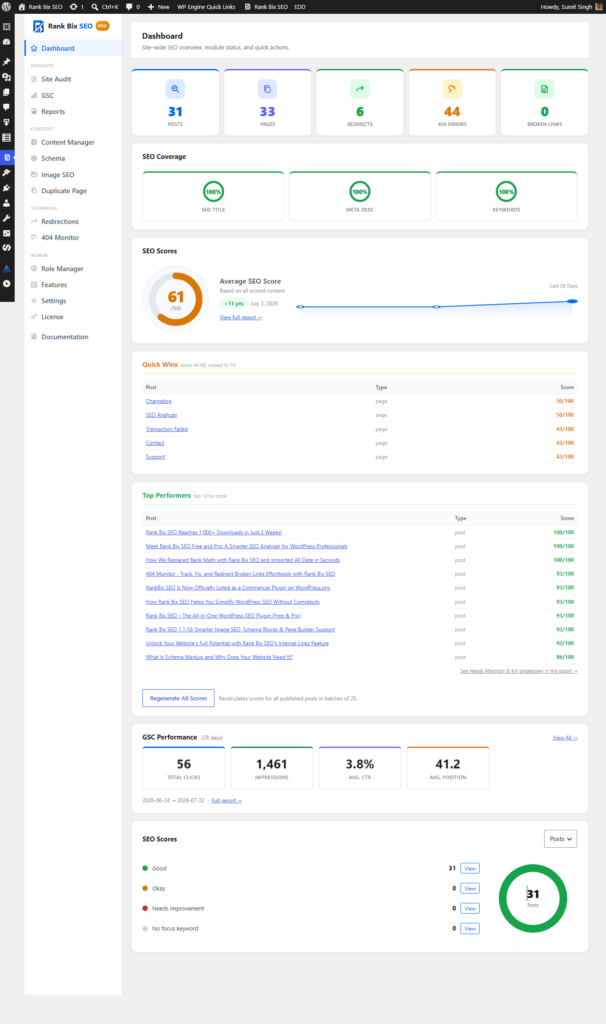
Screenshot: New Dashboard
📊 Smarter SEO Dashboard
The dashboard has been redesigned to become your SEO command center.
You can instantly see:
SEO coverage
Overall SEO score
Quick Wins
Top Performing pages
Google Search Console statistics
Content score distribution
Broken links
Redirects
404 errors
Instead of opening multiple pages, everything important is now available in one place.
✨ Better Content Manager
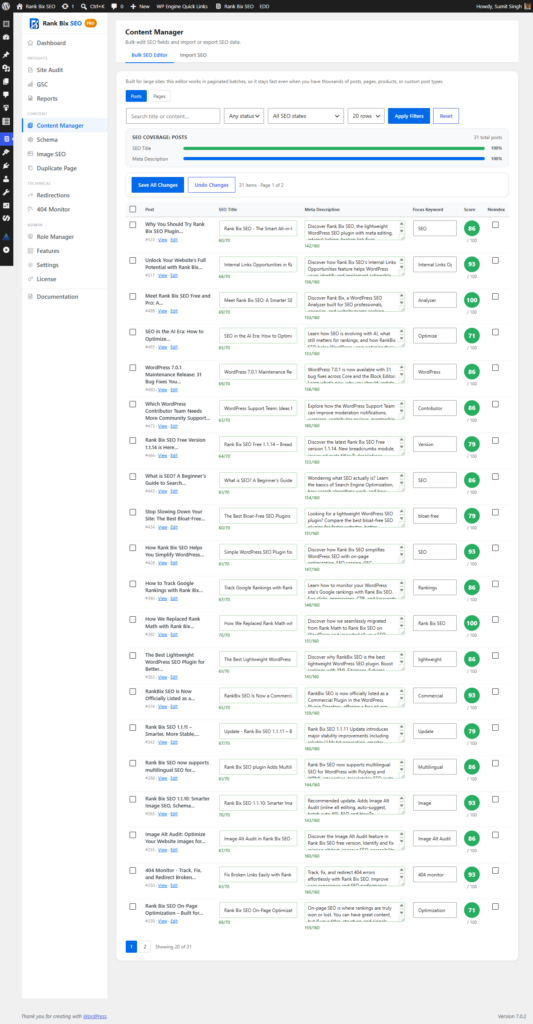
Managing SEO across dozens or thousands of posts is now much easier.
The improved Content Manager lets you:
Bulk edit SEO titles
Update meta descriptions
Edit focus keywords
View SEO scores
Filter content quickly
Save multiple changes at once
For larger websites, this saves an enormous amount of time.
Screenshot: Content Manager
⚙️ Cleaner Settings
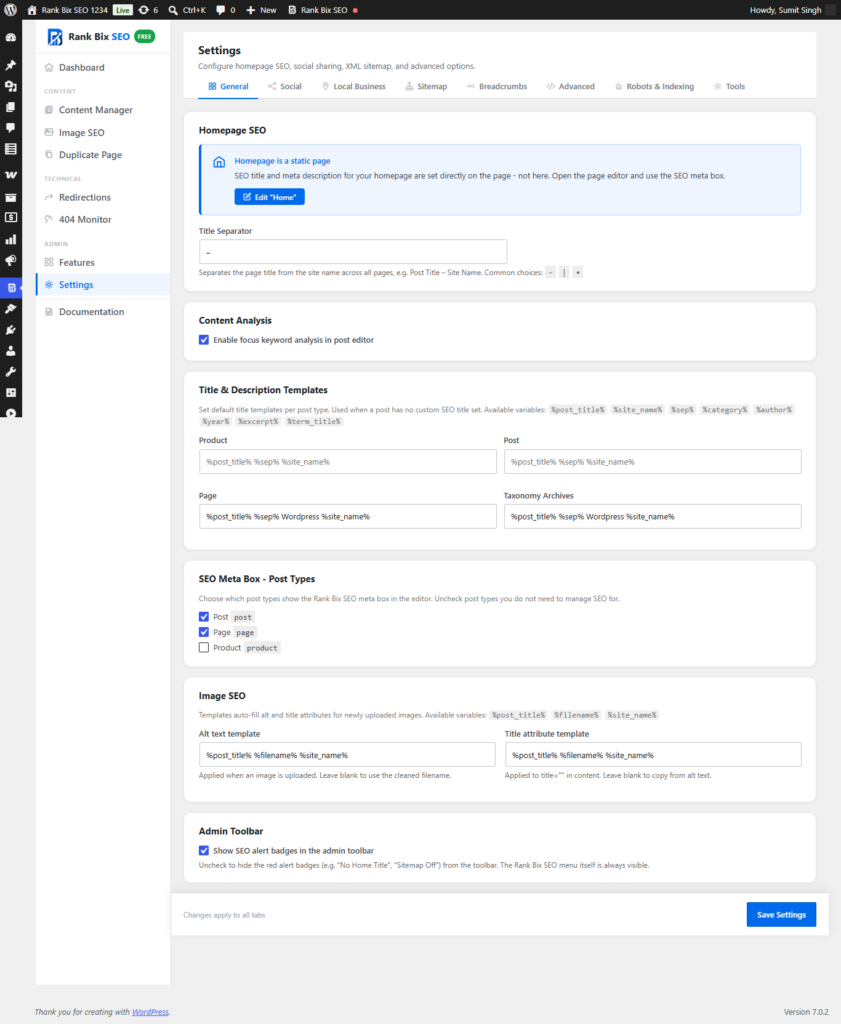
The Settings page has also been reorganized.
Everything is grouped into logical sections such as:
General
Social
Local Business
XML Sitemap
Breadcrumbs
Robots & Indexing
Advanced
Tools
Features are now much easier to find, making setup faster for both beginners and experienced users.
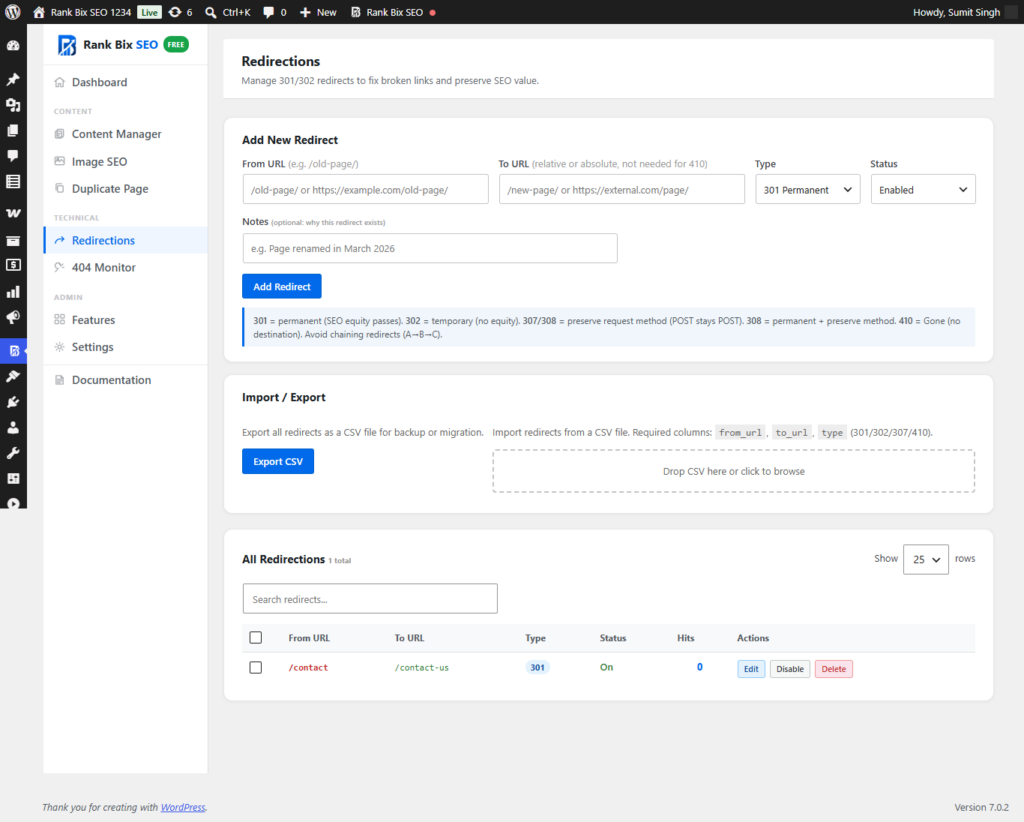
🔄 Improved Redirect Manager
Redirects are an important part of technical SEO.
The redesigned Redirect Manager now provides a much cleaner experience for creating and managing:
301 Redirects
302 Redirects
307 Redirects
308 Redirects
410 Gone responses
Importing and exporting redirects has also been simplified.
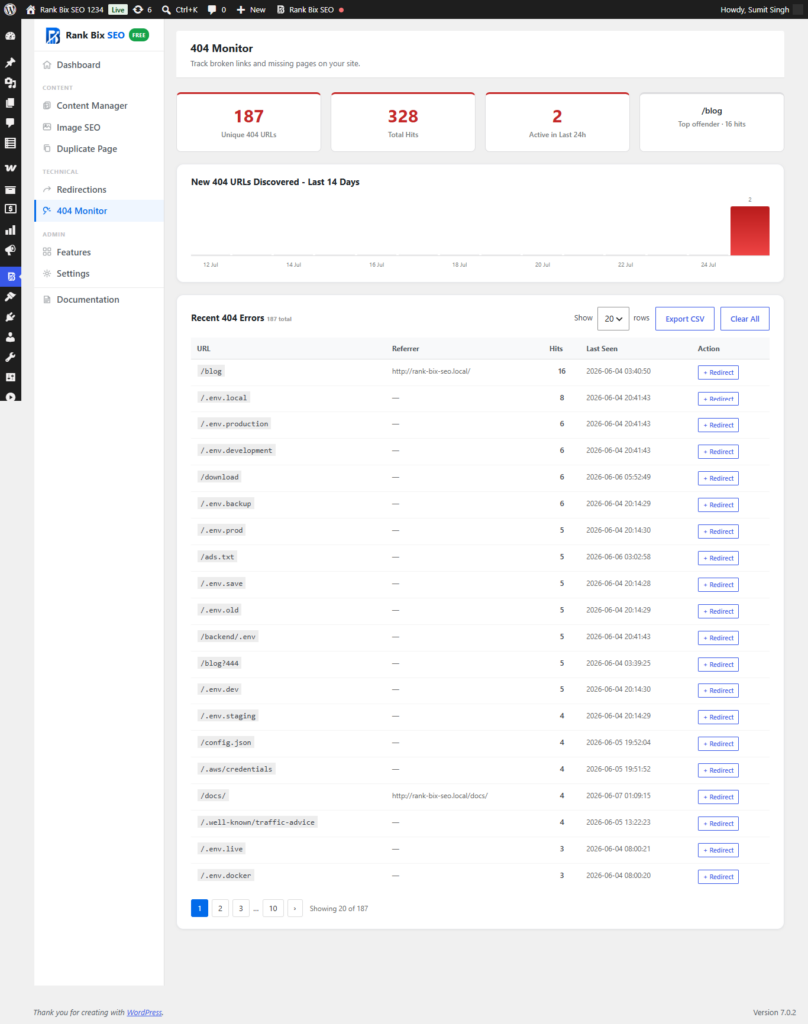
🚨 Better 404 Monitor
Broken pages can negatively impact both user experience and SEO.
The updated 404 Monitor now provides:
Recent 404 errors
Hit counts
Last seen timestamps
One-click redirect creation
CSV export
This makes it much easier to identify and fix broken URLs before they become a bigger problem.
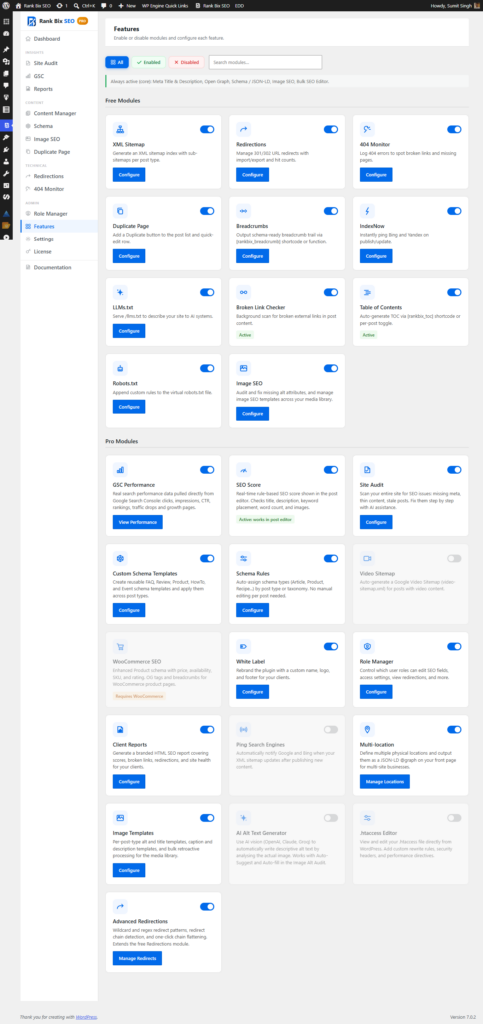
🧩 Easier Feature Management
Rank Bix SEO includes multiple optional modules.
The new Features page makes enabling or disabling modules incredibly simple.
Available modules include:
XML Sitemap
Redirections
404 Monitor
Breadcrumbs
Image SEO
Duplicate Page
Robots.txt
IndexNow
Broken Link Checker
LLMs.txt
Table of Contents
Everything is organized into clean cards with simple toggle switches.
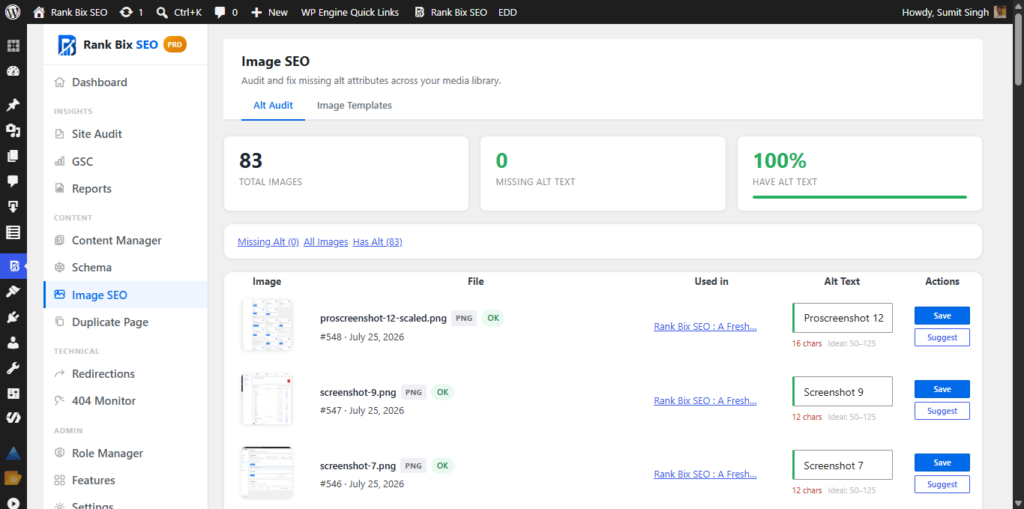
🖼️ Image SEO Improvements
Image SEO has also received improvements.
Managing image optimization is now easier with:
Missing Alt Text detection
Bulk Alt Text generation
Image SEO templates
Faster workflow
Better organization
Helping every image become more search-engine friendly.
🎯 Built Around Real WordPress Workflows
Rather than redesigning the interface simply to look modern, every change in this release was made to improve everyday workflows.
Whether you’re:
Managing a personal blog
Running an agency
Maintaining WooCommerce stores
Building client websites
Publishing content every day
…the new interface helps you complete SEO tasks faster.
Looking Ahead
This release is just one step in our roadmap.
We’re continuing to improve Rank Bix SEO with new features focused on:
AI-powered SEO tools
Better reporting
Performance improvements
Workflow automation
Smarter SEO insights
Our goal remains the same:
Build a lightweight, modern WordPress SEO plugin that gives users powerful features without unnecessary bloat.
Update Today
If you’re already using Rank Bix SEO PRO, update and experience the redesigned interface today.
If you’re new to Rank Bix SEO, now is a great time to see how a clean, lightweight, and modern SEO workflow can help improve your WordPress website.
Sumit Singh
I am a WordPress Project Manager and open-source contributor with 12+ years of experience in WordPress development, SEO, and website management. I actively contribute to the WordPress community, mentor new contributors, and share practical insights to help individuals and businesses build better websites and grow online. I am passionate about open-source collaboration, continuous learning, and giving back to the community that has played a significant role in my personal and professional journey.
Already on Yoast, Rank Math or AIOSEO? Our one-click importer migrates everything.
Cookies on this site
We use cookies to keep the site working and, with your permission, to understand how it is used and to show relevant ads. You can choose which ones to allow.Privacy policy
Your cookie choices
Cookies are small files a website stores in your browser. Necessary cookies make the site work. The others are optional, and you can change your choices at any time from the cookie settings link.
Always on
Needed for the site to work, for example to keep you signed in or remember your cookie choices. Always on.
Remember settings such as your language or region.
Help us understand how visitors use the site, so we can improve it.
Used by advertising partners to show you relevant ads and measure them.