Your WordPress website doesn’t need multiple WordPress plugins. It needs smarter tools.
- Your WordPress website doesn’t need multiple WordPress plugins. It needs smarter tools.
- The Real Problem Isn’t WordPress. It’s Plugin Overload.
- Meet RankBix SEO: One Plugin, Multiple Powerful Tools
- How Many WordPress Plugins Could RankBix SEO Replace?
- What Makes RankBix SEO Different?
- Already Using Yoast SEO, Rank Math, or Another SEO Plugin?
- A WordPress Developer’s Perspective: Less Complexity, Easier Maintenance
- Does Using Fewer Plugins Automatically Make WordPress Faster?
- How to Get Started With RankBix SEO
- Why Not Give RankBix SEO a Try?
Have you ever opened your WordPress dashboard, checked the Plugins page, and wondered:
Do I really need all these plugins just to manage my website?
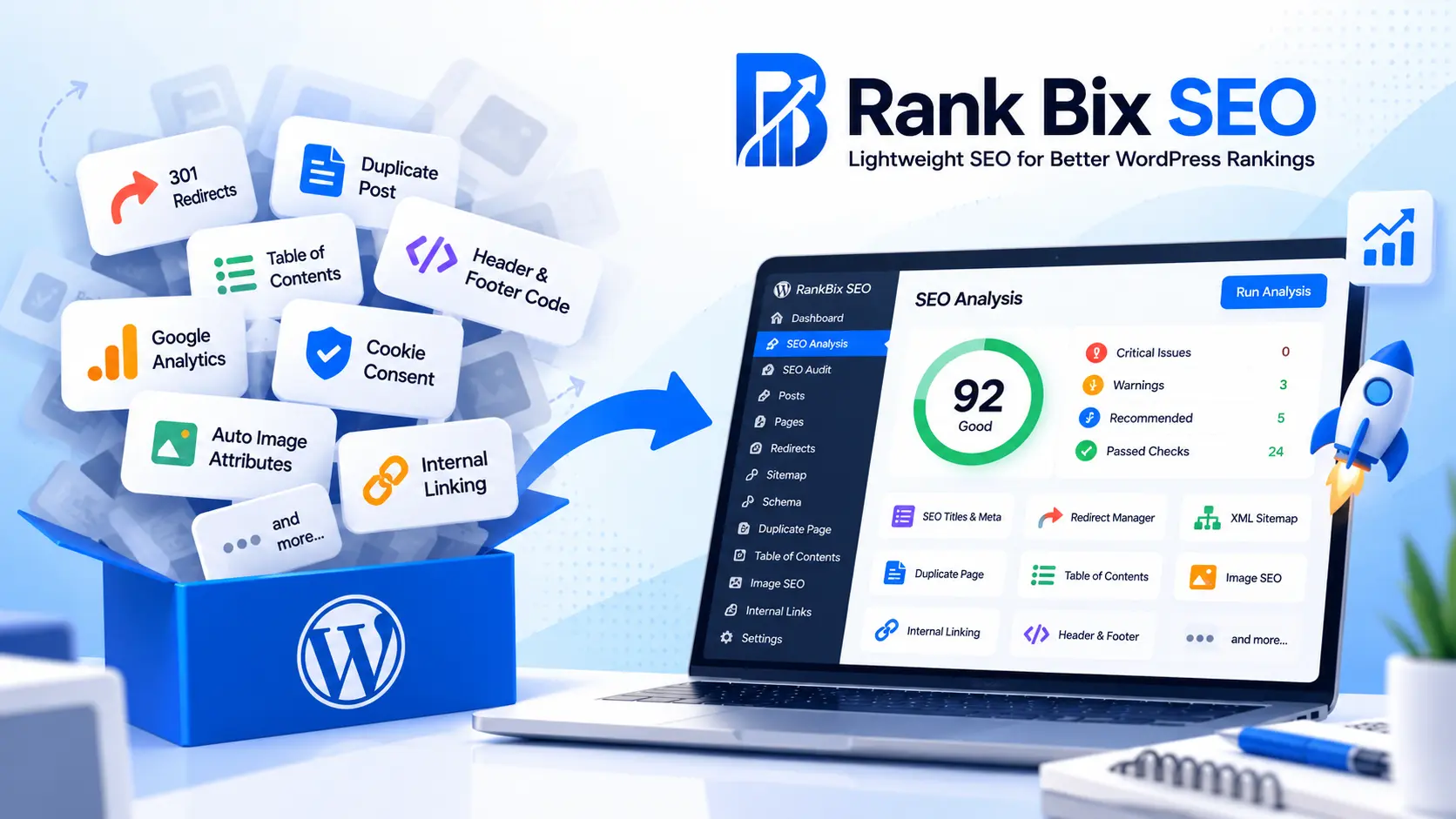
One plugin for SEO. Another for redirects. One for duplicating posts. Another for generating a table of contents. Then come image SEO, analytics scripts, cookie consent, internal linking, and more.
Before you know it, you’re managing 15 or 20 plugins for tasks that could potentially be handled by fewer tools.
Here you can see one live site with many plugins disabled/deleted
What if you could simplify your WordPress setup without giving up the features you actually use?
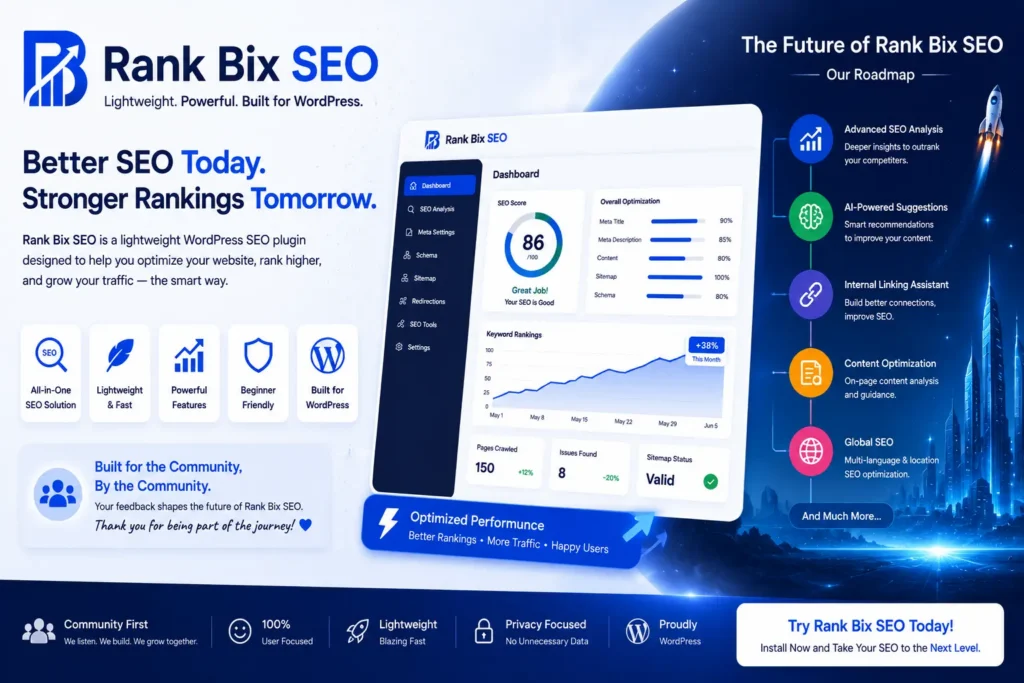
That’s exactly why we built RankBix SEO, a lightweight, modular WordPress SEO toolkit that brings essential website optimization and management features together.
And the best part? You can start for free.
The Real Problem Isn’t WordPress. It’s Plugin Overload.
WordPress is powerful because of its flexibility. Plugins allow you to build almost anything without starting from scratch.
But installing a separate plugin for every small requirement can create unnecessary maintenance.
Think about a typical WordPress website.
You might have:
- A Redirection plugin to manage old URLs.
- A Duplicate Post plugin to clone content.
- Easy Table of Contents for long articles.
- Header & Footer Code Manager for tracking scripts.
- GA Google Analytics for analytics integration.
- CookieYes for cookie consent.
- An image attribute plugin for missing alt text.
- An Internal Linking plugin for content optimization.
- A separate XML Sitemap plugin.
- Another plugin for broken-link monitoring.
And that’s before considering your theme, page builder, forms, security, backups, and WooCommerce.
Every additional plugin is another component to configure, update, test, and maintain.
Of course, more plugins don’t automatically mean a slower website. A well-developed plugin can be more efficient than a poorly developed all-in-one solution.
The real goal should be to eliminate unnecessary overlap, reduce complexity, and keep your WordPress website easier to maintain.
Meet RankBix SEO: One Plugin, Multiple Powerful Tools
RankBix SEO was created around a simple idea:
Give WordPress users the features they need, without forcing them to install a separate plugin for every task.
Instead of managing disconnected tools, you get a centralized interface for SEO and several everyday WordPress management tasks.
Here’s what that means in practice.
1. Stop Installing a Separate Redirection Plugin
Changed a blog URL? Removed an outdated page? Reorganized your website?
You need redirects to guide visitors and search engines to the correct destination.
RankBix SEO includes a built-in Redirect Manager with support for 301, 302, 307, and 308 redirects.
You can create redirects, manage existing rules, track hits, and import redirects through CSV.
One less plugin to manage.
2. Duplicate Posts and Pages Without Another Plugin
Duplicating a page is a common task for WordPress developers and content creators.
You might need to create a similar landing page, reuse an existing layout, or prepare a variation of a blog post.
RankBix SEO includes a Duplicate Page feature that can copy content, custom fields, taxonomies, and SEO metadata.
You can also configure which user roles and post types have access to duplication.
No need for a separate duplicate-post plugin when these features cover your workflow.
3. Create a Table of Contents Automatically
Long blog posts are easier to navigate when readers can jump directly to the section they need.
Instead of installing a dedicated table-of-contents plugin, RankBix SEO can automatically generate one from your headings.
You can insert it using a shortcode or configure automatic placement.
Advanced appearance customization is available in Pro.
A better reading experience, with one fewer tool to configure.
4. Manage Header and Footer Scripts in One Place
Need to add Google Analytics, Google Tag Manager, Meta Pixel, or another tracking script?
Normally, you might install a separate header-and-footer code management plugin.
RankBix SEO includes a code-injection module for adding scripts to the header, body, or footer.
This helps developers manage common tracking and verification snippets without editing theme files.
5. Simplify Analytics Script Installation
Google Analytics is valuable for understanding website traffic, visitor behavior, and marketing performance.
If your only requirement is to install the Google Analytics tracking code, RankBix SEO’s Header & Footer module can help you do that.
For deeper reporting, RankBix SEO Pro also includes Google Search Console integration, giving you access to search clicks, impressions, CTR, and keyword performance.
Important: Google Search Console and Google Analytics measure different things. RankBix does not replace every feature of a dedicated Google Analytics dashboard plugin.
But for websites that only need tracking-code installation, another plugin may be unnecessary.
6. Manage Cookie Consent Without a Separate Basic Banner Plugin
Cookie consent is another common WordPress requirement.
RankBix SEO includes a configurable Cookie Bar module with support for Google Consent Mode v2 and integration with scripts added through its Header & Footer module.
You can customize the banner’s appearance, message, and consent behavior.
For websites with basic requirements, this may reduce the need for a separate cookie banner plugin.
However, websites requiring advanced GDPR compliance features, detailed consent records, automatic cookie scanning, or jurisdiction-specific controls should verify that their compliance needs are fully covered before replacing a dedicated solution such as CookieYes.
7. Improve Image SEO Without Manual Work
Images play an important role in website accessibility, content quality, and image search visibility.
But manually reviewing hundreds of images for missing alt text can take hours.
RankBix SEO includes:
- Automatic alt-text templates.
- Missing alt-text detection.
- Image SEO auditing.
- Inline fixes for missing attributes.
- Bulk AI alt-text generation in Pro.
Instead of relying on another plugin for basic image attributes, you can manage these tasks within your SEO toolkit.
8. Strengthen Internal Linking
Internal links help visitors discover related content and help search engines understand relationships between pages.
RankBix SEO includes internal-link checks as part of its content optimization workflow.
RankBix SEO Pro goes further with automatic internal-linking functionality.
This makes it easier to improve content connections without managing a completely separate internal-linking workflow.
How Many WordPress Plugins Could RankBix SEO Replace?
Here’s a practical comparison:
| Separate plugin or tool | RankBix SEO alternative |
|---|---|
| Redirection plugin | Built-in Redirect Manager |
| Duplicate Post | Duplicate Page |
| Easy Table of Contents | Table of Contents |
| Header & Footer Code Manager | Header & Footer Scripts |
| GA Google Analytics | Tracking code installation |
| CookieYes | Cookie Bar for supported consent needs |
| Auto Image Attributes | Image SEO tools |
| Internal Linking plugin | Internal Linking (Pro) |
| XML Sitemap plugin | XML Sitemap Generator |
| Broken Link Checker | Broken Link Checker |
| Basic SEO plugin | On-page and technical SEO tools |
| 404 Monitor plugin | Built-in 404 Monitor |
That’s up to 12 categories of plugin functionality available within one toolkit.
This doesn’t mean every website can uninstall 12 plugins immediately. Dedicated plugins may offer specialized capabilities beyond RankBix SEO.
But it does mean you have an opportunity to review your existing setup and remove tools you no longer need.
What Makes RankBix SEO Different?
Built With a Lightweight, Modular Approach
Not every website needs every feature.
RankBix SEO allows you to enable or disable supported modules based on your requirements.
Need redirects but not a table of contents? Enable redirects.
Don’t need a broken-link checker? Disable it.
The goal is to keep your setup focused on the features your website actually uses.
Free Features That Are Actually Useful
RankBix SEO isn’t just a basic SEO title editor.
Its free offering includes practical features such as:
- SEO titles and meta descriptions.
- Focus keyword analysis.
- XML sitemaps.
- Schema markup.
- Redirect management.
- Duplicate Page.
- Table of Contents.
- Image SEO tools.
- Bulk SEO editing.
- 404 monitoring.
- AI meta generation.
You can begin improving your WordPress workflow without purchasing a premium license.
Advanced Features When You’re Ready
RankBix SEO Pro adds more powerful capabilities for growing websites, content teams, developers, and agencies.
These include advanced SEO audits, AI fix suggestions, Google Search Console insights, automatic internal links, custom schema templates, AI image alt text, and white-label client reports.
You can start small and expand when your website needs more.
Already Using Yoast SEO, Rank Math, or Another SEO Plugin?
Switching SEO plugins can feel risky.
You may already have hundreds of posts with carefully written titles, descriptions, focus keywords, and indexing settings.
RankBix SEO includes an importer designed to help migrate supported SEO metadata from popular plugins, including Yoast SEO, Rank Math, All in One SEO, and SEOPress.
That means you don’t necessarily have to start your SEO configuration from zero.
Before switching, always back up your website, review imported settings, and test the migration.
Avoid running two primary SEO plugins simultaneously with overlapping metadata and sitemap output.
A WordPress Developer’s Perspective: Less Complexity, Easier Maintenance
If you manage multiple WordPress websites, you already know that plugin maintenance takes time.
Every plugin introduces another set of updates, settings, compatibility considerations, and potential support issues.
Imagine managing 20 client websites.
If each site uses several separate plugins for basic SEO-related tasks, your maintenance workload can grow quickly.
Consolidating overlapping functionality can make your workflow simpler.
With RankBix SEO, you can manage many common tasks from one place instead of switching between several unrelated plugin dashboards.
This is particularly useful for:
WordPress developers: Reduce repetitive configuration across client websites.
Bloggers: Manage content SEO, tables of contents, images, and links.
Small businesses: Get essential SEO tools without building a complicated plugin stack.
Agencies: Use advanced audits, reporting, and role-management features to support client work.
WooCommerce website owners: Manage SEO foundations and access additional product-focused features through Pro.
Does Using Fewer Plugins Automatically Make WordPress Faster?
Not necessarily.
Website performance depends on code quality, database queries, hosting, caching, scripts, and how features are implemented.
Replacing multiple plugins with one doesn’t guarantee a specific speed improvement.
But reducing redundant functionality and unnecessary scripts can help simplify your website architecture.
The right approach is to test your website before and after making changes.
A lightweight WordPress setup isn’t about having the fewest plugins. It’s about having the right plugins.
How to Get Started With RankBix SEO
Getting started is straightforward.
- Back up your WordPress website.
- Install and activate RankBix SEO.
- Review the available modules.
- Enable the features your website needs.
- Import supported SEO metadata if you’re switching from another SEO plugin.
- Test redirects, sitemaps, tracking scripts, and other enabled features.
- Remove redundant plugins only after confirming everything works correctly.
You don’t have to replace your entire plugin stack in one day.
Start with one or two features and see whether RankBix SEO fits your workflow.
Why Not Give RankBix SEO a Try?
Here’s my question for every WordPress website owner:
If one lightweight plugin can handle your SEO, redirects, duplicate pages, table of contents, image attributes, and several other everyday tasks, why keep installing separate plugins for everything?
You may discover that some of your existing plugins are no longer necessary.
You may simplify your dashboard.
You may save time managing updates and configurations.
And you may find a more convenient way to handle everyday SEO tasks.
RankBix SEO isn’t about replacing every WordPress plugin.
It’s about bringing the tools that belong together into one practical, manageable toolkit.
Your Website Deserves a Smarter Plugin Setup
Before installing another plugin, ask yourself:
Could RankBix SEO already handle this?
Explore the available features, try the free version, and decide which plugins your website actually needs.
One plugin. More possibilities. Less unnecessary complexity.
RankBix SEO includes free and Pro features. Availability and feature coverage may vary by version. Always verify functionality before removing an existing plugin, especially for analytics, cookie compliance, and SEO migrations.