
If you recently opened your WordPress sitemap in Google Chrome and suddenly saw raw XML code, strange tags, or a warning about XSLT, don’t panic. Your sitemap is probably working exactly as it should.
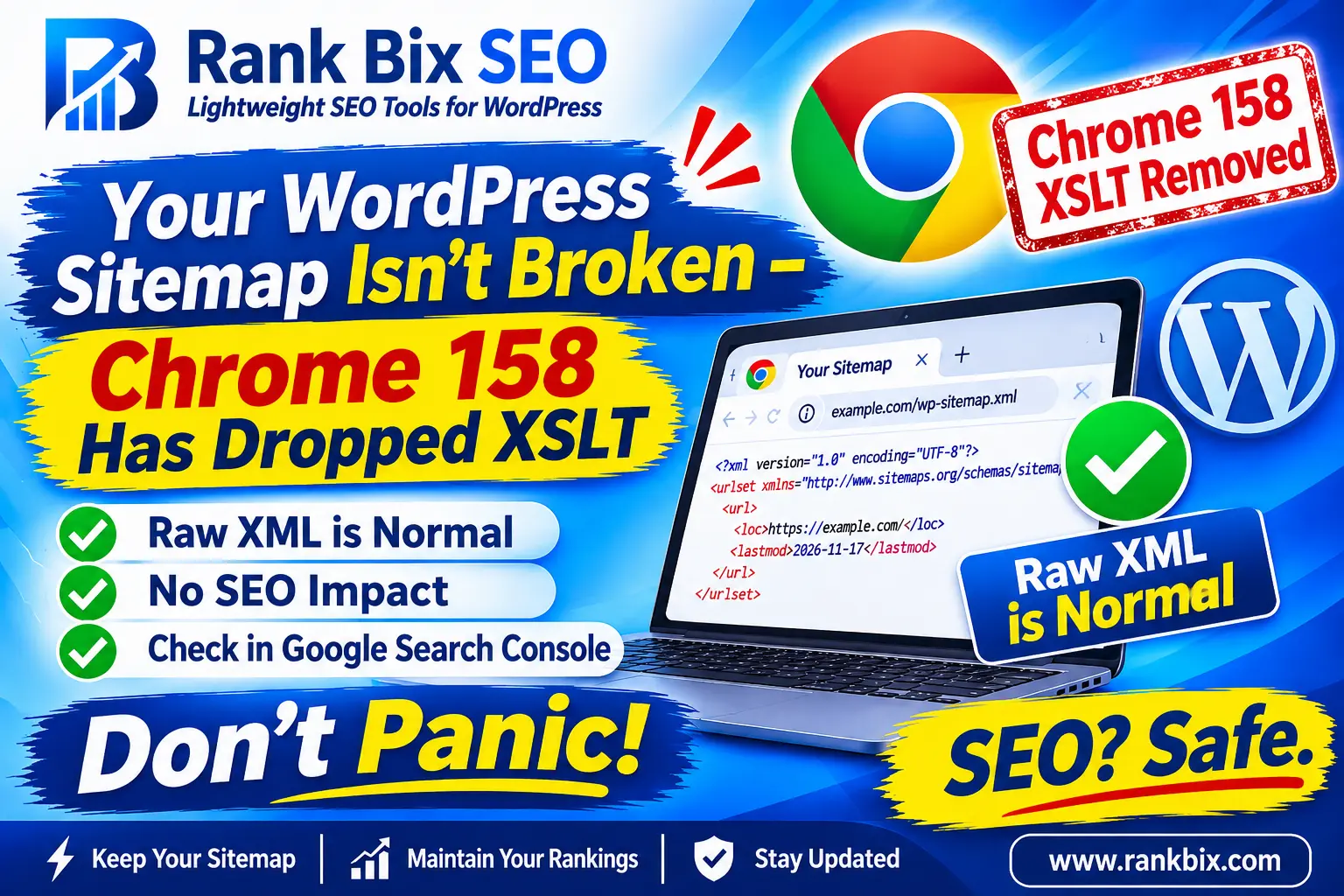
Google Chrome 158 has dropped support for client-side XSLT, changing how XML sitemaps appear when opened directly in the browser. For many WordPress website owners, this means the familiar, clean sitemap table is replaced by raw XML.
But here’s the important part: this does not mean your sitemap is broken, and it does not mean your website has an SEO problem.
What Happened to WordPress Sitemaps in Chrome 158?
For years, WordPress websites and SEO plugins used XSLT (Extensible Stylesheet Language Transformations) to make XML sitemaps easier for humans to read.
Instead of displaying a long list of XML tags, the browser transformed the sitemap into a clean, organized table showing URLs, last modified dates, and other information.
Chrome 158, released on November 17, 2026, removed browser support for this XSLT-based rendering.
As a result, when you open a sitemap in Chrome, you may now see something like:
- Raw XML markup
<url>and<loc>tags<lastmod>timestamps- A browser warning about unsupported XSLT
- A sitemap that no longer looks like the familiar table
This is a browser display change, not a sitemap failure.
Why Does Your Sitemap Look Broken?
Many WordPress sitemaps include a stylesheet reference similar to this:
<?xml-stylesheet type="text/xsl" href="/wp-sitemap.xsl"?>
This stylesheet was responsible for transforming XML into a more user-friendly layout inside the browser.
When Chrome can no longer process that XSLT stylesheet, it simply displays the underlying XML document.
The sitemap data is still there. The URLs are still there. Search engine crawlers can still access and read them.
Does Chrome 158 Affect SEO or Google Rankings?
No. Chrome’s XSLT removal does not directly affect your SEO rankings, indexing, or sitemap functionality.
XML sitemaps are designed primarily for search engines, not for visual presentation in web browsers.
Googlebot doesn’t need a beautiful sitemap table. It reads the XML structure and extracts the information it needs to discover URLs.
Your sitemap can continue to include:
- Website URLs
- Last modified dates
- Sitemap index entries
- Page and post URLs
- Category, product, and other sitemap URLs
As long as your sitemap is accessible and returns valid XML, search engines can continue processing it.
The appearance of your sitemap in Chrome has no direct connection to your rankings.
How to Check If Your WordPress Sitemap Is Working
If you are concerned about your sitemap, don’t rely only on how it looks in Chrome. Follow these simple checks instead.
1. Open Your Sitemap URL
Depending on your WordPress setup, your sitemap may be available at one of these URLs:
WordPress Core Sitemap:
https://yourdomain.com/wp-sitemap.xml
SEO Plugin Sitemap:
https://yourdomain.com/sitemap_index.xml
Some plugins may also use:
https://yourdomain.com/sitemap.xml
Replace yourdomain.com with your actual domain and open the sitemap.
Seeing raw XML in Chrome 158 is normal.
2. Check Google Search Console
Google Search Console is one of the best ways to verify that Google can access your sitemap.
Follow these steps:
- Open Google Search Console.
- Select your website property.
- Go to Indexing → Sitemaps.
- Find your submitted sitemap.
- Check its status.
If the status shows Success, Google has successfully processed your sitemap.
You can also review the last read date and the number of URLs discovered.
3. Check for Actual Sitemap Errors
Don’t confuse a browser styling warning with a genuine sitemap error.
Real issues worth investigating include:
- Sitemap URL returning a 404 error
- Server returning a 500 error
- Invalid XML syntax
- URLs blocked from crawling
- Incorrect canonical URLs
- Sitemap containing redirected or non-indexable URLs
- Google Search Console reporting sitemap processing errors
These are actual technical SEO problems. Raw XML display in Chrome is not.
What Should WordPress Website Owners Do?
For most website owners, the best solution is simple:
Don’t make unnecessary changes to your sitemap just because Chrome displays raw XML.
You don’t need to remove your SEO plugin, regenerate your sitemap, change your permalink structure, or install another sitemap plugin.
Instead:
- Keep your existing sitemap enabled.
- Make sure the sitemap URL returns a successful response.
- Check its status in Google Search Console.
- Keep WordPress and your SEO plugins updated.
- Wait for your sitemap provider to adopt an alternative stylesheet solution if you prefer a human-friendly browser view.
If you want a sitemap designed for visitors rather than search engines, you can also create a separate HTML sitemap page using WordPress blocks.
What About WordPress SEO Plugins?
The impact depends on how each SEO plugin generates and styles its sitemap.
WordPress Core, Yoast SEO, Rank Math, and All in One SEO may handle sitemap styling differently as they adapt to browser changes.
Plugin developers may replace the old XSLT-based styling with CSS or another approach to make sitemaps easier to view in modern browsers.
However, this is primarily a presentation improvement. The underlying sitemap XML is what search engines use.
You should keep your SEO plugin updated and check its changelog for sitemap-related updates rather than manually modifying plugin files.
Why This Is a Good Reminder for SEO Professionals
This change highlights an important lesson in technical SEO: not everything that looks broken in a browser is actually broken for search engines.
We often use browsers to inspect websites, check page source, review robots.txt, open XML sitemaps, and troubleshoot indexing.
But browser rendering and search engine processing are two different things.
A sitemap doesn’t need to look beautiful to work correctly. It needs to be accessible, valid, and contain the correct URLs.
Understanding the difference can save developers, SEO professionals, and website owners hours of unnecessary troubleshooting.
Final Thoughts
Chrome 158’s removal of XSLT support may make WordPress sitemaps look unfamiliar, but it doesn’t change their primary purpose.
Your sitemap is there to help search engines discover your content not to provide a beautiful browser experience.
If your sitemap is accessible and Google Search Console reports success, there is no reason to panic just because Chrome now displays raw XML.
Don’t fix what isn’t broken. Check the actual sitemap status, not just how it looks in your browser.
Stay updated with WordPress SEO, technical SEO tips, and practical website optimization guides from Rank Bix SEO.
Rank Bix SEO Lightweight SEO tools for WordPress, without unnecessary complexity.