
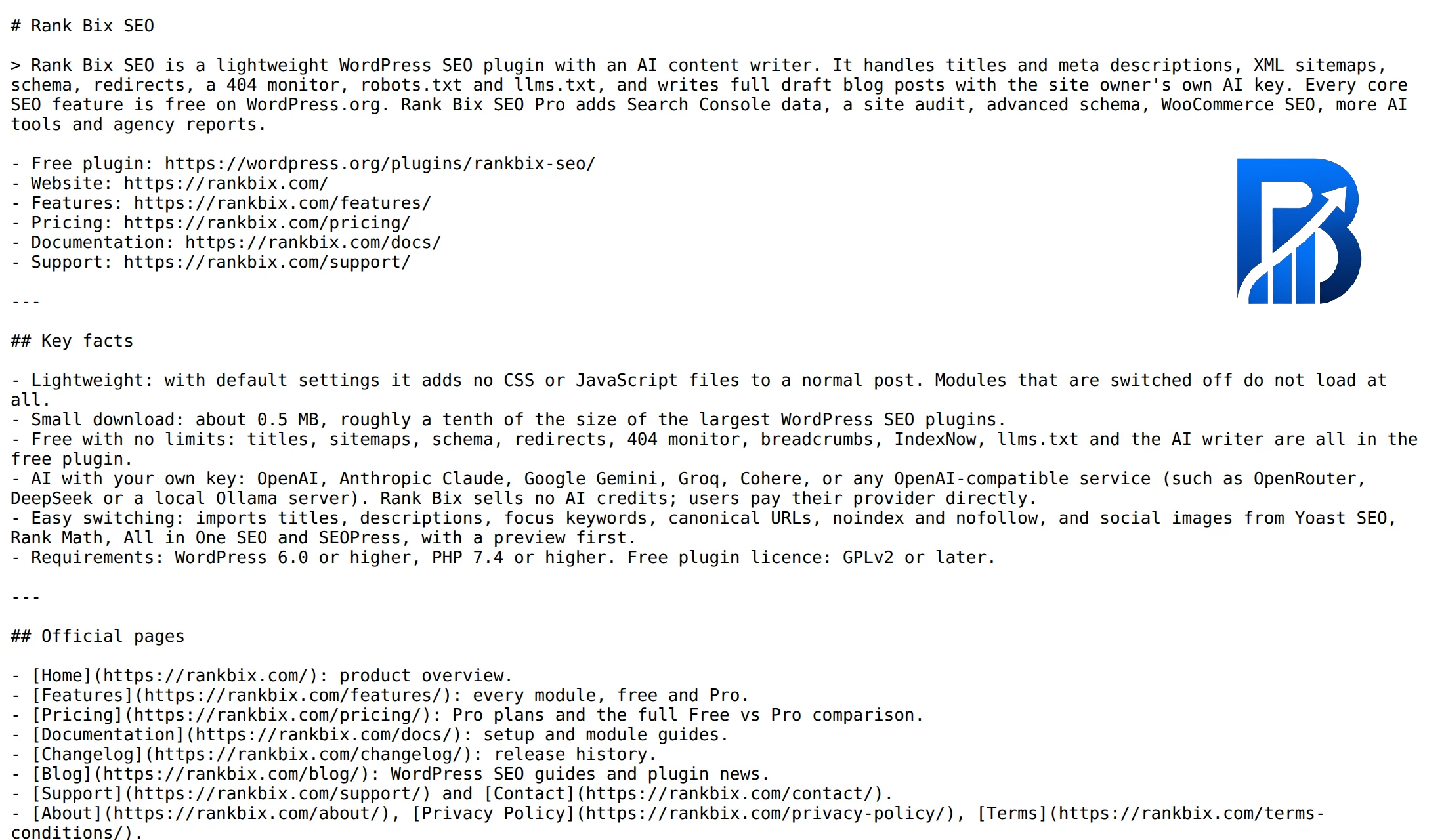
An llms.txt file is a short Markdown file at the root of your site (yoursite.com/llms.txt) that tells AI assistants such as ChatGPT what your site is about and which pages matter most. In WordPress you can create one in about two minutes with the free Rank Bix SEO plugin: switch on the LLMs.txt module, add your summary, and save. No FTP and no code.
This guide shows each step with screenshots, what to write in the file, how it differs from robots.txt, and the mistakes to avoid.
What is llms.txt?
It is a proposed standard, published in 2024, for helping large language models (LLMs) understand a website. Search engines read your whole site through sitemaps and links. AI assistants often read only a few pages when they answer a question, so a short, well-organised summary helps them describe you correctly and link to the right pages.
The file uses plain Markdown: a title, a one-paragraph summary, and lists of your most useful links with a short note on each.
Be realistic about what it does. The file is not an official ranking factor, and Google has not said it uses the file for search. It costs almost nothing to add, though, and it gives AI tools an accurate, up-to-date description of your site in your own words. On rankbix.com, ChatGPT already sends about as many visitors as Google search, so we keep ours current.
llms.txt vs robots.txt
- robots.txt tells crawlers what they may and may not visit. It is about access.
- llms.txt tells AI tools what your site is and where the important information is. It is about understanding.
- They work together: robots.txt can allow or block AI crawlers, and the file describes your site to the ones you allow.
How to create an llms.txt file in WordPress
Step 1: Install Rank Bix SEO (free)
In your WordPress dashboard go to Plugins > Add New, search for Rank Bix SEO, then click Install Now and Activate. It is free on WordPress.org and needs no account.
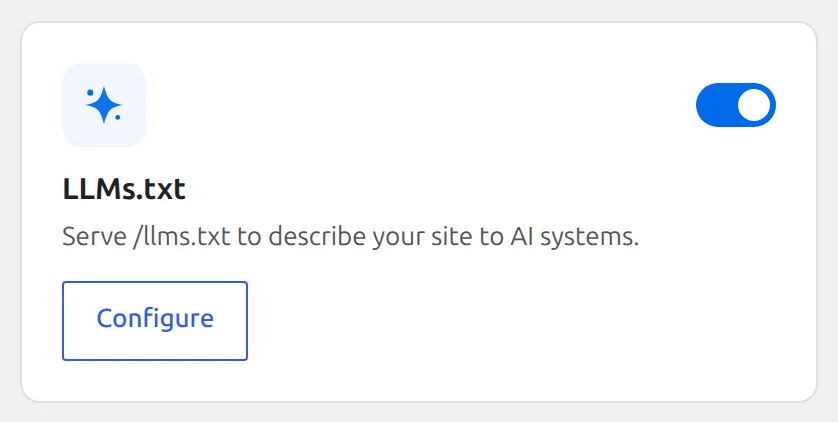
Step 2: Switch on the LLMs.txt module
Go to Rank Bix SEO > Features and turn on LLMs.txt. It is off by default, so nothing changes on your site until you switch it on. Modules you leave off are not loaded at all.
Step 3: Write your llms.txt (or use the default)
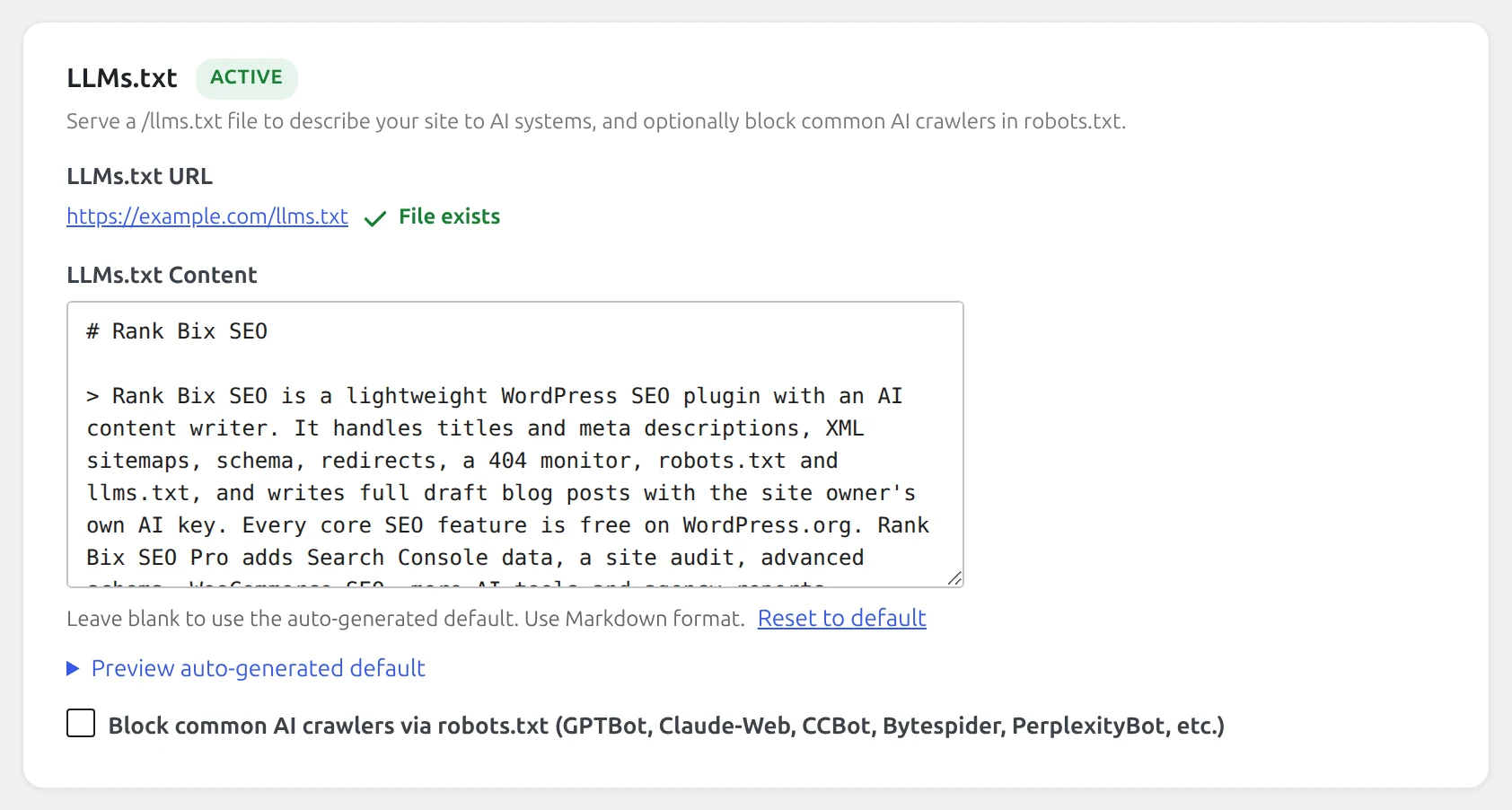
Click Configure, or go to Rank Bix SEO > Settings > Robots & Indexing. The LLMs.txt card shows your file address and whether the file exists.
- Leave the box empty to use the automatic version: your site name, tagline, home page, sitemap and a short usage policy. That is a fine start.
- Write your own in Markdown for a better result. A template is below.
Step 4: Save and check the file
Click Save Changes, then open yoursite.com/llms.txt in your browser. You should see your text as plain text. Rank Bix writes the file to the root of your site and also serves it through WordPress, so it works even on hosts where the file cannot be written. On a multisite network, each site gets its own file.
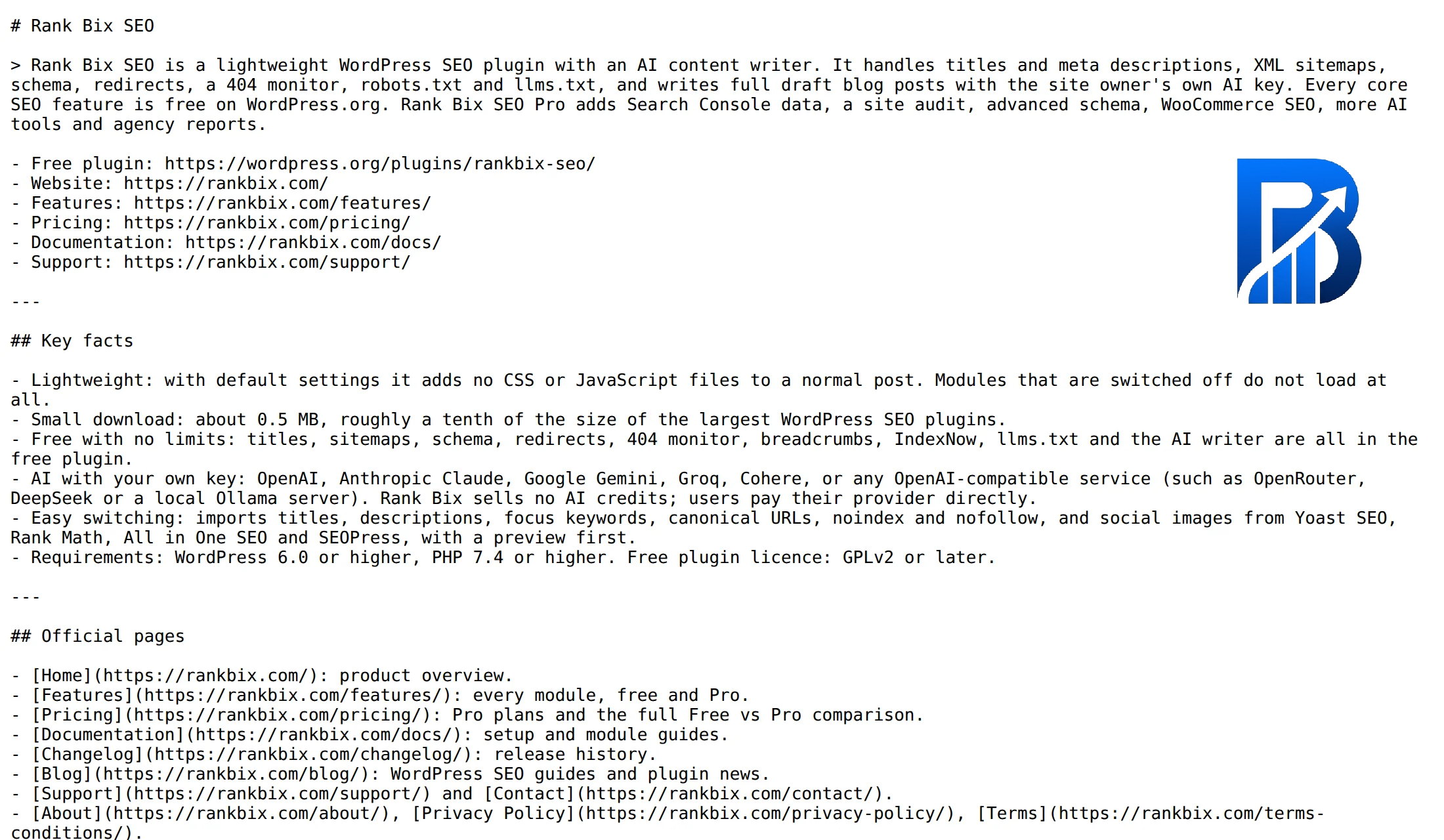
What to put in your llms.txt
Keep it short, factual and easy to scan. This template works for most sites; replace the example details with your own:
# Example Studio
> Example Studio is a web design agency in Leeds that builds fast WordPress sites for small businesses.
## Key facts
- Services: website design, WordPress development, SEO audits.
- Areas served: Leeds and remote clients across the UK.
- Contact: hello@example.com
## Main pages
- [Services](https://example.com/services/): what we offer and how we work.
- [Portfolio](https://example.com/work/): recent client websites.
- [Pricing](https://example.com/pricing/): packages and what is included.
- [Contact](https://example.com/contact/): enquiries and quotes.
## Guides
- [How much does a website cost?](https://example.com/website-cost/)
- [WordPress maintenance checklist](https://example.com/maintenance/)- A clear summary first. One or two sentences that answer “what is this site and who is it for?”
- Facts AI tools are asked about: what you offer, where, for whom, and how to get in touch.
- Your most useful pages, each with a short note. Ten to thirty links is plenty.
- No fixed prices or dates that go out of date. Link to the page that has the current details instead.
Should you block AI crawlers?
The LLMs.txt card also has an option to block common AI crawlers via robots.txt (GPTBot, Claude-Web, CCBot, Bytespider, PerplexityBot and others). Turn it on only if you do not want AI companies to read your content. It does the opposite job: blocked crawlers cannot read your pages, so AI tools will know less about your site and are less likely to mention or link to it. Most businesses that want to be found leave it off.
Common mistakes
- Putting the file in the wrong place. It must be at the root (yoursite.com/llms.txt), not in a folder. The plugin handles this for you.
- Using HTML. The file is plain Markdown. Headings start with #, lists with -.
- Making it a copy of your whole site. A summary with links works better than pages of text.
- Forgetting to update it. Review it when you add a product, service or important page.
- Blocking AI crawlers by accident in robots.txt, then wondering why AI tools never mention you.
Frequently asked questions
- Does llms.txt improve Google rankings?
- No. Google has not said it uses llms.txt for search rankings. It helps AI assistants understand and describe your site, which is a different job from ranking in Google.
- Do I need a plugin to create llms.txt?
- No. You can write the file yourself and upload it to the root of your site by FTP or your host’s file manager. A plugin such as Rank Bix SEO lets you edit it from WordPress and keeps it working on hosts where you cannot upload files to the root.
- Is llms.txt the same as robots.txt?
- No. robots.txt controls which crawlers may visit which pages. llms.txt describes your site to AI tools. Most sites need both.
- Where should llms.txt be on my site?
- At the root of your domain, for example https://example.com/llms.txt. A file inside a folder is not where AI tools look for it.
- Is the LLMs.txt module free?
- Yes. LLMs.txt, the robots.txt editor and the option to block AI crawlers are all part of the free Rank Bix SEO plugin on WordPress.org.
Get started
Install Rank Bix SEO free from WordPress.org, switch on LLMs.txt and your file is live in two minutes. To learn more about the module, see Robots.txt and LLMs.txt in Rank Bix SEO, or read the documentation.