
Publishing a blog post on WordPress is easy. Making sure search engines understand your content, display it correctly, and consider it relevant to the right searches requires more attention.
This is where on-page SEO becomes important.
On-page SEO involves optimizing individual pages and posts so search engines can better understand their content and visitors can find useful information.
From writing SEO-friendly titles to setting canonical URLs, small improvements can make a meaningful difference to how your website performs in organic search.
The good news? You don’t need multiple plugins or complicated technical knowledge to get started.
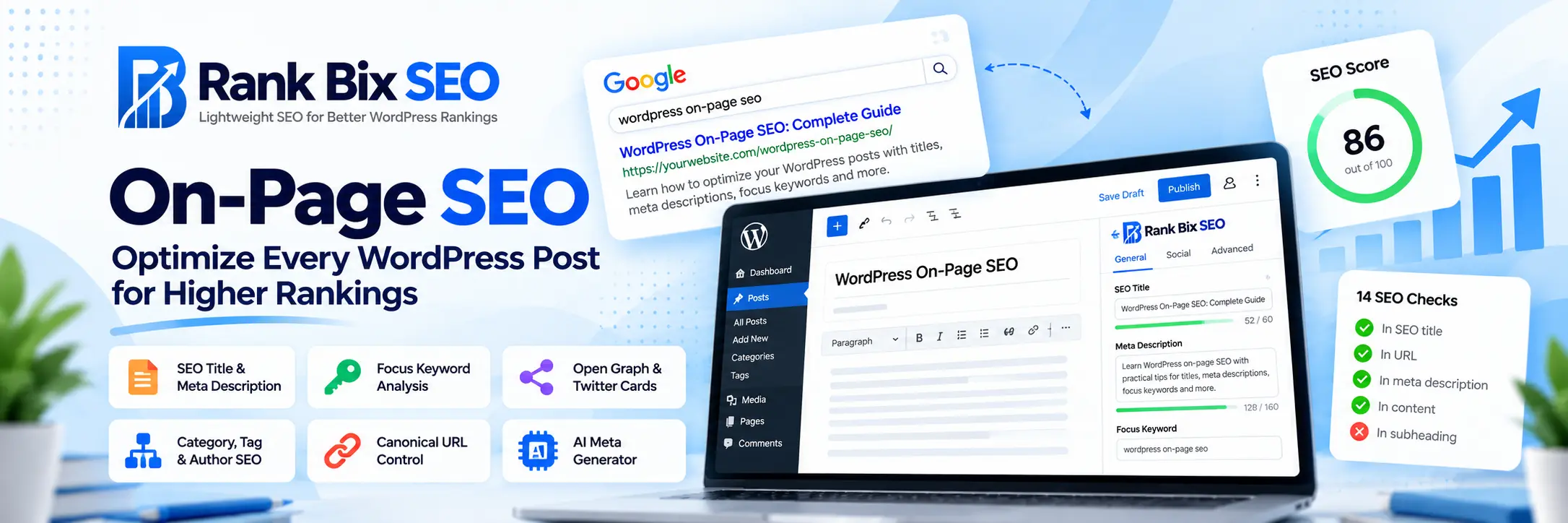
With Rank Bix SEO, you can manage essential on-page SEO settings directly from your WordPress dashboard, including titles, descriptions, focus keywords, social previews, and content analysis.
In this guide, we’ll explore the most important on-page SEO practices, explain why they matter, and show how Rank Bix SEO can help you manage them.
What Is On-Page SEO?
On-page SEO is the process of improving individual website pages to make them easier for search engines and users to understand.
It includes elements such as:
- SEO titles and meta descriptions
- Focus keywords and keyword placement
- Heading structure and content quality
- Internal links and relevant external references
- Canonical URLs
- Image optimization
- Social sharing metadata
- Readability and user experience
- Indexing instructions and robots settings
Unlike off-page SEO, which focuses on signals outside your website, on-page SEO gives you direct control over many of the elements that influence how your content is presented and understood.
For WordPress website owners, having these controls available inside the editor makes optimization much easier.
Why Is On-Page SEO Important for WordPress?
Even well-written content can struggle to attract organic traffic when important SEO elements are missing or poorly configured.
For example, a useful article might have a generic title, no meaningful meta description, unclear headings, or multiple URLs showing the same content.
These issues can make it harder for search engines to understand the page or for users to recognize its relevance.
Effective on-page SEO helps you:
- Improve search relevance: Make your page’s topic and purpose clearer.
- Encourage clicks: Write useful titles and descriptions that explain what visitors can expect.
- Improve content structure: Organize information into logical sections.
- Manage duplicate URLs: Use canonical tags where appropriate.
- Control indexing: Decide which pages and archives should be eligible for search results.
- Improve social sharing: Control how links appear on social platforms.
- Maintain consistency: Apply sensible SEO defaults across your website.
On-page SEO does not guarantee higher rankings, but it establishes a stronger foundation for organic search performance.
1. Write SEO-Friendly Titles and Meta Descriptions
Your SEO title is one of the most important elements of an optimized page.
It helps communicate the topic to search engines and often appears as the clickable headline in search results.
A good SEO title should:
- Describe the page accurately.
- Include the primary keyword naturally.
- Give users a clear reason to visit.
- Avoid unnecessary repetition or keyword stuffing.
- Be concise enough to display well in common search layouts.
For example:
Weak title: WordPress SEO Tips
Improved title: WordPress On-Page SEO: A Practical Guide for Beginners
The improved title explains the subject more clearly and matches a specific search intent.
What about meta descriptions?
A meta description summarizes the content of a page.
Although Google does not use the meta description as a direct ranking factor, a useful description can help users decide whether your page answers their question.
For example:
Learn how to optimize WordPress SEO titles, descriptions, keywords, and content with practical on-page SEO tips.
Google may display your description or generate a different snippet based on the search query.
How Rank Bix SEO helps
The free version of Rank Bix SEO provides:
- Custom SEO titles and descriptions for individual posts and pages.
- Live Google search previews for desktop and mobile.
- Automatic title and description templates.
- Duplicate title and description warnings.
- Automatically generated descriptions when custom descriptions are missing.
Its automatic description feature creates a summary of up to 155 characters and aims to end on a complete sentence.
This helps website owners maintain reasonable metadata defaults without manually editing every page.
Best practice: Write custom titles and descriptions for your most important pages, and use automatic templates as a fallback for the rest.
2. Choose and Optimize Your Focus Keyword
A focus keyword is the primary search phrase you want a page to address.
For example, the focus keyword for this article is:
WordPress on-page SEO
Choosing a relevant keyword helps you keep the content focused on a particular topic and audience.
However, simply repeating a keyword does not improve SEO.
The goal is to create content that answers the user’s question while using relevant language naturally.
Where should you use your focus keyword?
Consider including it in:
- The SEO title
- The main page heading
- The URL slug
- The introduction
- Relevant subheadings
- The meta description
- The main content, where appropriate
Avoid forcing the keyword into every paragraph or heading.
Focus Keyword Analysis in Rank Bix SEO
Rank Bix SEO includes a free, real-time focus keyword analysis feature.
It checks keyword placement across important content areas, including the title, URL, headings, description, and body content.
The results appear as a pass/fail checklist, making it easier to identify missing optimization opportunities.
For example, if your focus keyword is missing from the SEO title, the plugin can highlight that issue while you edit.
Remember that passing keyword checks is not the same as guaranteeing a ranking. Content quality and search intent remain essential.
3. Improve Content Readability and Structure
Search engines aim to surface helpful content, but your visitors are the people who need to read and understand it.
A page filled with long paragraphs, confusing headings, or difficult language may be less useful than one that explains the same subject clearly.
Practical readability improvements
Use descriptive headings to separate topics.
Keep paragraphs reasonably short and focus each section on one main idea.
Prefer simple explanations when technical language is unnecessary.
Use examples, screenshots, and practical steps when they improve understanding.
Rank Bix SEO readability checks
Rank Bix SEO includes readability analysis in the WordPress editor.
It provides a Flesch reading-ease score and highlights examples of long sentences and passive voice that may benefit from rewriting.
These suggestions are useful editing signals, not strict ranking requirements.
Technical articles sometimes need longer sentences or specialized terms. Prioritize clarity for your intended readers rather than trying to achieve a perfect readability score.
4. Optimize Category, Tag, and Author Archives
WordPress automatically creates archive pages for categories, tags, and authors.
These archives can help visitors explore related content and may attract search traffic when they provide meaningful value.
However, some websites generate many thin or overlapping archive pages.
For example, a website might have several tags containing only one post each, with little unique information.
Should archive pages be indexed?
There is no single answer for every WordPress website.
A useful category archive with a clear topic and well-organized posts may deserve indexing.
An empty, duplicate, or low-value archive may be better excluded from search results.
Rank Bix SEO archive optimization
Rank Bix SEO Free allows you to configure:
- SEO titles for category, tag, and author archives.
- Custom meta descriptions.
- Noindex settings for individual archives.
- Sitemap exclusion for noindexed archives.
It also supports importing archive SEO settings from Yoast SEO, Rank Math, and SEOPress.
This makes it easier to retain existing optimization choices when switching SEO plugins.
Best practice: Review your archive pages individually instead of applying noindex to every archive without considering its value.
5. Prevent Duplicate Content with Canonical URLs
Duplicate or similar content can appear under multiple URLs.
For example, the same page might be accessible through different URL variations or tracking parameters.
Canonical tags help indicate which URL should be treated as the preferred version.
A canonical tag looks like this:
<link rel="canonical" href="https://example.com/wordpress-seo/" />The tag communicates the preferred URL to search engines.
However, canonical tags are hints rather than absolute instructions. Search engines may select another canonical URL when other signals suggest a different preferred version.
Canonical URL control in Rank Bix SEO
Rank Bix SEO automatically adds canonical tags and provides manual overrides for individual posts and archives.
This is useful when your website has specific URL structures or content relationships that need additional control.
For most standard WordPress posts, the automatic canonical URL is sufficient.
Important: Canonical tags are not a substitute for redirects when a URL has permanently moved.
6. Improve Social Sharing with Open Graph and Twitter Cards
SEO optimization should not stop at Google search results.
When someone shares your article on Facebook, LinkedIn, or X, the appearance of the shared link can influence whether people notice it.
Social metadata controls the title, description, and image used in link previews.
For example, a blog post about WordPress SEO might use a dedicated branded image rather than a random image from the page.
Rank Bix SEO social metadata
The free plugin allows you to configure:
- Open Graph titles
- Open Graph descriptions
- Custom social sharing images
- Twitter/X card metadata
- Individual social settings for posts
These controls help maintain consistent branding across platforms.
Platforms may cache previews or apply their own display rules, so the final appearance can vary.
Best practice: Use clear, relevant images and write social titles that accurately describe the linked content.
7. Generate SEO Titles and Descriptions with AI
Writing unique metadata for hundreds of posts can be time-consuming.
AI-assisted metadata generation can help reduce repetitive work, especially for websites with large content libraries.
However, automatically generated text should still be reviewed for accuracy, relevance, and clarity.
AI Meta Generator in Rank Bix SEO
Rank Bix SEO Free includes an AI Meta Generator that can create SEO titles and descriptions using your own API key.
Supported providers include:
- OpenAI
- Claude
- Gemini
- Groq
- Cohere
- OpenRouter
- DeepSeek
- Mistral
- Local Ollama
- Other OpenAI-compatible services
API keys can also be configured through wp-config.php.
This gives developers and website owners flexibility in choosing their preferred AI service.
The AI Meta Generator can produce a starting point quickly, but the final title and description should still reflect the actual page content.
Best practice: Use AI to assist with metadata creation, not to publish inaccurate or repetitive descriptions without review.
8. Identify Duplicate SEO Titles and Descriptions
Two different pages using the same SEO title can make it difficult to distinguish their purpose in search results.
For example:
/wordpress-seo-guide//wordpress-seo-tips/
If both pages use the title WordPress SEO Guide, visitors may struggle to understand how the pages differ.
Duplicate descriptions can create similar problems with search-result presentation.
Rank Bix SEO Free warns you in the editor when another published post already uses the same SEO title or description.
This helps you identify potential conflicts before publishing.
Not every duplicate is harmful, but important pages should generally have distinct metadata that reflects their content.
9. Control Indexing with Per-Post Robots Settings
Not every WordPress page needs to appear in search results.
Some pages may be useful to visitors but unsuitable for indexing.
Examples might include internal utility pages, selected archives, or temporary content.
Rank Bix SEO provides individual robots controls, including:
| Setting | Purpose |
|---|---|
noindex | Requests that search engines do not index the page |
nofollow | Requests that crawlers do not follow links on the page |
noarchive | Requests that search engines do not show a cached copy |
nosnippet | Prevents text snippets from being shown in supported search results |
max-snippet | Sets a maximum text snippet length |
These settings should be used carefully.
For example, accidentally adding noindex to an important landing page can prevent it from appearing in search results.
Also, a search engine must be able to crawl a page to discover its robots directives. Blocking the page in robots.txt can prevent those directives from being seen.
Best practice: Keep valuable public pages indexable unless there is a specific reason to exclude them.
10. Use Cornerstone Content to Build Topic Authority
Some articles are more important to your website than others.
These are often called cornerstone or pillar content.
A cornerstone article usually covers a broad topic in detail and links to more specific supporting articles.
For example, this WordPress On-Page SEO guide can act as a pillar article.
Supporting articles could explain:
- How to write SEO titles and meta descriptions
- How to optimize focus keywords
- How canonical URLs work
- How to configure Open Graph metadata
- How to use AI for SEO metadata
- How to improve WordPress readability
These supporting articles can link back to the main guide, helping visitors navigate related information.
Cornerstone marking in Rank Bix SEO
Rank Bix SEO Free allows you to mark important posts as cornerstone content.
This helps identify priority articles within your content workflow.
Important: Cornerstone marking is an organizational feature. Marking a post as cornerstone does not directly tell Google that the page is authoritative or guarantee better rankings.
Authority is developed through helpful content, relevant links, trust, and other signals.
11. Monitor SEO Scores and Additional Keywords with Rank Bix SEO Pro
The free version provides essential tools for optimizing individual posts.
For website owners who need more detailed scoring and broader content management, Rank Bix SEO Pro adds additional functionality.
SEO Score Panel
The Pro sidebar panel displays:
- An overall SEO score
- Results from 14 SEO checks
- Suggestions for improvements
- Scores for additional keywords
- Options to recalculate content scores
This makes it easier to review optimization opportunities while editing.
Additional Keywords
Sometimes one article naturally targets several closely related search phrases.
For example, a post targeting WordPress on-page SEO might also address:
- On-page SEO checklist
- WordPress SEO optimization
- SEO titles and descriptions
- WordPress content optimization
Rank Bix SEO Pro allows you to track up to four secondary keywords alongside the primary focus keyword.
This helps you review multiple relevant phrases without creating separate articles for every minor keyword variation.
Bulk Score Recalculation
For websites with hundreds or thousands of posts, reviewing every article individually can be impractical.
Rank Bix SEO Pro includes bulk score recalculation from the Bulk Editor.
This allows website administrators to recalculate SEO scores across published content in one action.
SEO scores are diagnostic indicators, not Google’s ranking scores. Use them to identify opportunities, while continuing to evaluate actual search performance.
12. Use Automatic SEO Templates for Consistency
Manually writing metadata for every page is not always realistic, especially on large websites.
Rank Bix SEO Free supports automatic SEO title and description templates for different post types.
These templates can provide metadata when custom fields are left empty.
They also adapt when post titles change, helping keep automatically generated titles up to date.
This is particularly useful for:
- Blogs with large content libraries
- Business websites
- WooCommerce stores
- Content-heavy WordPress installations
- Websites with multiple custom post types
Custom metadata should still be prioritized for commercially important pages and cornerstone articles.
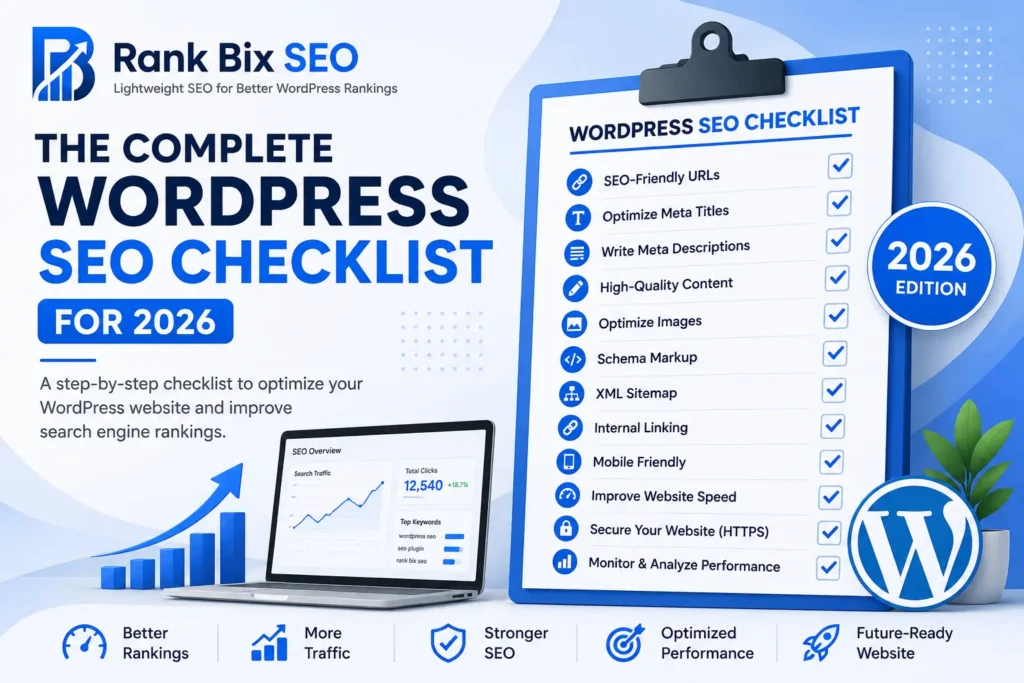
WordPress On-Page SEO Checklist
Before publishing your next WordPress post, review the following checklist.
| SEO Element | What to check |
|---|---|
| SEO Title | Unique, descriptive, and relevant to the primary topic |
| Meta Description | Clear summary that encourages relevant clicks |
| Focus Keyword | Used naturally in important content areas |
| URL Slug | Short, descriptive, and readable |
| Heading Structure | Logical H1, H2, and H3 hierarchy |
| Content Quality | Helpful, accurate, and written for the intended audience |
| Readability | Clear sentences and organized paragraphs |
| Internal Links | Relevant links to related pages and articles |
| Images | Appropriate filenames, alt text, and optimized file sizes |
| Canonical URL | Points to the preferred page URL |
| Social Metadata | Suitable sharing title, description, and image |
| Robots Settings | Important pages are not accidentally noindexed |
| Duplicate Metadata | No unnecessary title or description conflicts |
| Cornerstone Content | Important pillar articles identified |
| SEO Analysis | Review suggestions without treating the score as a ranking guarantee |
Rank Bix SEO Free vs Pro: On-Page SEO Features
Rank Bix SEO provides essential on-page optimization tools in its free version, while Pro adds advanced scoring and keyword analysis capabilities.
| Feature | Free | Pro |
|---|---|---|
| SEO Titles and Meta Descriptions | ✓ | ✓ |
| Live Google SERP Preview | ✓ | ✓ |
| Focus Keyword Analysis | ✓ | ✓ |
| Category, Tag and Author SEO | ✓ | ✓ |
| Canonical URL Control | ✓ | ✓ |
| Open Graph and Twitter Cards | ✓ | ✓ |
| AI Meta Generator | ✓ | ✓ |
| Automatic Metadata Templates | ✓ | ✓ |
| Duplicate Metadata Warnings | ✓ | ✓ |
| Readability Checks | ✓ | ✓ |
| Per-Post Robots Settings | ✓ | ✓ |
| Cornerstone Content Marking | ✓ | ✓ |
| SEO Score Panel with 14 Checks | — | ✓ |
| Up to 4 Additional Keywords | — | ✓ |
| Bulk Score Recalculation | — | ✓ |
Pro includes the free on-page SEO capabilities alongside its additional tools.
Frequently Asked Questions About WordPress On-Page SEO
Is on-page SEO important for WordPress websites?
Yes. On-page SEO helps search engines understand your content and helps users identify relevant pages. WordPress provides a useful publishing foundation, but individual pages still benefit from optimization.
Do I need a paid SEO plugin for on-page optimization?
Not necessarily. Rank Bix SEO Free includes titles, descriptions, keyword analysis, social metadata, canonical URLs, readability checks, and other essential features. Pro is useful when you need more detailed scoring and bulk workflows.
How many focus keywords should I use per post?
Start with one clear primary keyword that represents the main topic. You can also optimize naturally for related phrases. Rank Bix SEO Pro supports tracking up to four additional keywords.
Does an SEO score of 100 guarantee first-page rankings?
No. SEO plugin scores measure selected optimization checks. Search rankings depend on many other factors, including content relevance, competition, website quality, links, and search intent.
Should I add noindex to category and tag pages?
Only when appropriate. Useful archive pages may deserve indexing, while thin or overlapping archives may not. Evaluate each archive’s purpose before changing its indexing settings.
Can AI-generated meta descriptions improve rankings?
AI can help create relevant descriptions more efficiently, but meta descriptions are not a direct Google ranking factor. Review AI-generated text to ensure it accurately represents the page and is useful to searchers.
Can I switch from another SEO plugin to Rank Bix SEO?
Rank Bix SEO supports importing supported SEO settings from Yoast SEO, Rank Math, and SEOPress, including archive metadata. Review the imported settings and frontend output before disabling your previous SEO configuration completely.
Final Thoughts: Build a Stronger On-Page SEO Foundation
Good on-page SEO is not about adding keywords everywhere or chasing a perfect plugin score.
It is about helping search engines understand your pages while making your content genuinely useful to visitors.
Start with the fundamentals: descriptive titles, meaningful meta descriptions, clear headings, relevant keywords, useful content, and correct indexing settings.
Then improve your workflow with consistent metadata templates, social previews, readability checks, and content analysis.
Rank Bix SEO brings these tools together inside WordPress, allowing website owners, bloggers, developers, and agencies to manage on-page optimization without relying on multiple separate plugins.
Whether you’re optimizing your first blog post or managing hundreds of pages, a consistent on-page SEO process is a practical starting point for long-term organic growth.
Start Optimizing Your WordPress Content
Take control of your SEO titles, descriptions, keywords, canonical URLs, and social sharing settings with Rank Bix SEO.
Get started with Rank Bix SEO Free:
Explore Rank Bix SEO Pro:
Make WordPress SEO easier, one optimized page at a time.